
Unlocking App Growth with Google Play ASO
Master Google Play ASO with our ultimate guide. Learn proven strategies to boost your app's visibility, drive downloads, and dominate the Play Store.
Google Play ASO is, in a nutshell, the art and science of getting your app noticed and downloaded from the Google Play Store. It’s a continuous cycle of tweaking your app’s title, description, keywords, and visuals to climb the search rankings and convince people to hit that install button.
Think of it as SEO, but specifically for your Android app.
Why Google Play ASO Is Your App's Growth Engine
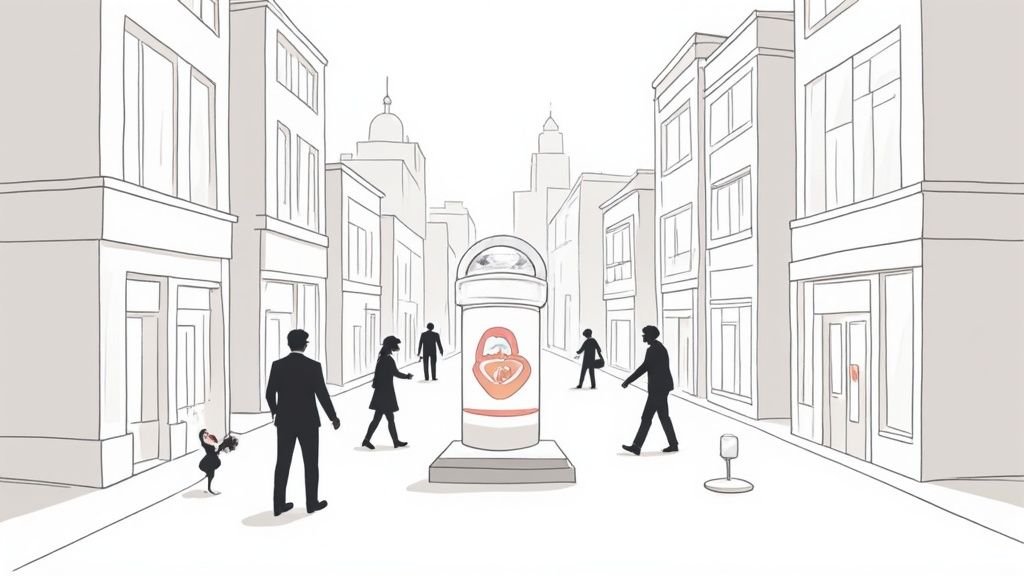
Picture the Google Play Store as a massive, sprawling city with millions of storefronts. Without a good sign or a clear address, your app is just another anonymous building on a forgotten side street. Google Play ASO is the bright neon sign, the memorable location, and the inviting storefront that pulls people in.
It’s all about making your app impossible to miss, both for the store's algorithm and for the actual humans you want to reach.
This isn’t a "set it and forget it" checklist. It's an ongoing process that fuels organic, sustainable growth. When you get ASO right, you attract high-quality users without constantly pouring money into ads, building a powerful engine for boosting app store growth and conversions for the long term.
The Two Pillars of Google Play ASO
A solid Google Play ASO strategy really comes down to two core missions that feed into each other. If you ignore one, the other will suffer, and your app’s growth will stall out.
Here's a quick breakdown of how these two pillars work together:
| Pillar | Primary Goal | Key Activities |
|---|---|---|
| Visibility | Get Discovered | Keyword optimization, ranking in search, getting featured in 'explore' sections. |
| Conversion | Win the Install | Crafting a compelling icon, high-converting screenshots, video, and description. |
Getting eyes on your app is the first step, but convincing those eyes to click "Install" is what actually moves the needle.
A well-executed ASO strategy is what turns casual browsers into loyal users. It's the most critical lever you have for sustainable growth, turning your app from a hidden gem into a must-have download.
A Continuous Cycle of Improvement
The top apps on Google Play don't treat ASO as a one-and-done project. They treat it as a core part of their strategy, and the algorithm rewards them for it. The frequency of app updates, for instance, is a massive signal. In fact, data shows that 74% of the top 1,000 apps on Google Play are updated at least once a month.
This commitment tells both users and Google that your app is reliable and constantly getting better. You can dive deeper into the data on app update frequency and see the impact for yourself.
By continuously refining your keywords, testing new visuals, and listening to user feedback, you kickstart a powerful feedback loop. Higher visibility leads to more downloads, which generates more ratings and data. That data signals to the algorithm that your app is a high-quality result, which means it gets shown to even more people.
This is how you build unstoppable momentum.
Decoding How Google Play Ranks Your App
Let's pull back the curtain on the Google Play algorithm. It’s not some black box spitting out random results. It’s a sophisticated system that looks for specific signals to decide which apps get shown in search and recommendations. Nailing these signals is the entire game of Google Play ASO.
The algorithm basically sorts everything into two buckets. The first is on-metadata: that’s all the stuff you directly control inside the Google Play Console. The second is off-metadata, which is all about how real users are behaving and how well your app performs in the wild.
On-Metadata Factors You Control
Think of your on-metadata as the foundation of your store listing. This is your chance to tell Google exactly what your app is, who it's for, and why it's great. It’s like labeling the aisles in a grocery store; you’re making it easy for the algorithm to know where to send people.
Here are the parts that matter most:
- App Title: This is your most valuable ASO real estate, period. Google’s algorithm gives the most weight to keywords you put right in the title. The winning formula is simple: your brand name plus your top 1-2 keywords, all squeezed into the 30-character limit. For example, a meditation app might use "Calmwave: Guided Meditation & Sleep" to capture both branded and feature-based searches.
- Short Description: You only get 80 characters here, and while it's still indexed for keywords, its main job is conversion. This is your elevator pitch, a short, punchy sentence that hooks a user and makes them want to see more. A fitness app could use: "Workout at home with custom fitness plans. Get real results."
- Long Description: With 4,000 characters to play with, this is where you can flesh out the details. Google scans this entire field, so weaving in your main keywords 3-4 times in a natural, human-readable way is a huge plus for relevance. If you want to really dial in your copy, checking out some advanced SEO copywriting tips can give you a serious edge in how you're discovered organically.
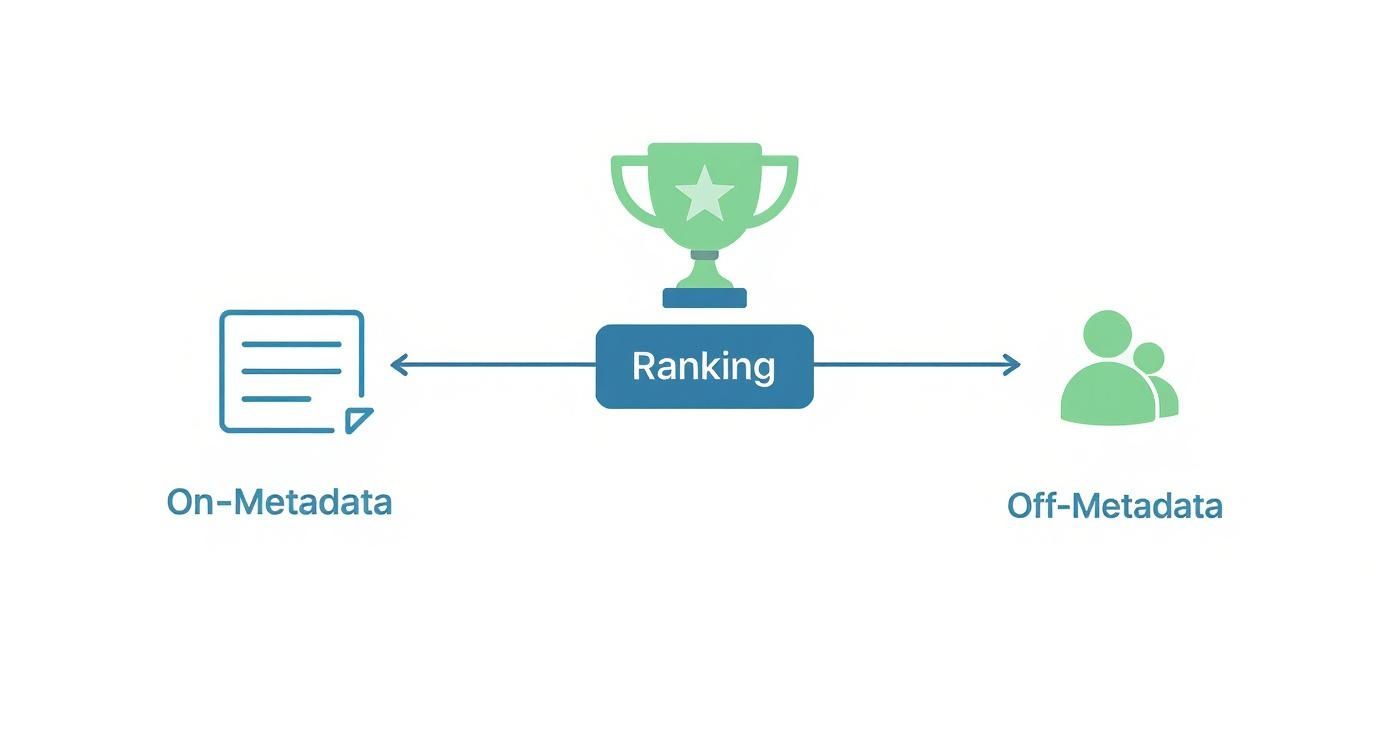
Off-Metadata Factors Driven By Users
While you set the stage with your on-metadata, this is where the rubber meets the road. Off-metadata factors are all about what users actually do. These signals are incredibly powerful because they tell Google if your app is any good in the real world. You can have the most perfectly optimized listing on the planet, but if your off-metadata signals are bad, you’re going nowhere.
The algorithm's one true goal is user satisfaction. If someone installs your app for a specific keyword but uninstalls it ten minutes later, Google takes that as a sign that your app wasn't a good match. Do that enough times, and your ranking for that keyword will plummet.
Here’s what the algorithm keeps a close eye on:
- Download Velocity and Volume: How many people are installing your app, and how fast? A big spike in downloads over a short time is a massive signal of popularity and can give you a temporary ranking boost. Consistent, steady downloads build your authority for the long haul.
- Ratings and Reviews: This is a huge trust signal for both users and Google. High ratings and glowing reviews don't just convince people to download; they directly impact your rank. An app that dips below 3.0 stars is often dead in the water, especially in the browse and explore sections.
- User Engagement and Retention: Google doesn't stop caring once the install is complete. It watches what happens next: daily active users, how long people use the app, and how many people uninstall it. High retention tells the algorithm that your app actually delivers on its promise.
- App Performance (Android Vitals): Technical stability isn't a "nice to have," it's a must. The Google Play Console tracks your app’s crash rates, "Application Not Responding" (ANR) errors, and even how much battery it drains. A buggy, slow app creates a terrible user experience, and the algorithm will punish it with lower visibility.
- Update Frequency: Shipping regular updates sends a clear signal that you’re actively maintaining and improving your app. This "freshness" factor shows both users and the algorithm that your app is reliable and evolving, which is a key part of any smart Google Play ASO strategy.
Creating Visuals That Convert Browsers into Users
If keywords get people to your app’s digital storefront, your visuals are the window display that convinces them to come inside. Text tells the algorithm what your app is, but visuals show users why they should care. It's often the deciding factor between a casual browse and a committed install.
It all starts with a memorable app icon. That tiny square is your app’s face across the entire store, from search results to editor's picks. It has to be simple, bold, and instantly recognizable, even when it's shrunk down to almost nothing.
Crafting an Iconic App Logo
A great icon follows a few unwritten rules. It should feel connected to your brand’s colors and style, creating a sense of familiarity. But more importantly, it needs to pop in a crowded category. Don’t even think about cramming it with text or tiny details that turn into a blurry mess on a phone screen.
Think of your icon as a visual promise. Does it look professional? Does it give a hint about the app's main job? A well-designed icon builds trust before a user even reads a single word of your description.
Designing High-Converting Screenshots
Screenshots are your most powerful storytelling tool. This isn't just about showing off your UI; it's about showcasing the experience your app delivers. Each screenshot should tell one piece of a larger story, guiding someone from their problem to your app's solution.
Most people only glance at the first two or three images, so you have to lead with your killer features. Make those first few screens count. Use each one to answer a potential user's question or hammer home a key benefit. For instance, a site editor for screenshots allows you to add vibrant, colored backgrounds and bold caption text that highlights the value proposition, like "Plan Meals in 5 Minutes" instead of just showing a calendar screen.
A classic mistake is just uploading raw captures of your app. Instead, frame them inside device mockups and add short, benefit-driven captions. This gives them context and makes the value prop crystal clear in seconds.
The best approach is to build a visual narrative:
- The Hook: Your first screenshot needs to grab attention with your app's main value proposition.
- The Features: The next few should each spotlight a core feature, explaining what it does and, more importantly, why it matters.
- The Proof: Wrap it up with social proof: think awards, glowing ratings, or testimonials: to build that final bit of trust.
For a deeper dive into making compelling visuals, our guide on how to generate screenshots for the App Store is packed with actionable templates and ideas.
Leveraging Google Play A/B Testing
Guesswork has no place in a solid Google Play ASO strategy. This is where Google’s own tools become your best friend. The platform's built-in Store Listing Experiments feature lets you A/B test different versions of your icon, screenshots, and promo video to see what actually connects with your audience.
The image below shows you exactly where to find the "Store listing experiments" section inside the Google Play Console to set up these crucial tests.
This awesome feature lets you test one small change at a time: maybe a new icon color or a different screenshot caption: and get hard data on what drives more installs.
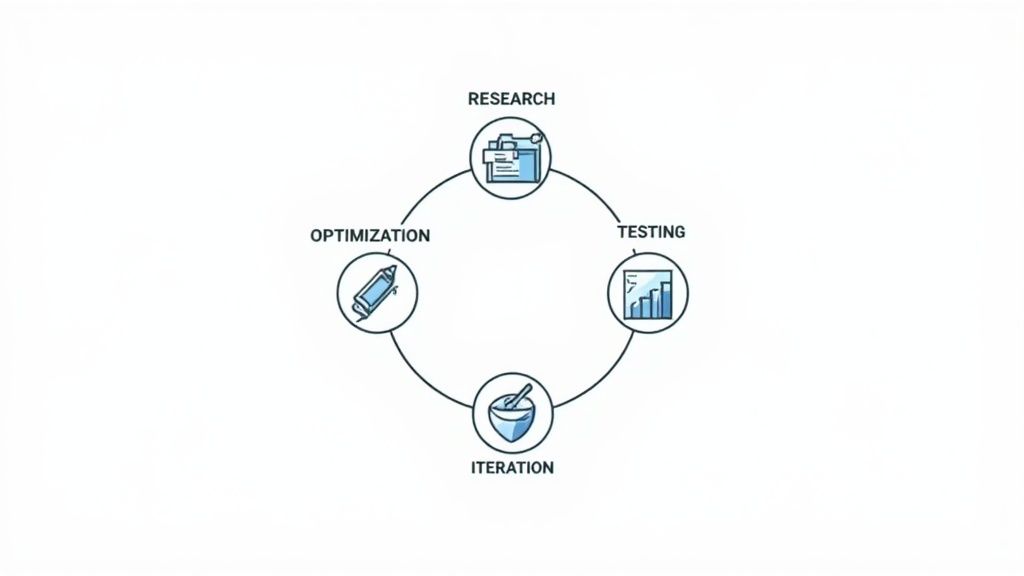
Successful ASO is a cycle, not a one-and-done task. It's a continuous loop of optimizing, testing, and learning.
You control the things you put on your store page, like your icon and screenshots. But their real performance is validated by what users do: how they engage and whether they convert. This iterative process of testing and refining is what separates the top-performing apps from the rest.
To help you stay on top of your creative assets, we've put together a quick checklist.
Visual Asset Optimization Checklist
This table breaks down the core objective for each visual element and provides a practical tip to help you get it right.
| Visual Asset | Key Objective | Best Practice Tip |
|---|---|---|
| App Icon | Instant Recognition & Trust | Keep it simple. Avoid text and use bold, brand-consistent colors that stand out in search results. |
| Feature Graphic | Grab Attention for Videos | Think of it as a movie poster. Create a compelling, high-energy image that makes users want to hit play. |
| Screenshots | Tell a Story, Show Value | Use the first 2-3 screenshots to highlight your best features with benefit-focused captions. |
| Promo Video | Demonstrate the Experience | Keep it under 30 seconds. Focus on the user's journey and the "aha!" moments your app provides. |
Think of this as your pre-launch check. Running through these points ensures your visuals aren't just there to look pretty: they're built to convert.
Industry data shows that top apps update their screenshots 2–4 times per year, while the leading games refresh them as often as 8 times annually. This constant optimization is directly tied to higher conversion rates. By continuously testing and improving, you make sure your visuals are always working as hard as possible to turn browsers into loyal users.
Your Actionable Google Play ASO Framework
Theory is great, but what you really need is a repeatable process that drives real growth. Solid Google Play ASO isn't about throwing random tweaks at the wall to see what sticks; it's a systematic, data-driven cycle.
This four-stage framework is your battle plan. It turns ASO from a guessing game into a clear strategy for climbing the charts and staying there.
Let's break down each step.
Stage 1: Research and Analysis
Before you touch a single word in your store listing, you need to understand the battlefield. This stage is all about gathering intel on your keywords and competitors. Skipping this is like trying to navigate a new city without a map: you’ll just end up lost.
First, hunt for keywords that actually matter. Brainstorm terms that describe what your app does, the problem it solves, and what a real person would type into the search bar. Use ASO tools to check your ideas, zeroing in on keywords with good search volume and competition you can realistically beat.
Next, it's time to spy on the competition. See what the top apps in your category are doing right. What keywords are in their titles? How do they pitch their value in the description? What story do their screenshots tell? This isn't about copying them; it's about spotting patterns and finding gaps you can exploit to make your app stand out.
Stage 2: Optimization and Implementation
With your research in hand, it's time to put those insights into action. This is where you get your hands dirty, updating your metadata and visuals to match what both users and the Google Play algorithm are looking for. All of this happens directly in the Google Play Console.
Here’s your optimization checklist:
- App Title: This is your heaviest hitter. Structure it as "Brand Name - Keyword 1 & Keyword 2."
- Short Description: You've got 80 characters to hook them. Make it a compelling one-liner that communicates your main benefit and includes a top keyword.
- Long Description: Don't just stuff keywords here. Weave your target terms in naturally 3-4 times. Use bold text and bullet points to make it scannable and guide the reader's eye.
- Visuals: Your screenshots need to sell the benefits. If you're targeting "meal planner," your first screenshot should scream, "Plan Your Week's Meals in Minutes."
This phase is all about turning strategy into tangible assets. For a deeper dive, you can explore various app store optimization strategies that cover how to nail both the text and the visuals.
Stage 3: Testing and Validation
How do you know if your changes actually worked? You test them. Guesswork is the enemy of good ASO. Luckily, Google gives you a powerful, and free, tool to do just this: Store Listing Experiments.
This feature lets you A/B test different versions of your app icon, screenshots, promo video, and descriptions. You can pit your new, optimized screenshots against the old ones and let real user data tell you which version gets more installs. It’s that simple.
A common mistake is testing too many things at once. If you want clean, actionable results, test one element at a time. Test a new app icon or a new set of screenshots, but not both at the same time.
This data-driven approach removes emotion and ego from the process. You're making decisions based on what verifiably works, ensuring every change actually moves the needle.
Stage 4: Iteration and Refinement
ASO isn't a "set it and forget it" task. It's a continuous loop. The final stage is about looking at your performance, learning from the results, and starting the cycle all over again. The app store is always changing, with new competitors and shifting user habits.
After your changes are live, keep a close eye on your key performance indicators (KPIs) in the Google Play Console. You'll want to track:
- Keyword Rankings: Did you climb the search results for your target terms?
- Organic Installs: Are more people finding you through search and explore?
- Conversion Rate: Of the people who land on your page, are more of them hitting "Install"?
Use this data, along with feedback from user reviews, to kick off your next round of research. Maybe a new keyword is trending, or users keep mentioning a feature you should highlight in your screenshots. This closes the loop, feeding insights right back into Stage 1 and keeping your ASO strategy sharp and effective.
Taking Your App Global: Advanced ASO Strategies
Once you’ve nailed the basics of Google Play ASO, the real fun begins: global expansion. But scaling worldwide isn’t just about making your app available in more countries. It’s about ditching the one-size-fits-all approach and truly connecting with people in different cultures.
This is where you shift from simple translation to genuine cultural adaptation. You have to understand that what works in one market might completely fall flat in another. To win on a global scale, your entire store presence, from the words you use to the images you show, needs to feel like it was made just for that local audience.
Mastering True Localization
Localization is so much more than just running your app’s description through a translator. It’s a deep dive into the local culture to make every part of your store listing feel native and trustworthy. This is a game-changer for boosting your app store growth and getting more installs around the world.
Think about it: colors, symbols, and even humor can mean vastly different things from one region to the next. A thumbs-up emoji is a sign of approval in the U.S., but it's deeply offensive in parts of the Middle East. The same goes for keywords. The slang and search habits people use to find an app like yours will be completely different.
To really nail your localization, you need to focus on these key areas:
- Keyword Adaptation: Don't just translate your keywords; research what local users are actually searching for. A "budget tracker" in English might be a "money manager" or "expense control" app in another language. You have to think like a local.
- Visual and Cultural Nuances: Your screenshots and feature graphics need a local makeover. This could mean changing the people in your images to reflect local demographics, tweaking color schemes to match cultural tastes, or making sure the UI text in your mockups is in the local language.
- Payment and Currency: If your app handles money, this is non-negotiable. Always show prices in the local currency and feature the payment methods that are popular in that region.
Proactive Ratings and Reviews Management
Your app’s ratings are a massive trust signal that directly sways your conversion rate everywhere in the world. Managing them isn't just about damage control; it’s a core growth strategy. Every single piece of feedback is an opportunity to make your app, and your public image, better.
Get in the habit of responding to all reviews, good and bad. Thank users for the positive feedback, and address criticism head-on. When someone leaves a negative review, offer a solution or let them know a fix is coming in the next update. This public conversation shows potential users that you’re a developer who listens and cares.
Turning negative feedback into a product improvement opportunity is one of the most powerful ASO tactics. It not only helps you build a better app but also demonstrates to the community that you are actively listening, which can encourage a stream of positive reviews.
And don't forget to ask for reviews! Use smart in-app prompts to encourage your happy users to leave one. The trick is timing. Ask for a rating right after they've completed a key action or hit a milestone in your app. Catch them in that moment of satisfaction, and you're far more likely to get that 5-star rating.
Using Promotional Content and Events to Your Advantage
Your static store listing is great, but to create real buzz, you need to think more dynamically. Google Play’s Promotional Content feature is an incredible tool for shining a spotlight on in-app events, special offers, and big updates. Think of it as running limited-time campaigns that give people a powerful reason to open your app right now.
This feature lets you showcase events directly on your store listing, making your app feel fresh and active. For example, a fitness app could promote a "New Year Challenge," while a game could highlight a special holiday event. These promotions can be a huge boost for visibility and are great for re-engaging users who might have gone quiet.
Ultimately, this approach turns your store listing from a simple product page into a living, breathing marketing channel. It helps you build a vibrant global community around your app and drives the kind of growth that lasts.
Measuring ASO Success with the Right Tools
Optimizing your app store page without tracking what’s happening is like driving with your eyes closed. You might be moving, but you have no idea if it’s in the right direction. To know if your Google Play ASO efforts are actually paying off, you need to look past vanity metrics like total downloads and focus on the numbers that tell the real story.
The goal here is to measure what truly matters: Are your keyword rankings improving? Is a higher percentage of people who see your store listing actually installing the app? Is your organic traffic growing? These are the KPIs that connect your ASO work directly to real-world results.
Your Essential ASO Toolkit
A smart ASO strategy relies on a combination of Google's own tools and a few specialized third-party platforms. Each gives you a different piece of the puzzle, and together they create a complete picture of your app's performance.
Here’s what every serious developer should have in their toolkit:
- Google Play Console: This is your ground truth. Head straight to the 'Acquisition reports' to see exactly how people are finding you: whether it's through a direct search or by browsing the store. It gives you the raw, unfiltered data on impressions, store listing visitors, and installs, which is everything you need to calculate your true conversion rate.
- Third-Party ASO Platforms (e.g., AppTweak, Sensor Tower): These tools are your secret weapon for competitive intelligence and deep keyword research. They let you track where you rank for important keywords over time, see what your competitors are up to, and get solid estimates on search volume. This is where you find your strategic edge.
When you combine the hard data from the Google Play Console with the market insights from a platform like AppTweak, you create a powerful feedback loop. You can see the changes you made and then measure their direct impact, allowing you to fine-tune your strategy instead of just guessing.
Focusing on Conversion Rate Optimization
Getting people to your store page is only half the battle. The real win is convincing them to hit that "Install" button. That’s where your conversion rate comes in, and it's a direct measure of how persuasive your storefront: your icon, screenshots, video, and description: really is.
Improving this single metric can be one of the fastest ways to accelerate your growth. A simple A/B test on a new set of screenshots or a punchier short description can make an immediate difference. A huge part of this is tracking content performance effectively to see what visuals and messages actually connect with users.
To really dive deep into turning more visitors into users, check out these powerful conversion rate optimization techniques. By constantly measuring, testing, and iterating, you transform ASO from a shot in the dark into a reliable engine for growth.
Got Questions About Google Play ASO?
If you’re diving into the world of app growth, you've probably got questions. It's a common feeling. Let's clear up a few of the most frequent ones I hear about Google Play ASO to get you on the right track.
How Long Does ASO Take to Show Results?
I get it, you want to see results yesterday. But ASO is a marathon, not a sprint. When you update text-based things like your app title or descriptions, you need some patience. It can take Google’s algorithm several weeks to re-index your page and for you to see any real movement in the rankings.
Visuals, on the other hand, can give you a much quicker win. Changes to your screenshots or icon can impact your conversion rates almost immediately. You can often measure the difference within days by running a few A/B tests. Think of ASO as a long-term game; consistent effort over 3 to 6 months is where you'll see significant, lasting growth.
Should I Use Branded or Generic Keywords in My Title?
The answer isn't one or the other: it's both. The best approach is a smart combination. Always lead with your brand name so people can find you, then follow it up with one or two of your most important, high-traffic generic keywords.
A great title structure looks something like this: "BrandApp - Keyword 1 & Keyword 2". This helps with brand recognition while also catching users who are searching for the specific thing your app does. Your title carries more weight for keyword ranking than anything else, so that space is prime real estate.
A classic mistake is to go all-in on branded terms or, even worse, cramming it full of generic keywords. You've got to find the balance. The title needs to be discoverable by the algorithm but also make perfect sense to a human at a glance.
How Often Should I Update My App's Store Listing?
You should absolutely update your store listing every time you push a major app update with new features. That's a given. Beyond that, it’s a great practice to proactively review everything every 4 to 6 weeks to stay ahead of the competition.
Use that time to check in on your keyword performance and see what your competitors are up to. You might spot a new keyword to target or an idea for a fresh set of screenshots. I've seen top-performing apps refresh their visual assets 2 to 4 times a year just to keep the listing feeling new and optimized for conversions.
Ready to create stunning, high-converting screenshots that drive more installs? With ScreenshotWhale, you can design professional App Store and Google Play visuals in minutes using our proven templates and drag-and-drop editor. Start for free and see the difference.
Put this into practice on your own listing
Import your live app into an ASO workspace — metadata, keywords, competitors, and store screenshots in one place.
Import my app