Unlocking Growth with App Store Optimization Google Play
Master app store optimization Google Play with proven strategies for metadata, visuals, and ratings. Learn how to drive installs and climb the charts.
Feel like your app is lost in the sea of the Google Play Store? You’re not alone. With millions of apps out there, just getting noticed is a huge challenge. This is where App Store Optimization for Google Play comes in. It's the art and science of making your app more visible to drive a steady stream of organic downloads.
Think of it as your most reliable, cost effective growth engine, especially as paid user acquisition gets more expensive by the day.
Why ASO Is Your Best Bet for Growth on Google Play
Launching an app on Google Play is just the starting line. With over two million other apps all fighting for the same eyeballs, you can't just publish and pray. A smart, deliberate ASO strategy is what separates the apps that thrive from those that get buried.
Here’s the thing about ASO: unlike paid ads that vanish the second you turn off the budget, ASO builds a lasting foundation. A well optimized store listing works for you 24/7, attracting users who are actively searching for an app just like yours. This means a consistent flow of high intent traffic without paying for every single install.
The Core Pillars of Google Play ASO
Getting ASO right isn't about finding a single magic trick. It's a holistic process that blends keyword science with the psychology of what makes people click "Install." I've found it helps to think of it in three interconnected pillars that work together to boost both your rankings and your conversion rates.
- Compelling Metadata: This is all the text on your listing: the app title, short description, and full description. You have to thread the needle here, packing in relevant keywords for Google's algorithm while also writing copy that actually convinces a real person to give your app a shot.
- High Impact Visuals: Your icon, screenshots, feature graphic, and promo video are your storefront. They’re often the first thing a user sees, and you have just a few seconds to make an impression. These visuals need to scream your app's value proposition and turn casual browsers into curious potential users.
- Data Driven Testing: The best app marketers don't guess; they test. Google Play’s own Store Listing Experiments tool is your best friend here. It lets you A/B test everything from your icon to your description, so you can find the exact combination that gets you the most downloads.
A thoughtful ASO strategy is no longer optional. It's the primary engine for organic growth, helping you navigate the competitive landscape and connect with the users who will become your biggest advocates.
Moving Beyond Guesswork
Each of these pillars builds on the others. Strong metadata helps you get discovered in search. Captivating visuals grab attention and earn the click. And constant testing ensures you’re always improving.
Throughout this guide, we'll dive deep into practical, actionable steps for each area. To get a broader look at the strategies that move the needle, check out these excellent app store optimization best practices.
By focusing on these core components, you shift from hoping for downloads to engineering a predictable growth machine. Getting the fundamentals down is the first step, and our detailed breakdown of app store optimization best practices is a fantastic starting point for anyone serious about climbing the ranks.
Let’s get to work on transforming your app's presence on Google Play.
Crafting Google Play Metadata That Ranks and Converts
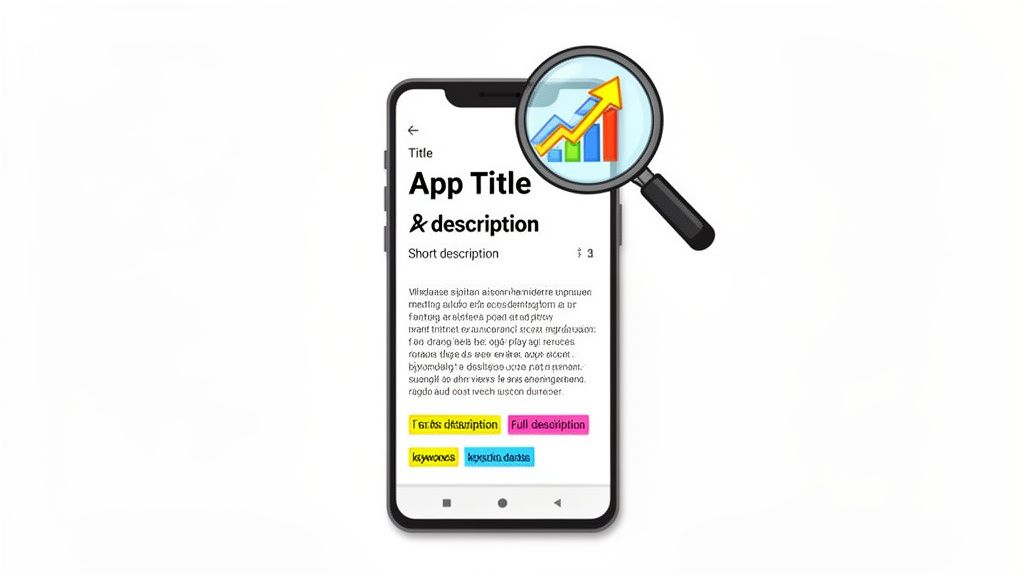
Your app's metadata is the absolute bedrock of your ASO strategy on Google Play. Think of it as the first conversation you have with both the search algorithm and your potential users. Getting it right is a careful balancing act. You need keyword relevance for the algorithm, but you also need compelling copy that convinces a real person to tap "Install."
The sheer scale of the Play Store makes this a non negotiable part of your strategy. Projections show global Android downloads jumping from around 111 billion in 2021 to a massive 143 billion by 2026. That's a nearly 29% increase, which means every little ranking boost is magnified.
With the store hovering around 2.06 million apps in 2025, smart metadata is how you cut through the noise. You can dig into more of these Google Play Store statistics to see just how competitive the landscape is.
Nail Your App Title
Let's be blunt: your app title is the single most important piece of metadata for Google's ranking algorithm. You only have 30 characters. Every single one needs to pull its weight.
The goal here is simple: create a title that is both branded and descriptive.
I’ve seen the most success with a format like Brand Name - Primary Keyword or Brand Name: Key Function. For instance, a meditation app called "Calmspace" is fine, but "Calmspace: Sleep & Meditation" is infinitely better. That small tweak instantly tells the algorithm what the app does and starts capturing traffic from anyone searching for a "sleep app" or "meditation app."
A strong title can dramatically lift your visibility for high intent searches. Honestly, it's probably the highest impact ASO change you can make. Don't be shy about testing different keyword combos here to see what moves the needle.
Hook Users with the Short Description
The short description is your 80 character elevator pitch. It shows up right on your store listing, usually just under the screenshots, and it's your best shot at convincing someone who has already landed on your page.
Since they’re already there, your focus needs to shift from pure keyword density to pure conversion power.
Use this space to hammer home your app's main benefit or drop a powerful call to action.
- Benefit driven: "Track your runs, rides, and workouts with our top rated GPS tracker."
- Action oriented: "Join millions of learners. Start your first language lesson in 5 minutes."
Yes, this text is indexed by Google, so sliding a primary keyword in is smart. But its real job is to make the user feel an immediate need for your app. The short description is what closes the gap between discovery and the decision to install.
Your short description should answer the user's unspoken question: "Why should I download this app over all the others?" Make it compelling, clear, and focused on the value you provide.
Convince and Convert with the Full Description
Okay, this is where you seal the deal. With a generous 4,000 characters, you have plenty of room to detail your features, tell your brand's story, and strategically weave in a broader set of keywords. A key difference from the App Store is that Google Play’s algorithm actually scans your entire full description for keywords, making it a goldmine for your ASO efforts.
But don't just dump a list of keywords and call it a day. That's a rookie mistake. You have to structure it for readability.
- Use short paragraphs and bullet points. Break up that wall of text!
- Kick it off with a strong opening that restates your core value proposition.
- List your key features using benefit oriented language. Instead of "Scheduling feature," try "Save time with automated scheduling." See the difference?
- Got any social proof? Throw in awards, user testimonials, or press mentions.
A well written description serves two masters: humans and bots. It gives the algorithm rich, relevant text to index while giving users a clear, scannable overview of why your app is exactly what they're looking for. Getting this dual purpose approach right is how you turn page views into loyal users.
To keep things straight, here's a quick cheat sheet for your textual assets.
Google Play Metadata Optimization Checklist
| Metadata Element | Character Limit | Primary Goal | Pro Tip |
|---|---|---|---|
| App Title | 30 | Ranking & Discovery | Include your most important keyword alongside your brand name for maximum impact. |
| Short Description | 80 | Conversion & Hook | Focus on the single biggest benefit. Make it an irresistible call to action. |
| Full Description | 4,000 | Ranking & Conversion | Structure for readability with keywords naturally included. Tell a compelling story. |
This table should be your go to reference. Print it out, stick it on your monitor. Whatever it takes to get these fundamentals right every single time. It's the small details here that compound into big results.
Designing Visuals That Stop the Scroll and Drive Installs
Let's be real: your metadata gets people to your store page, but it's your visuals that seal the deal. In the blink and you'll miss it world of the Google Play Store, you have seconds, literally seconds, to grab someone's attention and show them why your app is worth their time.
High quality visuals aren't just window dressing; they're the most critical part of your conversion funnel. Think of your icon, screenshots, and feature graphic as your digital storefront. It needs to be inviting, clear, and compelling all at once. Skipping over this is probably the biggest mistake I see teams make, leaving a ton of potential growth on the table.
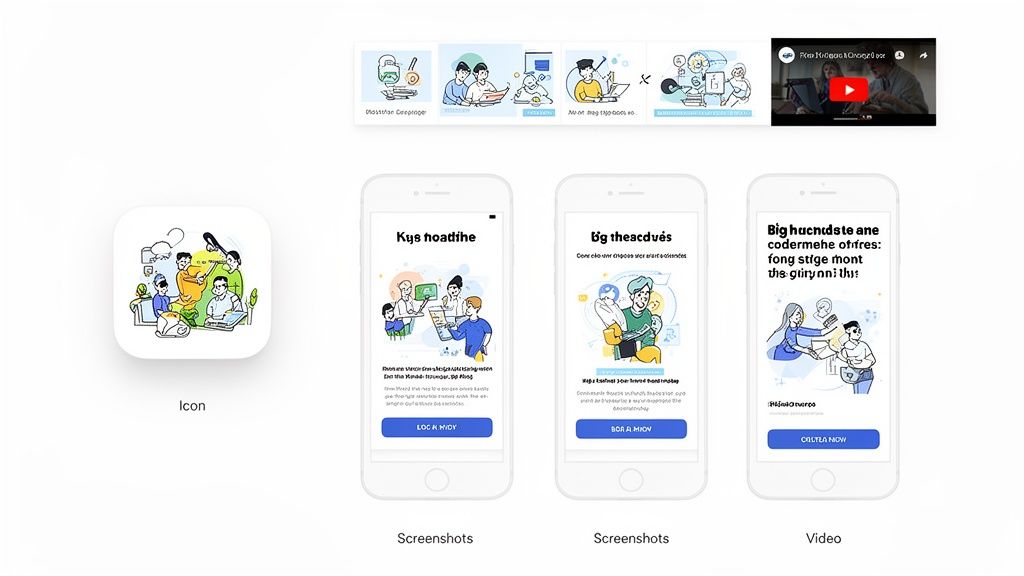
This is what a cohesive set of visuals looks like. It tells a story, makes a professional first impression, and encourages people to dig deeper.
Your App Icon: The First Handshake
Your app icon is your brand's face across the entire Play Store. It shows up in search results, category lists, and, most importantly, on a user's home screen after they install. It has to be instantly recognizable and give a clue about what your app actually does.
A great icon is simple, memorable, and avoids cramming text into a tiny space. You absolutely have to test it to make sure it pops against different wallpapers and doesn't get lost in a sea of competitor icons. This is your single most important branding asset on the store. Don't rush it.
Crafting High Converting Screenshots
Screenshots are your secret weapon. They are hands down the most powerful persuasion tool you have on your store listing. They create a visual story, showing users exactly what they’re going to get. The goal here isn't just to show off features, but to sell the benefits of those features.
So, instead of a boring shot of your login screen, show a key outcome. A fitness app? Don't show the settings page. Show a screen celebrating a completed workout with a caption like "Crush Your Goals." This simple shift connects with a user's real motivation and gets a much stronger emotional reaction.
You don't need a massive design team to pull this off. A practical tool like ScreenshotWhale can be a lifesaver, offering templates built with ASO best practices baked right in. Inside the editor, you can choose a vibrant layout, upload your raw UI shots, and add benefit focused captions like "Track Progress in Real-Time" directly onto the image. This process turns plain UI into a high converting visual story in minutes, for both Android and iOS stores.
The best screenshots tell a story in sequence. Your first image should hit them with your main value prop. The next few should dive into the key benefits and features that back up that promise.
Creative optimization is a huge lever in Google Play ASO now. Top performing apps are constantly updating their visuals. Leading non game apps refresh their screenshots 2–4 times per year, while the top games are testing new creative up to 8 times annually to stay fresh and align with seasonal events. Data from 2024 showed that 57% of top games on Google Play ran A/B tests on their screenshots at least twice.
The Power of a Compelling Feature Graphic
The feature graphic is that big header image you see at the top of a store listing, especially if you have a promo video. It's prime real estate, and it's your chance to reinforce your brand and your main call to action.
Your feature graphic needs to be:
- On Brand: Use your brand's colors, fonts, and overall style.
- Visually Striking: Go for a bold, simple design that's easy to grasp in a second.
- Benefit Focused: Slap a short, punchy tagline on there that highlights your app's main advantage.
This graphic is often the largest visual on the page, so you have to make it count. It sets the tone for the whole listing and can be the deciding factor in whether someone watches your video or just keeps scrolling. A weak feature graphic can make an otherwise solid listing look amateurish.
Maximizing Engagement with a Promo Video
If a picture is worth a thousand words, a video is worth a thousand installs. Google Play lets you add one promo video (which is really just an embedded YouTube video). This is your chance to show your app in action and build an instant connection.
A killer promo video is short, think 15-30 seconds. You need to front load the most exciting stuff in the first few seconds. A lot of people watch with the sound off, so use on screen text captions to explain what's happening. The vibe should be energetic, focusing on the user experience rather than just a dry list of functions.
For a masterclass on creating engaging app preview videos that convert, that guide has some incredible, actionable tips. Remember, you're not just showing what your app does; you're selling the feeling of using it.
Taking Your App Global with Smart Localization
Going global is a huge milestone for any app, but it's way more than just running your store listing through a translator. Real international growth comes from localization: the art of adapting your app's entire storefront to fit the culture and habits of each new market. It’s how you build trust and show users you actually get them.
Just swapping English for Spanish isn’t going to cut it. A solid app store optimization Google Play strategy for global markets means you have to dig deeper. You’ve got to rethink everything from your keywords and descriptions to your screenshots and color palettes so they match what local users expect to see.
Think Beyond a Simple Word Swap
Here's a simple way to think about it: a joke that lands in the US might totally bomb, or even offend someone, in Japan. The same exact principle applies to your app's marketing. What convinces a user in Germany to hit that install button might be completely different from what works for a user in Brazil.
Good localization means asking the tough questions:
- What are the real keywords people search for in this market? Direct translations almost always miss the local slang and search habits.
- Does our visual style look right here? Some cultures love clean, minimalist designs, while others respond to bright, busy graphics.
- Are the features we're showing off in our screenshots the ones this audience actually cares about?
- Do our prices and payment options make sense for the local economy?
Getting this level of detail right is what separates an app that just exists in a foreign market from one that actually takes off.
Doing Your Homework on New Markets
Before you even think about launching in a new country, you have to do your homework. Start by digging into the top performing apps in your category on that country's Play Store. Look at their titles, read their descriptions, and, most importantly, study their screenshots. What kind of language are they using? Which features do they push to the front? This kind of competitive analysis is a goldmine.
Next up is localized keyword research. Fire up your ASO tool of choice and find the high traffic, relevant search terms in the local language. Seriously, don't just lean on Google Translate for this. It will miss all the crucial nuances and colloquialisms that real people use to find apps. Understanding these local search behaviors is the foundation of getting discovered.
Google Play is putting more and more weight on localization as a ranking factor. The numbers don't lie: emerging regions are exploding, with Southeast Asia seeing 22% year over year revenue growth and Latin America's user base jumping by 18%. This growth explains why Google is rewarding fresh, localized metadata. It’s also why around 73% of apps are updated at least once a month. To learn more about how frequent updates and going international can boost your rankings, you can find some great insights on Google Play optimization here.
How to Create Localized Visuals Without Losing Your Mind
The thought of creating culturally specific screenshots for dozens of languages is enough to give any design team a headache. Manually translating text, tweaking layouts, and exporting countless image files is painfully slow and a recipe for mistakes. This is exactly where automation can save your workflow.
Localization isn’t a one off task you can check off a list. It’s an ongoing promise to your users that you see them and understand their world. A localized store listing is one of the strongest trust signals you can send.
Tools like ScreenshotWhale are built to solve this exact problem. Inside its editor, you can translate your screenshot captions into over 100 languages with a single click. From there, you can use professionally designed templates that are already built for conversion and just drop your new localized text right in. A small team can suddenly pump out a full set of high quality, culturally tuned screenshots for a global launch in a matter of minutes, not days.
By getting smart about localizing both your text and your visuals, you open the door to millions of potential new users. You won't just see a bump in conversion rates in new markets; you'll be building a stronger, more trusted global brand. It’s a strategic move that pays off in real, long term growth.
The Growth Loop: Feedback, Testing, and Improvement
The best apps don't just launch and sit there; they evolve. A killer app store optimization Google Play strategy isn't a one and done setup. It’s a living, breathing cycle of listening to your users and running smart tests. This is where you fuse community management with conversion rate optimization, turning raw feedback and hard data into predictable growth.
It all starts with your ratings and reviews. These are way more than just a feedback channel. They're powerful social proof and a direct signal to Google's ranking algorithm. Just think about your own behavior: when you see an app with a 4.8 star rating and thousands of glowing reviews, you instantly trust it more than one languishing with 3.2 stars.
A jump from a three star to a four star rating can boost conversion rates by up to 89%. That proves managing user feedback isn't just fluffy customer service; it's a core growth activity.
Of course, you want to encourage positive feedback. You can set up in app prompts that gently ask happy users to leave a review right after they’ve done something awesome, like beating a level or hitting a goal. But how you handle the bad reviews is just as important. A quick, thoughtful response to a negative comment can often turn a frustrated user into a loyal fan.
From Hunches to Hard Data with Store Listing Experiments
Once you’ve got a good read on user sentiment, it’s time to move beyond anecdotes and make data driven decisions. This is where Google Play’s built in A/B testing tool, Store Listing Experiments, becomes your secret weapon. It lets you test different versions of your store listing assets to see what actually drives more installs.
With this tool, you can put nearly every part of your listing under the microscope:
- App Icon: Does a vibrant blue background grab more attention than a calming green one?
- Screenshots: Do captions that scream "Save time!" outperform ones that just list features?
- Promo Video: Is a punchy 15 second clip more effective than a detailed 30 second one?
- Short & Full Descriptions: Does tweaking your main call to action move the needle on installs?
Setting up a test is refreshingly simple. Head into your Google Play Console, create a new "variant" of your current listing, change just one thing (like your icon), and let it run. Google splits your store traffic, shows each group a different version, and then tells you which one performed better with statistical confidence. No guesswork needed.
Reading the Tea Leaves for Maximum Impact
Running the experiment is the easy part. The real skill is in understanding what the results are telling you. The goal isn't just to crown a "winner" but to learn why it won.
For instance, if a new set of screenshots highlighting "ease of use" crushes your old set that focused on "powerful features," that’s a huge insight. It tells you your users care more about simplicity than a long list of functions. You can then apply that learning across all of your marketing.
This cycle, listening to reviews, forming a hypothesis, and validating it with A/B tests, is what separates the chart toppers from the apps that never get off the ground. It turns your ASO strategy from a game of chance into a reliable system for improving conversions. To help manage this process, you might want to explore some of the best app store optimization tools out there.
By combining direct user feedback with methodical experiments, you create a powerful growth loop that keeps refining your app's appeal and cranking up its performance.
It’s a Marathon, Not a Sprint
Real success on the Google Play Store isn't about a one time setup. It's a continuous cycle. The best in the business know that ASO is never "done". It's an ongoing process of refining your metadata, refreshing your visuals, and listening to what your users are telling you.
We've walked through the whole roadmap, from digging up the right keywords to designing visuals that make people want to hit "Install." But the real magic happens when you tie it all together with smart localization and a commitment to data driven experiments. That's how you build a repeatable system for climbing the charts.
The ASO Growth Cycle
At its core, a strong ASO strategy boils down to a simple, iterative loop: collect feedback, test new ideas, and constantly improve. Each step feeds the next, creating a flywheel effect that builds momentum over time.
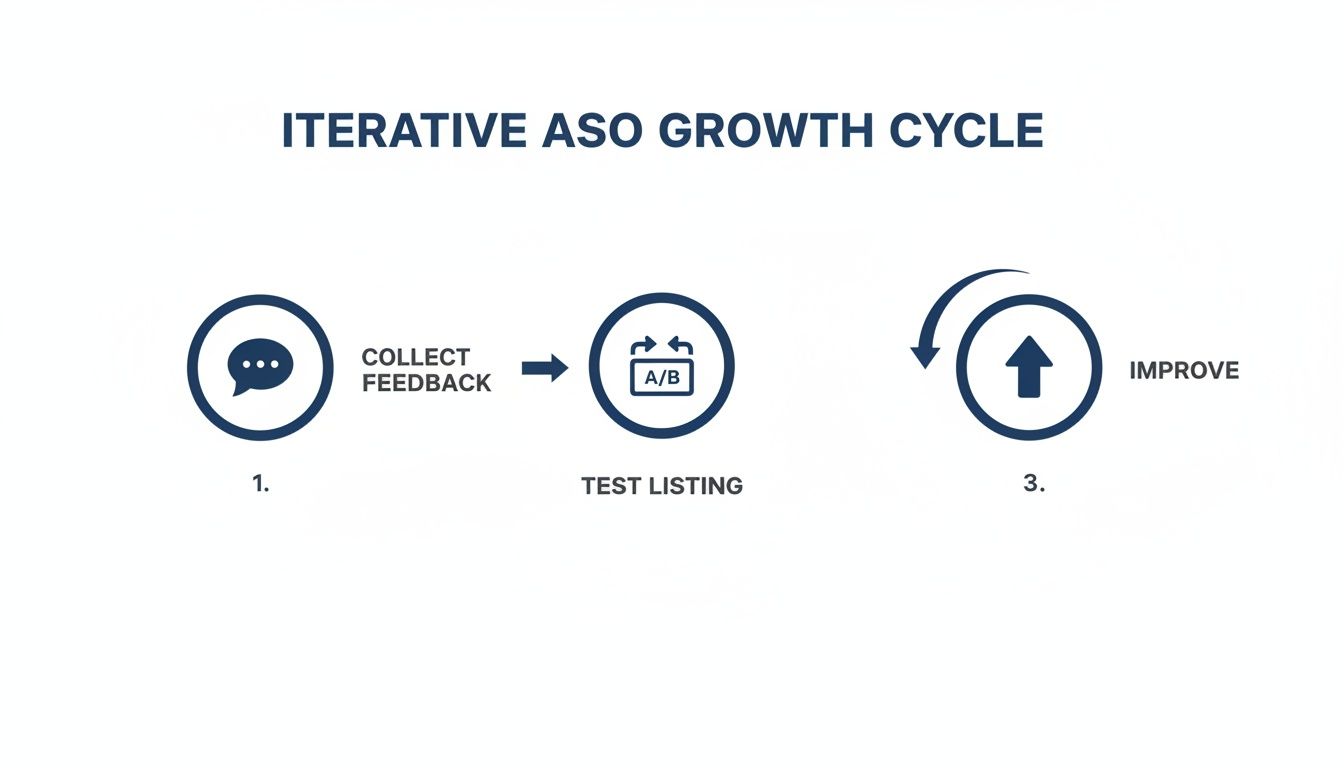
This cycle is your best friend. It’s what turns guesswork into a predictable engine for boosting your app's visibility and, more importantly, its conversion rate.
A successful app is never static. It evolves with user feedback and market trends. Your store listing should too. Treat it as a living asset that you consistently test and refine for maximum performance.
By embracing this iterative process and pairing it with efficient tools like ScreenshotWhale for automating visual assets, you have everything you need to stand out. Your journey to the top of Google Play starts right here, with a commitment to this ongoing cycle of improvement.
So, start testing, start learning, and watch your app grow.
Your Google Play ASO Questions, Answered
If you're diving into the world of Google Play ASO, you’ve probably got questions. I know I did when I first started. Getting straight answers to these common queries helps you cut through the noise and focus on what actually moves the needle.
Let's clear up a few of the most common ones I hear.
How Often Should I Be Updating My Store Listing?
This is a big one. My advice? Don't just set it and forget it.
The best performing apps treat their store listings like living documents. You should be looking at your metadata, especially your title and descriptions, at least once a quarter. If you spot a new keyword trend or a competitor making a move, that's your cue to jump in sooner.
As for your visuals, top apps are refreshing their screenshots 2 to 4 times a year. This keeps the listing looking current and gives you a chance to test out new messaging that might resonate better with users.
What's the Single Most Important ASO Factor?
If I had to pick just one thing, it’s the app title. No question.
It carries the most weight in Google's ranking algorithm, period. A killer title that cleverly blends your brand name with a high impact, relevant keyword can give you the biggest, fastest lift in search visibility. It's the lowest hanging fruit with the highest reward.
What's the Most Common Mistake You See People Make?
Easy: treating ASO like a one and done launch task. So many teams pour energy into optimizing their listing for launch day and then… crickets. They just let it sit there for months, or even years.
The Play Store is always in motion. Competitors are updating their listings, Google’s algorithm is constantly evolving, and what users are searching for changes. If you’re not continuously testing and tweaking, you’re falling behind.
Think of ASO not as a launch task, but as an ongoing growth process. Continuous analysis, testing, and iteration are what separate top charting apps from the rest of the pack. The moment you stop optimizing is the moment your competitors start pulling ahead.
Realistically, How Long Until I See Results?
You can actually see movement pretty quickly. If you update your title or descriptions, you might see a shift in your keyword rankings within a few days to a week.
But that’s just the start. Building a real, sustainable flow of organic traffic is a long game. You need to put in consistent effort over several months to see the kind of substantial growth that transforms your business. It's a marathon, not a sprint.
Ready to create stunning, high converting screenshots that make your app stand out? With ScreenshotWhale, you can design professional visuals for any device in minutes. Start building your perfect store listing today.
Put this into practice on your own listing
Import your live app into an ASO workspace — metadata, keywords, competitors, and store screenshots in one place.
Import my app