ASO in Marketing: Your Ultimate Guide to App Store Growth
Master ASO in marketing with this definitive guide. Learn expert strategies for visual optimization, keyword research, and analytics to scale your app's growth.
Think of App Store Optimization (ASO) as the most critical marketing channel for your mobile app. It's the engine that powers organic growth. Much like SEO works for websites, ASO is all about boosting your app's visibility and driving downloads directly from the app stores.
What Is ASO in Marketing and Why It Matters Now
At its core, ASO is a continuous process. You don’t just set it and forget it. It’s about making sure your app shows up in the right search results and looks appealing enough for someone to tap "Install."
This boils down to two key goals. First, helping the right people discover your app by optimizing your keywords. Second, persuading those people to download it with compelling visuals and a clear, powerful message.
A smart ASO strategy does more than just bring in downloads. It lowers your user acquisition costs, builds brand credibility, and improves your market performance. Every other marketing campaign you run, from paid ads to influencer shoutouts, gets a boost when it points to a polished, optimized app store page. It's how you turn casual visitors into loyal users.
This whole process rests on a few core pillars. Get them right, and you're set for growth.
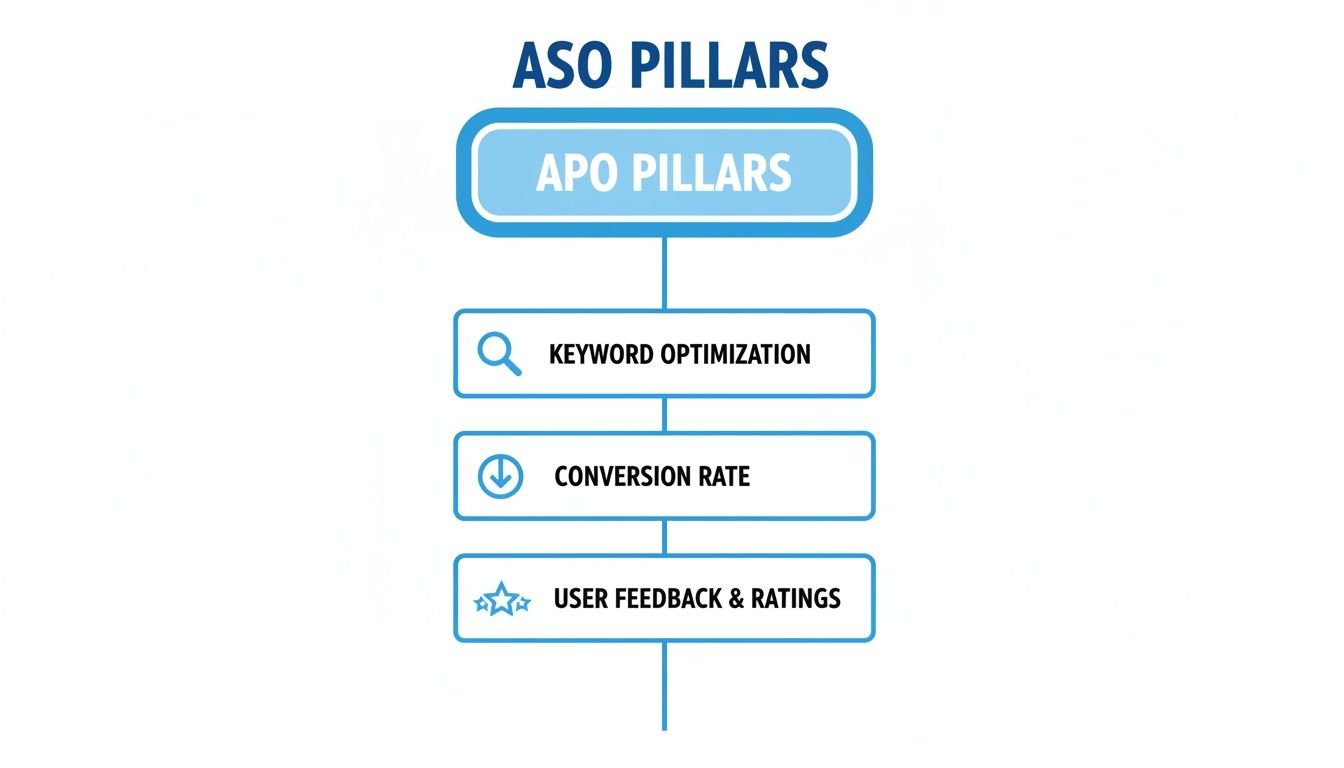
As you can see, it all starts with getting seen (keyword visibility), then turning those views into downloads (conversion), all while listening to your users (feedback). If you drop the ball on any of these, you're leaving growth on the table.
The Foundation of App Growth
Think of ASO as the foundation of your mobile marketing house. You wouldn't spend a fortune decorating the rooms (running ad campaigns) if the foundation was crumbling, right? A solid ASO strategy delivers a steady stream of organic downloads, meaning you don't have to rely so heavily on expensive paid ads.
ASO isn't just about getting found in the app store; it’s about making a compelling case for why your app deserves that download over all the others. It's the bridge connecting visibility directly to conversion.
To truly master this, you must understand the core components that make ASO work. Here's a quick breakdown of the four essential pillars.
The Four Pillars of App Store Optimization
This table breaks down the core components that drive a successful ASO strategy and their impact on your app's performance.
| ASO Pillar | Primary Goal | Key Elements |
|---|---|---|
| Keyword Optimization | Increase search visibility | App title, subtitle, keyword fields, description, competitor research |
| Conversion Rate Optimization (CRO) | Persuade visitors to install | Screenshots, app icon, preview video, promotional text, feature graphic |
| User Feedback & Ratings | Build trust and improve ranking | Responding to reviews, encouraging positive ratings, analyzing feedback |
| Monitoring & Iteration | Continuously improve performance | A/B testing creative assets, tracking keyword ranks, analyzing metrics |
Getting a handle on these four areas is the first step toward building a strategy that actually moves the needle.
Ultimately, the goal is simple: attract more of the right users and turn them into active fans of your app. Digging into broader actionable strategies to increase conversion rates can give you a fresh perspective that feeds right back into your ASO work. If you want to go even deeper, check out our complete guide on what is App Store Optimization.
Crafting Screenshots That Convert Visitors into Users
Your app store screenshots are your most powerful sales pitch. Period.
When someone lands on your page, their eyes go straight to the images. This is where they decide, often in seconds, if your app is worth considering. Think of them less as a photo gallery and more like a visual story that solves a problem for them.
Many apps miss this opportunity. They simply upload cluttered UI shots or list features without context. Your screenshots need to do the heavy lifting, telling a compelling story about the value you deliver and turning passive browsers into active users.
Show Value in the First Glance
People make snap judgments. This means your first two or three screenshots carry almost all the weight. They must communicate your app's core promise immediately. Don't bury your killer feature on the fifth slide; lead with your best stuff.
Focus on the end benefit, not just the function. For example, instead of a caption that says "Timer Feature," go with something like, "Finish Your Workouts in Under 20 Minutes." This benefit-oriented language connects directly with what the user wants to achieve, making your app instantly more appealing.
The goal is to transform your screenshot gallery from a simple feature list into a high-converting marketing asset. Each image should answer the user's silent question: "What's in it for me?"
Great screenshots blend clean visuals with punchy, readable text. Use vibrant, on-brand colors to grab their attention and make sure your captions are big enough to be easily read on a small screen. Get this combination right, and your app page feels professional, trustworthy, and worth a download.
How to Create High-Converting Screenshots
To create visuals that drive installs, you need to mix key ingredients into a cohesive narrative. It's a blend of clear presentation, persuasive copy, and signals that build trust.
- Benefit-Oriented Captions: Always frame your text around what the user gains. Highlight convenience, time saved, entertainment, or whatever key outcome your app provides.
- Showcase Core Features: Use clean, focused images of your app's UI. Guide the user's eye to the most important elements that show what your app does best.
- Incorporate Social Proof: Did you win an award? Get featured by a major publication? Add a badge or a short quote directly onto the screenshot. This builds instant credibility.
- Use Polished Device Mockups: Presenting your app inside a professional device frame makes it look more tangible and polished. See how it's done with our guide on creating a stunning app store mock up.
A fantastic way to nail this is by using a specialized tool. Platforms like ScreenshotWhale provide professionally designed templates that bake in these best practices from the start.
Actionable Tip: Open a site editor like ScreenshotWhale and choose a template that uses a bold font and a vibrant background color. Upload a clean screen capture of your app's main feature. For the caption, write a short, punchy benefit, such as "Plan Your Week in 5 Minutes." This simple combination is far more effective than a plain screenshot.
By using pre-built layouts, you can ensure your screenshots are visually consistent and optimized for both the Apple App Store and Google Play, often without needing a designer. For any marketing team, that kind of efficiency is a massive win for app store growth.
Getting Found: How to Optimize Your Metadata for Search
You’ve nailed your visuals and have screenshots that stop people in their tracks. Awesome. But if nobody can find your app in the first place, those amazing visuals won't matter. This is where your metadata, your app's name, subtitle, and keywords, comes in.
Think of these text elements as the breadcrumbs that lead both the app store algorithms and real people directly to your product page. Getting them right isn't just a box-ticking exercise; it's the foundation of your entire search strategy.
Your app title is, without a doubt, the most powerful piece of text you have. It carries the most weight in keyword rankings on both the App Store and Google Play. Slipping your most important keyword in here can give you a massive visibility boost for that term. For example, a meditation app called "Mindful" could become "Mindful: Guided Meditation" to immediately start competing for "meditation" searches.
The trick is to find a natural blend between your brand name and a high-value, descriptive keyword. This simple change transforms your title from just a label into a hard-working discovery tool.
Finding Keywords That Actually Work
Good keyword research isn't about guessing. It's a methodical hunt for the exact phrases your target audience is typing into the search bar. The goal is to find terms with high search volume that you can realistically rank for.
Start by brainstorming. Jot down every word and phrase you can think of that describes what your app does and the problems it solves.
Then, use an ASO tool to dig deeper. See what keywords your competitors are ranking for and uncover related terms you might have missed. Pay special attention to long-tail keywords, those longer, more specific phrases like "at-home yoga for beginners." They may have less traffic, but the people searching for them know exactly what they want, which means they're far more likely to download.
Your keyword strategy needs to be a balancing act. Ranking for a broad, high-volume term like "fitness" is the dream, but ranking #1 for "10-minute HIIT workouts for busy moms" will likely bring you more valuable, ready-to-convert users.
As you build your list, filter every keyword through three lenses: relevance, difficulty, and search volume. The sweet spot you're looking for is a highly relevant term with solid search traffic and a low difficulty score. That’s your golden ticket.
Tailoring Your Metadata for Each App Store
This isn't a "one-size-fits-all" game. Apple and Google treat metadata very differently, and you need to play by their specific rules to win.
For the Apple App Store:
- Title (30 characters): This is your prime real estate. Make every character count.
- Subtitle (30 characters): Think of this as a secondary headline. It's a great spot for another key phrase and a snappy, benefit-driven line.
- Keyword Field (100 characters): This field is hidden from users but is pure gold for the algorithm. List your keywords here separated by commas, no spaces, and don't waste characters repeating words from your title or subtitle.
For the Google Play Store:
- Title (30 characters): Same as iOS, this is your most important keyword spot.
- Short Description (80 characters): This is hugely important for both users and the algorithm. It needs to be packed with your main keywords while also serving as a compelling call to action.
- Long Description (4000 characters): Google reads all of this. Weave your primary and secondary keywords naturally throughout the description, paying special attention to the first few sentences.
By customizing your metadata for each store, you're signaling to their algorithms that you know what you're doing. Once that's done, the final piece of the puzzle is wrapping it all in persuasive copy that gets people to not just see your app, but to actually tap that "Get" button.
The Power of Ratings and Reviews in ASO
After you’ve nailed your metadata and polished your visuals, there's another piece of the puzzle that hugely impacts both the app store algorithms and real human beings: social proof. In the ASO world, that social proof comes in the form of ratings and reviews, and it’s one of the most powerful tools you have.
Put yourself in the user's shoes. You search for a to-do list app and find two that look similar. One has thousands of glowing reviews and a 4.8-star rating. The other has a handful of reviews and a 3.2-star rating. Which one do you download? It’s a no-brainer. High ratings scream quality and reliability, while thoughtful responses to reviews show that the developers actually care.
This isn’t just about making a good first impression. The app store algorithms are watching. They see a high volume of positive feedback as a sign of a healthy, well-loved app that delivers a great experience. That can directly lead to better search rankings and even a shot at being featured.
Encouraging and Managing User Feedback
You can't just hope for good reviews. You need a real strategy to encourage your happiest users to speak up. The best way to do this is with smart in-app prompts.
Don't just hit users with a review request out of the blue. The trick is to ask at the perfect moment, right after they've accomplished something. Maybe they just crushed a level in your game, saved their first design, or hit a fitness goal. A user who is feeling good about your app is infinitely more likely to leave a fantastic review.
Actively managing your reviews is non-negotiable. Responding to both positive and negative feedback signals to users and the app stores that you are committed to quality and customer satisfaction.
Thanking someone for a great review is a small touch that builds a strong community. But responding to negative feedback is where the magic really happens. It shows everyone scrolling through that you listen, you take problems seriously, and you’re committed to making things right. You can often turn an unhappy user into a loyal fan just by showing you care.
The Direct Impact on Conversions
The link between high ratings and high conversion rates is crystal clear. This social proof is what pushes a potential user to hit that "Get" or "Install" button.
A deep dive in one industry report found that a whopping 90% of featured apps on the App Store have a rating of 4.0 stars or higher. The same report showed that apps that managed to lift their rating from 3.6 to 4.2 saw their conversion rates leap by nearly 60%. You can check out more stats in the ASO Trends & Benchmarks Report. Every fraction of a star really does matter.
At the end of the day, your users are your most valuable marketing asset. If you build a positive feedback loop, you’re not just boosting your visibility and conversions. You’re building an army of advocates who will do the selling for you.
Integrating ASO into Your Broader Marketing Strategy
App Store Optimization doesn't live on an island. It’s a terrible mistake to treat it that way. The most successful mobile teams weave ASO into every single marketing channel they have, creating a powerful synergy that lifts everything at once.
When your paid ads, your social media, and your ASO efforts are all telling the same story, each one makes the others more powerful.
Think about the user's journey. Someone sees a slick ad for your app on Instagram. They're hooked. They tap through to the App Store only to find a product page with clunky screenshots, confusing text, and a message that feels completely disconnected from the ad. That initial spark of interest? Gone. Every dollar you spent on that ad was wasted.
A solid ASO foundation is what ensures you actually capitalize on the traffic you're already paying for. It’s the final, crucial step that turns an impression into an install.
The Positive Feedback Loop
The relationship between paid user acquisition (UA) and ASO is where the real magic happens. When you run a paid campaign, you're driving a wave of traffic and, more importantly, a spike in downloads. This jump in download velocity is a huge ranking signal for both the Apple App Store and Google Play algorithms.
It's a simple formula: your paid campaigns directly boost your organic keyword rankings. As your app climbs higher in the search results, you start pulling in more organic installs. This, in turn, reduces how much you have to lean on paid channels and drives down your overall customer acquisition cost. It's a beautiful, self-sustaining cycle.
ASO makes every marketing dollar you spend work harder. It ensures the traffic you generate, whether from ads, PR, or influencer campaigns, lands on a product page built to convert. It maximizes your return on every single channel.
This means you absolutely must align your messaging. The keywords you target in Apple Search Ads should be the same ones you're trying to rank for organically. The stunning visuals and value props from your Facebook ads need to be mirrored in your app store screenshots. This creates a cohesive, trustworthy brand experience that makes the decision to install feel like a no-brainer.
Aligning Visuals and Messaging Across All Channels
Consistency is everything. A disjointed user journey creates friction and doubt, and that will kill your momentum faster than anything else. To avoid this, you have to get your marketing in lockstep.
Here's how this plays out in the real world:
- Social Media Ads: That vibrant color palette, punchy font, and core message from your ad creative? It needs to show up again, instantly, in your app store screenshots.
- Influencer Campaigns: If an influencer is raving about a specific feature, make sure the first few screenshots on your product page show that exact feature in action. Don't make the user hunt for it.
- PR and Product Launches: A big PR push will send a tidal wave of people to your app store page. Your ASO has to be perfectly polished and ready before that wave hits, otherwise you'll miss the chance to convert all that buzz into a massive surge of downloads.
When you start treating ASO as the central hub of your mobile marketing efforts, you build a seamless path from discovery to download. You stop wasting effort, you stop wasting budget, and you start growing.
Scaling Your ASO Globally with Localization
If your app has global ambitions, breaking into new markets is how you unlock explosive growth. But here’s a hard truth: just pushing your English app store listing into a dozen new countries is a surefire way to fail. Real international expansion requires localization, a deep, thoughtful adaptation of your entire store presence to connect with local cultures and languages.
This goes way beyond just swapping out words. It’s about understanding the subtle cultural cues that shape what users expect and respond to. A color, an image, or a phrase that lands perfectly in the United States might fall completely flat, or worse, be off-putting, in Japan or Brazil. Getting ASO in marketing right on a global scale means you need a custom-fit strategy for every single region.
More Than Just Words
Translating your app's metadata, the title, subtitle, and description, is the bare minimum. It’s step one, and it gets you in the game by making your app discoverable when people search in their native language. But the real magic, the stuff that drives conversions, often comes from localizing your visual assets.
This is where you prove to users that you actually get their world. Your screenshots need to show local contexts, feature scenarios that feel culturally familiar, and use captions that sound like a native speaker wrote them, not some clunky machine translation. It’s a similar mindset to how web businesses approach architecting infrastructure for international markets; the same strategic thinking applies to winning in the app stores.
Localization isn't just about being understood. It's about making your app feel like it was built specifically for that user, in that country. That feeling builds instant trust and makes the decision to download a whole lot easier.
Now, manually creating unique screenshot sets for dozens of languages is a monumental, resource-draining task. This is where tools like ScreenshotWhale’s AI-powered internationalization engine completely change the game.
The feature lets you translate screenshot captions into over 100 languages in an instant, making it incredibly efficient to produce polished, native-feeling visuals for every market you enter.
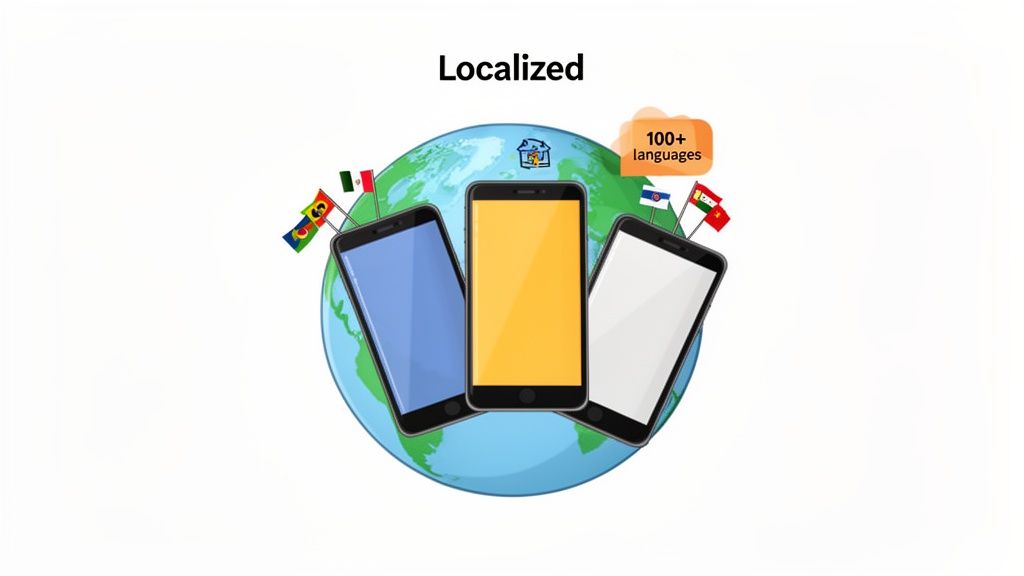
By automating the tedious parts of the translation process, your team can scale its global ASO efforts without burning out your design crew. For a deeper look, check out our complete guide on strategies for mobile app localization. This is how you stop just competing and start winning on a global stage.
Got ASO Questions? We've Got Answers.
As you start weaving ASO into your marketing mix, a few common questions always pop up. Getting these sorted out early is the key to building a solid growth strategy. Let's tackle them head-on.
How Often Should I Actually Update My ASO?
Think of ASO as a living, breathing part of your marketing, not a one-and-done setup. You should be keeping an eye on your keyword rankings and conversion rates at least weekly. That doesn't mean you need to change everything every week, but you need to know what's happening.
A good rhythm for most teams is to plan for a meaningful metadata and creative refresh every 4 to 6 weeks. This lines up nicely with major app updates or new feature launches.
For your visuals, like screenshots and preview videos, you should be A/B testing and refreshing them quarterly or whenever you run a big seasonal campaign. Keeping your store page looking fresh is a surprisingly simple way to keep it engaging.
What's the Real Difference Between ASO and SEO?
It's a classic question. Both are about getting seen organically, but the playing fields are totally different. ASO is for app stores; SEO is for websites.
SEO is a beast, with Google factoring in hundreds of signals to rank a webpage. It's complex, involving everything from backlinks and domain authority to site speed and content structure.
ASO is much more focused. The app stores care about a tighter set of factors: the keywords you use, your visual assets (icon, screenshots), your download velocity (how many people are installing your app), and, of course, your user ratings and reviews. You’re optimizing for a closed ecosystem, the Apple App Store or Google Play, not the entire open web.
Can ASO Just Replace My Paid UA?
Nope. They're partners in crime, not rivals. A great ASO strategy and a smart paid user acquisition (UA) plan make each other better.
Strong ASO gives you a steady stream of organic downloads, which is fantastic on its own. But it also lowers your overall customer acquisition cost by making your store page convert better. When you send paid traffic to a highly optimized page, more of those expensive clicks turn into installs.
On the flip side, paid UA campaigns give your ASO a serious boost. All those new downloads signal to the app stores that your app is gaining momentum, which can directly improve your keyword rankings. They work together to create a powerful growth loop.
Ready to create stunning, high-converting screenshots that drive downloads? With ScreenshotWhale, you can design professional App Store and Google Play visuals in minutes using polished templates and a simple drag-and-drop editor. Start for free and see how easy it is to boost your conversions.
Put this into practice on your own listing
Import your live app into an ASO workspace — metadata, keywords, competitors, and store screenshots in one place.
Import my app