What ASO Stands For and How It Can Skyrocket Your App Growth
Discover what ASO stands for and learn the App Store Optimization strategies to boost visibility, downloads, and revenue. Your ultimate guide to app growth.
Let's cut right to it: ASO stands for App Store Optimization. If you know what SEO (Search Engine Optimization) is for websites, you're already halfway there. ASO is the same idea, but built specifically for the unique battlegrounds of the Apple App Store and Google Play Store.
The whole point is to make your app more visible and, just as importantly, more appealing to the right people.
Unlocking Visibility in Crowded App Stores
With millions of apps out there, just launching is like shouting into a hurricane. Nobody will hear you. App Store Optimization is the ongoing work you do to make sure your app actually gets found and downloaded organically.
When someone types "fitness tracker" or "photo editor" into the search bar, ASO is the engine that decides whether your app shows up on the first page or gets buried on page twenty.
It’s really a mix of art and science, and it boils down to two key jobs:
- Discoverability: This is all about helping people find your app in the first place, whether they're searching for specific keywords or just browsing categories. Getting your keywords right is the foundation here.
- Conversion: Once someone lands on your app page, you have to convince them to hit that "Install" button. This is where your app icon, compelling screenshots, and positive reviews do the heavy lifting.
A solid ASO strategy doesn't just get you more downloads; it gets you downloads from high-intent users who are actively looking for exactly what your app does. It’s the single most important engine for sustainable app store growth, cutting down your reliance on expensive ads.
Think of it this way: your screenshots aren't just pictures. They are your digital storefront, your 5-second pitch that tells a story and proves your app's value before a user even reads a single line of text.
Why ASO Is Your App's Most Powerful Growth Engine
Let's be real: in a world with millions of apps, just hitting "launch" and hoping for the best isn't a strategy. It's a recipe for getting lost in the noise. This is where App Store Optimization (ASO) comes in, and it’s way more than just another acronym. It is the single most powerful and sustainable way to grow your app.
Mastering ASO is non-negotiable if you want to compete. The payoff is huge: a steady, predictable stream of users who are already looking for exactly what your app does.
Driving High-Quality Organic Traffic
Think about the last time you searched for something on the app store. You weren't just browsing; you had a problem and you needed a solution. That’s the magic of organic traffic. Users who find you through search are motivated buyers, not random clicks from an ad.
This translates directly to higher conversion rates and users who actually stick around. It’s a world of difference from expensive ad campaigns that often pull in low-intent traffic.
The app stores have become fiercely competitive. To give you a sense of the scale, Google Play went from about 1 million apps in 2013 to over 1.68 million by 2024. In a market that saturated, you have to fight for every eyeball. You can dig into more ASO trends and insights to see just how crowded it's gotten.
A strong ASO strategy levels the playing field. It’s how indie developers and small startups can get massive visibility and compete head-to-head with the big players, all without a gigantic advertising budget.
Maximizing Conversions with Visuals
Once a potential user lands on your store page, the clock is ticking. You have just a few seconds to make an impression. This is where your creative assets, especially your screenshots, do the heavy lifting. They aren't just decoration; they're your visual sales pitch.
With a simple editor, you can design screenshots that:
- Tell a Story: Walk users through the "aha!" moments of your app. For example, the first screenshot shows the end result (a beautifully edited photo), and the next two show how easy it is to get there.
- Showcase Value: Use bold, clear captions to spell out the key benefits. Instead of "Adjustable Filters," say "Create Pro Photos in One Tap."
- Build Trust: Weave in social proof like awards or killer user ratings directly onto the images. A "Featured on TechCrunch" badge can work wonders.
Creating high-converting screenshots for both the Android and iOS stores turns your product page from a simple listing into a compelling reason to tap "Install." This focus on boosting app store growth and conversions is what separates a good ASO plan from a great one.
Diving Into the Core Pillars of ASO
A solid App Store Optimization strategy isn't about one magic bullet; it's built on a few core pillars that all work together. When you get them right, these elements don't just help your app rank higher. They convince real people to actually hit that download button.
Think of it like building a store. Your app's metadata is the sign out front and the address. It tells the app stores where to find you and what you sell. Your creative assets? That’s the window display that makes people stop, look, and want to come inside.
This flowchart shows how a well-tuned ASO engine creates a cycle of growth for your app.
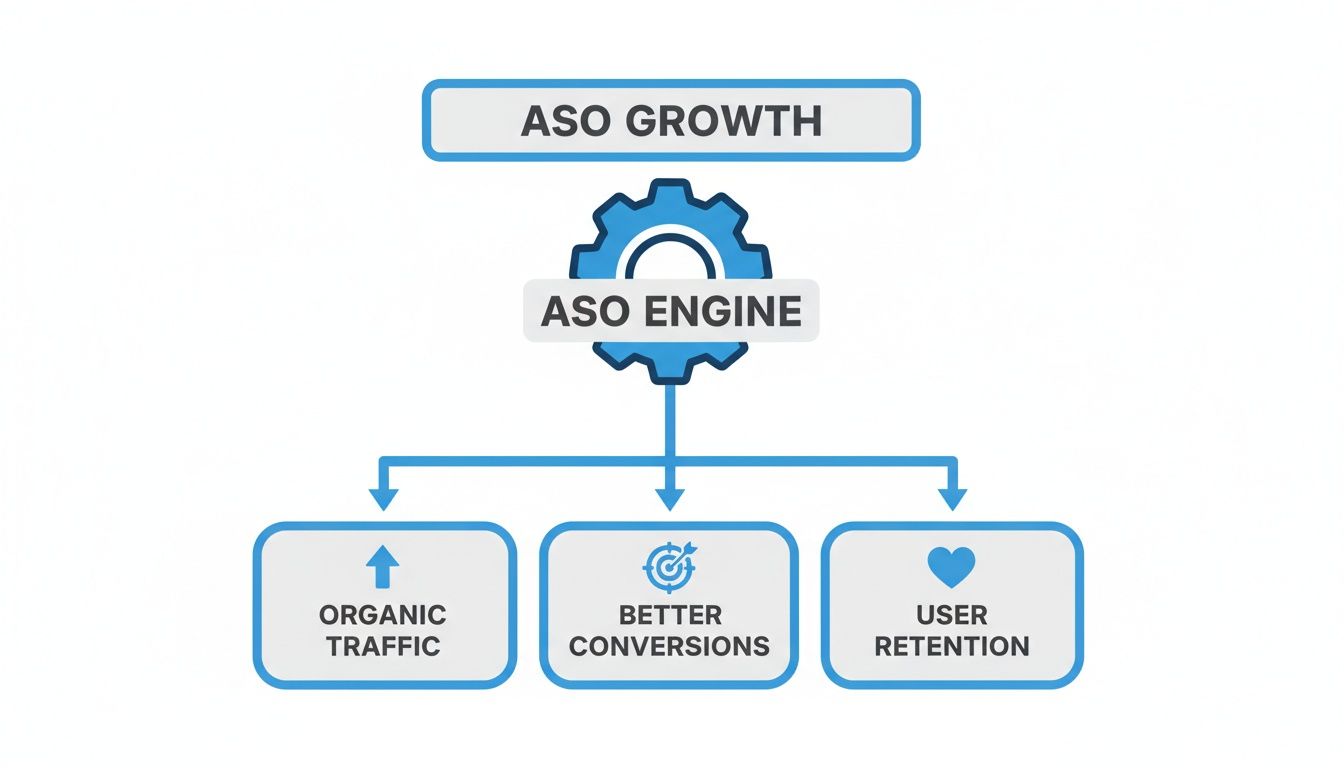
It’s a powerful feedback loop. Better optimization gets you more traffic, which leads to better conversion rates, and ultimately helps keep those new users around for the long haul.
On-Metadata and Keyword Optimization
Let’s start with the technical side of ASO. This is all about the text elements the app store algorithms crawl to figure out what your app does. Good keyword research is the absolute heart of this process. It's about getting inside your customer's head, figuring out the exact phrases they're typing into the search bar, and then weaving those terms into your listing.
Your main text assets are:
- App Title: This is your heavyweight champion for rankings. It needs your brand name and your single most important keyword.
- Subtitle (iOS) / Short Description (Android): This is your one-liner pitch. It should quickly explain your app's value and is a great spot for your secondary keywords.
- Keyword Field (iOS only): Think of this as a hidden list of search terms you feed directly to Apple’s algorithm.
Nailing this means digging into search trends and seeing what your competitors are up to. For a look at the software that makes this way easier, check out this guide on the best app store optimization tools.
Creative Assets and Conversion Optimization
Okay, so your keywords got someone to your page. Now what? Your creative assets have to take it from here. This is your visual sales pitch, and its only job is to stop the scroll and get that install.
Your app store screenshots are your digital storefront. A sloppy, confusing storefront will turn people away, no matter how amazing the product is inside.
Your key visual assets include:
- App Icon: This is the first thing anyone sees. It has to be clean, memorable, and pop in a crowded search result list.
- Screenshots: These are your most persuasive tools. You need vibrant, eye-catching visuals with big, bold captions that scream benefits, not just list features.
- Preview Video: A quick, punchy video showing your app in action is often the final nudge someone needs to convert.
And don't forget the other pieces. Things like user ratings and reviews provide that all-important social proof. And pushing out frequent updates sends a clear signal to the algorithms that your app is healthy, active, and constantly getting better.
Crafting Screenshots That Turn Views Into Installs
Think of your app store screenshots as your visual elevator pitch. You’ve got just a few seconds to grab someone's attention, and your images are doing most of the talking. They aren't just a gallery of what your app looks like; they're your single most powerful tool for turning a casual browser into a loyal user.
This is where you need to shift from showing what your app does to what it helps people achieve. It’s a subtle but crucial difference. Instead of a dry feature list, you’re telling a compelling story about how your app makes someone’s life better, easier, or more fun.
This is why having an efficient screenshot editor is so important. It lets you test different layouts, captions, and vibrant background colors to create an appealing visual message that clicks with your audience.
Just look at how bold captions and clean, neat imagery can instantly communicate value.
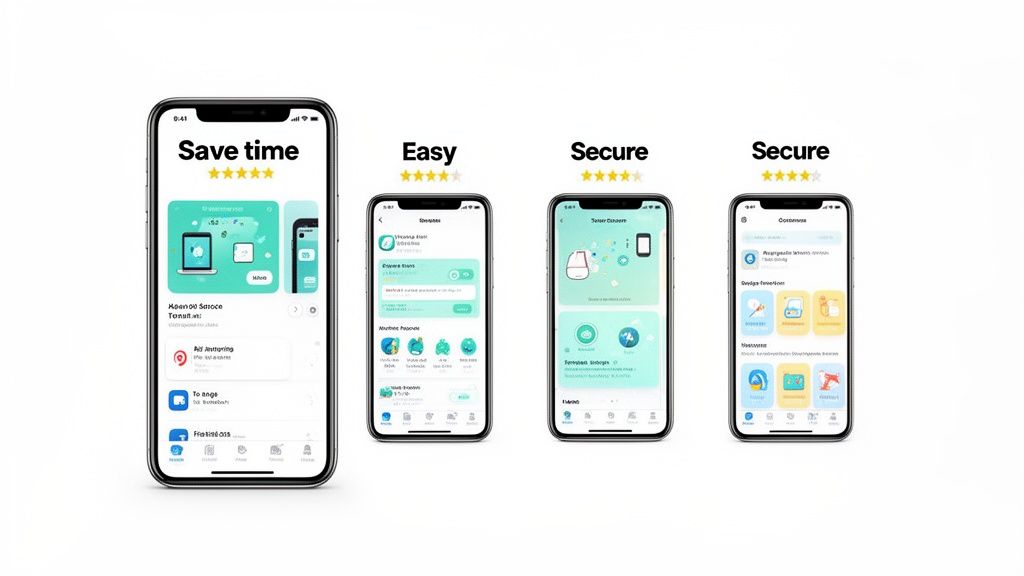
The focus here isn't on buttons or menus. It’s on outcomes like "Save time" and "Easy," which connect directly with what a user is looking for. This approach is miles more effective than a raw, unedited screen capture.
Principles of High-Converting Screenshots
So, how do you create efficient and high-converting app store screenshots for the Android and iOS stores? It boils down to a few core ideas.
First, showcase benefits, not just features. Nobody gets excited about "Advanced Filtering." But "Find Your Perfect Match in Seconds"? That speaks to a real desire. It frames the feature in a way that solves a problem.
Second, tell a cohesive story with your first 3-5 screenshots. They should act like a mini-onboarding experience, walking the user from the main dashboard right to that "aha!" moment where they see the real value.
- Weave in Social Proof: Don't be shy about adding testimonials, five-star ratings, or award badges right onto your screenshots. A good site editor lets you easily add these elements as overlays.
- Use Bold, Legible Captions: Your text has to be crystal clear, even on a small phone screen. The message needs to land in a split second. Use a site editor to test different font sizes and styles against your background.
- Keep it On-Brand: Stick to your brand's colors and fonts. It makes your listing look polished, professional, and trustworthy.
Remember, your first two screenshots do the heaviest lifting. They need to hook the user and make them curious enough to see more, stopping them from just scrolling past your app. For a deeper dive, check out our guide on mastering mobile app screenshots for app store growth.
Data-Backed Visual Optimization
Getting your visuals right isn't just an art. It's a science. The numbers don't lie.
In the first half of 2024, the average conversion rate on the US App Store was around 25%. But that number varied wildly depending on the category. Reference apps, for example, saw an incredible 67.2% conversion rate, while games hovered around a mere 1.2%. This just goes to show how much visual appeal and clear communication matter.
An interesting tidbit from that data: while only 31% of apps were using Custom Product Pages (CPPs) to tailor their visuals, those that did saw conversion lifts of up to 8.6%. This is a powerful, actionable insight: tailoring your visuals pays off.
Finally, don't forget the technical details. Getting good at mastering high-resolution screenshots with APIs can give you a real edge. Crisp, professional images have a direct impact on how users perceive your app's quality, which absolutely influences their decision to install.
Unlock Global Growth with ASO Localization
Got an app with world-class potential? Great. But is your store listing speaking the world's languages? Pushing your ASO strategy beyond your home market isn't just a small tweak. It is one of the biggest growth levers you can pull to boost your app store growth.
And let's be clear: true localization is way more than just running your text through a translator. It's about cultural adaptation.
This means you have to rethink every single piece of your listing for each new market. We're talking metadata, keywords, and especially your most powerful conversion tools: your screenshots. Ignoring users who don't speak English is like building a massive stadium and then leaving entire sections empty on purpose.
Visuals Need to Speak the Local Language, Too
What works wonders in one country can completely fall flat in another. It’s a classic marketing mistake.
For instance, that sleek, minimalist screenshot design that crushes it in the United States? It might look empty or even untrustworthy to a user in Japan. Over there, store listings often lean into vibrant colors, more on-screen text, and detailed callouts to explain features.
Smart localization means you have to do the homework. You need to research these cultural design quirks and understand how people in different regions search for apps. This isn't about just swapping out text on the same set of images; it’s about creating entirely new visual stories for each culture. That's how you go from being just another app to one that feels like it was built just for them.
True ASO localization makes your app feel native and trustworthy, no matter where someone is downloading it from. This cultural fluency is a massive factor in driving up downloads and conversions as you expand.
Let's be honest, though. Creating unique visual sets for every single market sounds like a ton of work, because it is. Thankfully, you don't have to start from scratch every time. Using an efficient tool lets you auto-translate and adapt device screenshots for different markets in a fraction of the time.
And while our focus here is on the app stores, the principles are universal. Getting a handle on broader topics like boosting your localization efforts for audio dubbing can give you a much richer perspective on how to adapt all your content for a global audience.
Common Questions About App Store Optimization
As you get deeper into ASO, a few questions always seem to pop up. It's totally normal. Getting these sorted out is key to building a strategy that actually works. Let's tackle the most common ones with some straight-to-the-point answers.
How Often Should I Update My ASO Strategy?
The honest answer? It’s not a one-time thing. ASO is a living, breathing process.
At a minimum, you should be checking in on your keyword performance and what your competitors are up to at least quarterly. This is just good housekeeping to make sure you’re still showing up where you need to be.
But your creative assets, like your icon and screenshots, demand more attention. Plan to give them a refresh with every major feature update or for seasonal pushes. And if you ever see a sudden drop in your page-to-install conversion rate? That's your alarm bell ringing. It's time for a visual tune-up.
The secret to long-term ASO success is a cycle of continuous monitoring, testing, and iterating. Your app store page is a living document, not a static brochure.
What Is the Difference Between ASO and SEO?
Think of them as cousins. They share the same goal, to get more organic traffic, but they play in completely different sandboxes.
- SEO (Search Engine Optimization): This is all about ranking websites on the open web, mostly in search engines like Google. It’s a world of backlinks, content quality, and technical site health.
- ASO (App Store Optimization): This focuses entirely on ranking apps inside closed marketplaces like the Apple App Store and Google Play. Here, the rules are set by Apple and Google, and the game is won with app-specific stuff like titles, keywords, icons, screenshots, and user ratings.
So while the spirit is similar, the tactics are worlds apart. What works for a blog post won't get your app to the top of the charts.
Can Good ASO Replace Paid User Acquisition?
A solid ASO strategy can absolutely slash your dependency on paid ads. It builds a powerful, self-sustaining pipeline of high-quality organic downloads. For many apps, especially early on or with tight budgets, ASO is the growth engine.
But the real magic happens when you use them together.
Paid campaigns, especially Apple Search Ads, can give you incredible data on which keywords convert best, which you can then feed right back into your ASO strategy. In return, a highly optimized store page (thanks to your ASO efforts) will convert that paid traffic at a much higher rate. It’s a virtuous cycle that makes every dollar you spend on ads work harder.
Ready to create stunning, high-converting screenshots that drive downloads? With ScreenshotWhale, you can design professional App Store and Google Play visuals in minutes. Our easy-to-use editor, beautiful templates, and AI-powered localization tools give you everything you need to stand out and boost your growth. Try it now and see the difference great visuals make. Get started for free at https://screenshotwhale.com.
Put this into practice on your own listing
Import your live app into an ASO workspace — metadata, keywords, competitors, and store screenshots in one place.
Import my app