A Guide to Google Play Store ASO for App Growth
Master Google Play Store ASO with our guide. Learn proven strategies to optimize your listing, boost visibility, and drive sustainable app growth.
Think of Google Play Store ASO (App Store Optimization) as the SEO for your app. It is the ongoing work of tweaking your app’s store listing to climb the search rankings and, just as importantly, convince people to actually install it. Get ASO right, and you make your app more discoverable while turning more visitors into users, boosting your app store growth.
Why Google Play Store ASO Matters
The Google Play Store is an incredibly crowded place. With an average of 1,659 new apps hitting the market every single day, just having a great app is not enough. You can dig into more of these stats over at 42matters.com.
This flood of new apps means your visibility depends on nailing that first impression. Your title, screenshots, and descriptions have to grab attention and turn casual browsers into installers, driving conversions.
At its heart, ASO is built on two core ideas that work together to drive organic growth. The diagram below breaks it down perfectly: it is all about Visibility and Conversion.

It is a simple hierarchy. If people cannot find you, you get no traffic. And if that traffic does not convert, it is completely wasted.
The Two Pillars Of ASO Success
The first pillar is Visibility. This is all about getting your app seen in the first place. It involves optimizing your title and descriptions with the right keywords so you show up when people search for apps like yours. Think of it as getting your product on the right shelf in a massive digital supermarket.
The second pillar is Conversion. This is where you turn those views into downloads. Once someone lands on your store page, your visuals, the icon, screenshots, and video, do the heavy lifting. They need to tell a quick, compelling story about your app's value and get that user to tap "Install."
ASO is not a "set it and forget it" task; it is a vital, ongoing marketing function. By constantly refining both your visibility and conversion elements, you can lower your user acquisition costs and build a reliable engine for organic growth.
It is also crucial to remember that Google's algorithm is different from Apple's. Google puts a lot of weight on user engagement signals like ratings, reviews, and especially uninstall rates. A high number of uninstalls tells Google your app did not live up to its promise, which can hurt your ranking. This makes it absolutely critical to align what your store listing promises with the actual in-app experience.
Getting Your App's Metadata Right
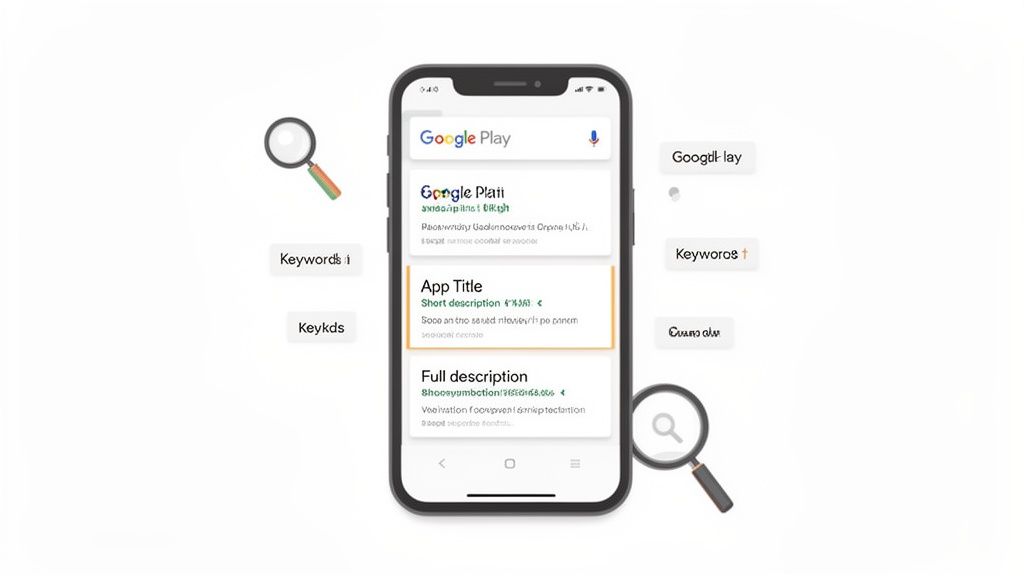
Think of your app's metadata as its storefront sign. It is the very first thing both users and the Google Play algorithm see, making it the bedrock of your entire ASO strategy. Nailing your App Title, Short Description, and Full Description is make-or-break for getting noticed and driving downloads.
These text fields are how you tell Google what your app is all about. When someone searches for "task manager," the algorithm zips through your metadata looking for the most relevant apps. Get this right, and you land on the first page. Get it wrong, and you are lost in the noise.
Crafting the Perfect App Title
Your App Title is, without a doubt, the most important piece of metadata for your ranking. Google gives you a tight 30-character limit, so every letter counts. The game here is to blend your brand name with a high-impact, high-volume keyword.
A simple yet powerful formula is Brand Name - Main Keyword or Brand Name: Main Keyword. This tells both people and the algorithm exactly what your app does in a split second.
- Before: ZenFlow
- After: ZenFlow - Meditation & Sleep
The "After" version is infinitely better. It keeps the brand but immediately grabs anyone searching for "meditation" or "sleep" apps. That one small change can dramatically boost your visibility for keywords that actually matter.
Mastering the Short Description
The Short Description is your 80-character elevator pitch. While it has a strong influence on rankings, its main job is to convert lookers into installers. This little snippet of text sits right below your screenshots and is often the first thing people read to figure out what your app does.
Your Short Description has one job: to quickly answer the user’s question, "What does this app do for me?" Focus on the single biggest benefit or what makes you unique.
Do not just list features; frame them as solutions to a user's problem. Use punchy, compelling language that makes them want to hit that install button. For a broader perspective on how search optimization works across different platforms, which can really spark some A/B test ideas, check out these YouTube SEO strategies for rapid growth.
- Before: Create, edit, and share photo collages with our app. Many templates available.
- After: Turn photos into stunning collages in seconds. Perfect for social media stories!
The second version is action-packed and highlights a clear, desirable outcome. It is far more persuasive.
Structuring the Full Description for Humans and Robots
Okay, let's be real: very few users are going to read all 4,000 characters of your Full Description. But Google's algorithm absolutely will. This is your space to add depth, provide context, and weave in a wider range of secondary keywords. The key is to structure it for both readability and crawling.
A giant wall of text is an instant turn-off. Use formatting to make it scannable and engaging.
- Use Basic HTML: Google Play supports simple HTML like
<h2>for headings and<b>for bolding key phrases. This creates a visual hierarchy that makes the text easy to skim. - Break It Up with Emojis & Symbols: A well-placed emoji (like ✔️ or ✨) or an ASCII symbol (like ▶) can turn a boring list of features into an easy-to-digest bulleted list.
- Tell a Story: Start with a strong opening paragraph that builds on your short description. Follow up with feature blocks, sprinkle in some social proof (like awards or press mentions), and wrap it all up with a clear call to action.
A well-structured description does not just look better; it signals relevance and quality to Google.
If you are gearing up for a launch, our complete guide on how to publish an app on Google Play walks you through the entire submission process. By combining a powerful title, a persuasive short description, and a well-formatted full description, you build a metadata foundation that drives both visibility and conversions.
Creating High-Converting Screenshots and Visuals
Your text gets people to your store listing, but your visuals are what close the deal. Think of your icon, screenshots, and promo video as your app’s sales team. They do the heavy lifting, turning casual browsers into committed users by telling a powerful, instant story about what your app actually does for them. For both Android and iOS stores, the goal is the same: use visuals to boost app store growth and conversions.
Most developers fall into the trap of just showing off features. But a winning visual strategy does not just display your UI; it sells benefits. It solves a user's problem right there on the screen. Your screenshot gallery should be a mini-narrative, guiding someone from a pain point to a solution in just a few swipes.
From Features to Benefits: A Storytelling Approach
The real secret to powerful visuals is framing every single screenshot around a user benefit. Instead of a caption that says "Task List View," you go with "Organize Your Day, Effortlessly." See the difference? The first describes a feature; the second sells a feeling and a result.
To build out this visual story, you can follow a simple framework for your first few screenshots:
- The Hook: Your very first screenshot has to grab attention with your app’s biggest promise. What is the one compelling reason someone needs to download your app? Put that front and center.
- The Core Features: The next two or three screenshots should back up that promise. Each one needs to highlight a different core benefit that makes the user's life better.
- The Social Proof: Use a later screenshot to build trust. This is the spot for a glowing testimonial, an award you won, a 5-star rating, or a shout-out from a publication they have heard of.
When you structure your gallery this way, you create a logical flow that answers a user's unasked questions and builds their confidence in your app before they even hit "install."
Designing Screenshots That Convert
Not too long ago, creating professional, high-converting screenshots meant hiring a designer. That is not the case anymore. Modern tools have made it incredibly simple to produce polished visuals that nail all the best practices for both the Android and iOS stores.
For indie founders and busy ASO teams, this means great screenshots are non-negotiable. Platforms like ScreenshotWhale let you quickly craft on-brand visuals that spotlight key features and proof points, all wrapped in device mockups for the latest Android and iOS phones. This ensures the promises you make in your visuals match what users see in the app, which can seriously slash early user churn.
Let's walk through an actionable example of how you can create efficient, high-converting screenshots.
- Pick a Template: Inside the site editor, start with a professionally designed template that uses vibrant colors and clean layouts that match your app's style.
- Choose a Device Frame: Place your UI inside a realistic device mockup, like a Google Pixel or iPhone. This makes the app feel real and familiar to the user.
- Write Benefit-Driven Captions: Use the text tool to craft a short, punchy headline that focuses on the user's outcome. A smaller sub-caption can add a touch of detail if you need it.
- Brand It: Use the editor's controls to tweak the background, fonts, and colors to align with your app's branding. Consistency across your gallery is key.
This screenshot editor, for instance, shows a streamlined process for creating visuals that tell a story about productivity.
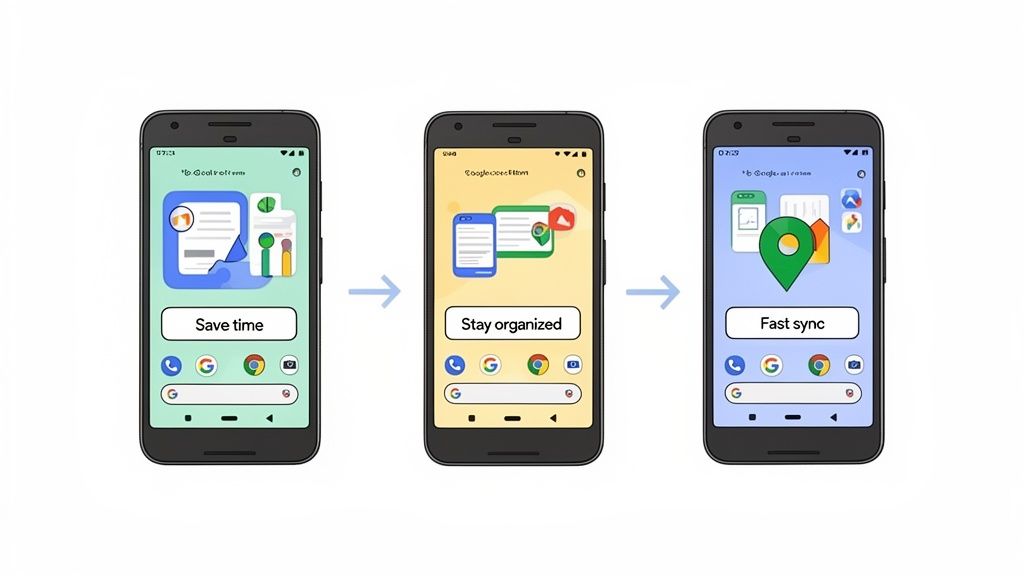
This image nails it. It uses a simple three-part story, "Save Time," "Stay Organized," and "Fast Sync," to instantly communicate the app's value. Each benefit is paired with a clean UI mockup, making the message impossible to miss.
The Power of Your Feature Graphic and Promo Video
Your Feature Graphic is that big banner image at the top of your store listing, often sitting right next to your promo video. It is prime real estate, so do not waste it. Create a bold, simple graphic with your app icon, brand name, and a very short tagline that sums up your core value.
If you have a Promo Video, remember this: the first 5-10 seconds are everything. That is all the time you will get from most users before they make a decision.
A great promo video is short, punchy, and action-oriented. It should showcase the best parts of your app in motion, focusing on the user experience and the most exciting outcomes they can achieve. Autoplay videos are muted, so use on-screen text captions to convey your message.
A well-made video can give your conversion rates a serious boost because it gives users a dynamic preview of what it feels like to use your app. But be warned: a low-quality video will do more harm than good. Only include one if it is polished and professional.
For more hands-on strategies, check out our deep dive into creating compelling Google Play app screenshots. In the end, every single visual, from your icon to your screenshots to your video, needs to work together to build a persuasive argument for why your app deserves that install.
Right, you have nailed down your metadata and polished your visuals. That is a solid foundation for your Google Play Store ASO. But to really kick things into high gear, you need to think about scaling that success, reaching new audiences and constantly tweaking your listing to convert better.
This is where we move from a static, "set-it-and-forget-it" store page to a dynamic growth engine. The two biggest levers you can pull here are localization and A/B testing.
Localization is not just about running your description through a translator. True internationalization means adapting your entire store presence, text, visuals, everything, to genuinely connect with the cultural nuances of different markets. What grabs a user's attention in the United States might fall completely flat in Japan or Brazil.
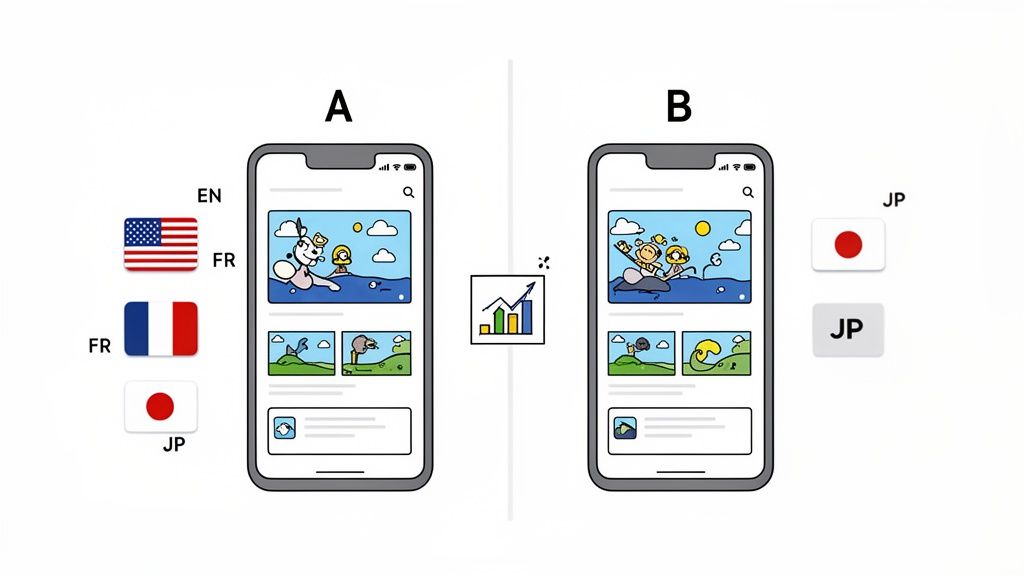
Think about it: this means adapting everything from your keyword choices to the cultural context of your screenshots. A finance app, for instance, should show dollars in an American listing but euros or yen in others. It feels instantly more relevant and trustworthy.
Go Global with Smart Localization
In the past, adapting your visual assets for every single market was a massive headache that ate up design resources. Thankfully, modern tools have made this whole process incredibly efficient.
With a platform like ScreenshotWhale, you can tap into an AI-powered engine to instantly translate your screenshot captions into dozens of languages. Suddenly, you can generate localized, high-converting visuals for global markets in a matter of minutes, not weeks. This is how you make your app feel native to users everywhere you launch. If you want to dive deeper into the strategy, our guide on whether to localise or localize breaks it down.
Effective localization is about cultural adaptation, not just word-for-word translation. A well-localized store listing shows users you understand their market, which builds instant trust and significantly boosts conversion rates.
Demystifying Google Play Store Listing Experiments
Once you have a solid baseline, the secret to long-term growth is simple: never stop improving. Google Play’s built-in A/B testing feature, called Store Listing Experiments, is your best friend for this. It lets you test changes to your store listing and see exactly how they impact installs. No more guessing.
The process is basically the scientific method you learned in school:
- Form a Hypothesis: Start with an educated guess. Something like, "I bet changing my app icon to a brighter color will increase installs because it will stand out more in crowded search results."
- Test One Variable: This is the golden rule. Change only one thing at a time. If you change your icon and your screenshots, you will have no idea which change actually made the difference.
- Analyze the Results: Let the experiment run until you have a statistically significant winner. The Google Play Console will straight up tell you which version performed better and by how much.
To really get good at this, understanding A/B testing methodologies is a huge advantage. It helps you design smarter experiments and avoid misinterpreting the results.
A/B Testing Ideas for Your Store Listing
Not sure where to start? Do not worry, everyone feels that way at first. Here are a few simple but powerful ideas to get your first experiments rolling.
| Asset to Test | Variable A (Control) | Variable B (Variant Idea) |
|---|---|---|
| App Icon | Current icon with a dark background | New icon with a vibrant, light background |
| Screenshots | Feature-focused captions | Benefit-focused captions (e.g., "Manage Tasks" vs. "Organize Your Life") |
| Short Description | "A simple to-do list and task manager." | "The easiest way to manage your tasks and hit your goals." |
| Feature Graphic | Graphic with just your logo | Graphic showing your app's UI in action on a device |
By making this a regular habit, you stop making decisions based on hunches and start using real data. Every experiment, win or lose, teaches you something valuable about what makes your audience tick.
This constant cycle of localizing, testing, and optimizing is the real secret to scaling your Google Play Store ASO and achieving sustainable growth for your app.
What Users Do After They Install Matters, A Lot
While nailing your store listing's text and visuals is a huge part of the game, Google’s algorithm is also watching what happens after someone hits that install button. These are powerful “off-page” factors, or what we call user signals. Think of it as Google eavesdropping on your users to figure out if your app actually delivers on the promises you made in your listing.
The big three user signals are ratings, reviews, and uninstall rates. A flood of positive ratings and glowing reviews is the best social proof you can ask for. It tells both Google and new users that your app is a winner, which boosts your rankings and convinces more people to download. On the flip side, a spike in uninstalls is a massive red flag for the algorithm. It screams user disappointment.
How to Nurture Positive Signals
You cannot just cross your fingers and hope for good reviews. Actively managing these signals is a non-negotiable part of a solid ASO strategy. You have to be proactive.
- Be smart about asking for reviews. Do not just hit a new user with a review pop-up the second they open the app. That is a great way to get a one-star review. Instead, wait for a "magic moment", that point where they have just accomplished something, like beating a level or successfully completing a task. A happy, engaged user is far more likely to leave a great review.
- Reply to all of your reviews. I mean it. Make it a daily or weekly habit. Thanking users for positive feedback shows you are listening and appreciate them. More importantly, thoughtfully responding to negative comments shows everyone that you care and are committed to fixing things. It can even turn a frustrated user into a fan.
- Keep an eye on Android Vitals. Dive into the Android Vitals section of your Google Play Console. This is your early warning system for technical gremlins like crashes, freezes, and slow render times. Fixing these issues before they become widespread is one of the best ways to prevent a wave of bad reviews and uninstalls.
Your app’s reputation is built one user experience at a time. If your ratings start to tank, your visibility will follow. Google simply is not going to feature an app with poor user sentiment in prime real estate like the Explore section.
The Hidden Power of a Consistent Update Cycle
Beyond direct user feedback, you need to send a clear signal to Google that your app is alive, healthy, and actively cared for. The best way to do that? Regular updates.
Every time you push a new version, you are not just squashing bugs or adding features. You are telling the algorithm that you are invested in making the user experience better. This is not just a hunch; the data screams it. Top-tier apps do not see updates as a chore, they treat them as a vital sign.
Just look at the top 1,000 apps in the store: nearly 30% are updated every single week. That number jumps to 75% getting an update at least once a month. This steady rhythm helps them stay relevant and competitive in a marketplace where thousands of new apps appear every day. You can dig into more stats about how update frequency impacts ASO on 42matters.com.
Treat every update as a fresh ASO opportunity. It is your chance to tweak your metadata, upload new screenshots showing off that cool new feature, and give your rankings a little nudge. When you combine a consistent update schedule with strong, positive user signals, you create a powerful feedback loop that drives real, sustainable organic growth.
Common ASO Mistakes and How to Avoid Them
It is surprisingly easy to sabotage your own Google Play ASO strategy. Even with the best intentions, a few common slip-ups can completely undo all your hard work. Think of it as knowing where the potholes are on the road to app growth, avoiding them is just as important as stepping on the gas.
One of the biggest blunders I see teams make is treating their Google Play listing like a carbon copy of their iOS App Store page. On the surface, it seems efficient. Why do the work twice, right? But this ignores the fundamental differences between the two platforms.
Google's algorithm is a ravenous reader; it indexes your entire description for keywords. Apple, on the other hand, gives you a dedicated keyword field. Just pasting your iOS metadata into the Google Play Console is like showing up to a keyword feast and refusing to eat. You are leaving a massive ranking opportunity on the table.
Neglecting Key ASO Pillars
Beyond the platform-specific missteps, other mistakes can quietly kill your momentum. It is common to get tunnel vision and focus on just one thing, like keywords, while letting other equally vital areas fall by the wayside.
- Treating ASO as a one-and-done task. This is not a crockpot meal; you cannot just "set it and forget it." The market is constantly shifting, competitors are always tweaking their approach, and Google's algorithm never stops evolving. A winning strategy demands constant monitoring, testing, and tweaking to stay ahead.
- Creating generic, feature-dump screenshots. Simply showing your UI without any context is a wasted opportunity. Your visuals need to tell a story and sell a benefit, fast. A screenshot that just says "Task List" is weak. "Organize Your Entire Week in 60 Seconds"? Now that sells a solution.
- Ignoring your ratings and reviews. Bad reviews and a low star rating are conversion killers. They are also a massive red flag for Google’s algorithm. Not actively managing your user feedback is like ignoring a blaring fire alarm, sooner or later, it is going to burn down your visibility.
A successful ASO strategy is a balanced effort. Overlooking any single component, from keyword research to review management, creates a weak link in your growth chain that competitors will happily exploit.
A Practical Checklist to Stay on Track
To sidestep these common errors, you need a more structured, holistic game plan. A simple checklist can be your best friend, keeping you focused on the things that actually move the needle for your Google Play Store ASO.
- Do Platform-Specific Research: Never, ever copy and paste from iOS. Tailor your keywords, your descriptions, and even your visuals specifically for the Android audience and Google’s algorithm.
- Tell a Visual Story: Use your screenshots to walk a user through a compelling journey. Hook them with a strong value prop, show them the key benefits in action, and close with a bit of social proof.
- Manage Reviews Proactively: Make it a weekly ritual. Respond to all reviews, the good, the bad, and the ugly. Use that direct feedback to inform your next app update.
- Schedule Regular ASO Audits: Put it on the calendar. Every quarter, take a deep dive into your metadata, see what your competitors are up to, and hunt for new opportunities to optimize.
Got Questions About Google Play ASO?
Getting into the weeds of Google Play ASO always kicks up a few questions. It is a common part of the process for developers and marketers alike. To help you cut through the noise, I have pulled together some of the most frequent ones I hear. Here are some quick, straight-to-the-point answers to get you unstuck and sharpen your strategy.
How Long Until I See ASO Results?
Look, ASO is a marathon, not a sprint. It is all about long-term strategy, not a quick hack.
When you tweak your app’s text, like the title or description, you might notice some little shifts in your keyword rankings within a few weeks. That is just Google re-indexing your page. For visual changes, like new screenshots, you can get conversion data from an A/B test in as little as a week, assuming you have the traffic.
But for real, sustainable organic growth? You need to be in it for the long haul. Plan on putting in consistent effort for at least 2 to 3 months to see meaningful results.
Where is the Best Place to Put My Main Keyword?
Your App Title. No question. It is the single most powerful spot for your primary keyword and carries the most weight with Google’s ranking algorithm. Get your most important search term in there, right after your brand name.
The runner-up is your Short Description. While the Full Description is indexed and great for long-tail keywords, you will get the biggest bang for your buck by focusing your top-priority terms in the title and short description.
But remember, you are writing for humans first. Your keywords need to flow naturally and make sense to a real person, not just an algorithm. Keyword stuffing is a surefire way to kill your conversions and might even earn you a penalty.
How Often Should I Update My App Screenshots?
You will want to refresh your screenshots any time you roll out a major UI redesign or a big new feature that changes how the app looks and feels. A good rule of thumb is to give them a design refresh at least every 6 to 12 months anyway, just so they do not start looking stale.
Also, think about playing around with themed visuals for holidays or seasonal events. A small, timely design tweak can sometimes give you a nice little conversion lift. A/B test it and see what happens.
What is the Biggest ASO Difference Between Google and Apple?
It really boils down to how they handle keywords.
Google Play’s algorithm acts a lot like traditional web SEO. It crawls and indexes nearly all the text on your store listing, including the full description, to figure out what your app is all about.
The Apple App Store is a different beast entirely. It uses a dedicated 100-character keyword field for ranking and does not really care about the long description for keywords. On top of that, their visual guidelines and the user signals they value are completely different, so you absolutely need a separate strategy for each platform.
Ready to create stunning, high-converting visuals for your app in minutes? With ScreenshotWhale, you can access professional templates, device mockups, and an AI-powered translation engine to make your screenshots stand out on the Google Play Store. Start designing for free and boost your installs today!
Put this into practice on your own listing
Import your live app into an ASO workspace — metadata, keywords, competitors, and store screenshots in one place.
Import my app