Localise or Localize Your Guide to App Store Dominance
Unsure whether to use localise or localize? This guide explains the difference, its impact on ASO, and how to adapt your app for global growth.
So, should you use localise or localize? Let's get straight to it: both are correct. It just depends on who you're talking to.
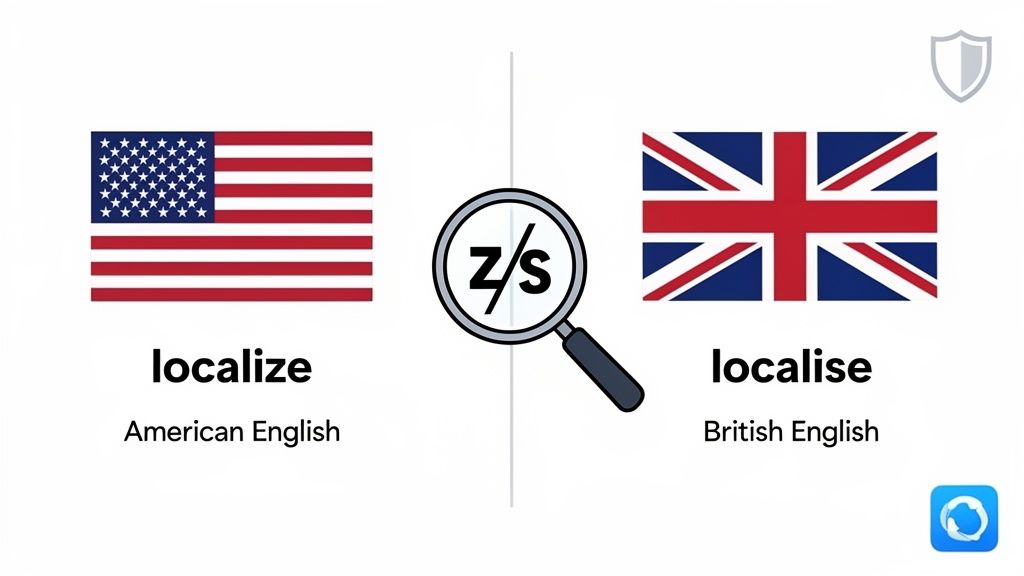
Localize with a "z" is the standard in American English. Meanwhile, localise with an "s" is what you'll find in British English. For anyone building an app, this is not just a minor spelling quirk. It’s a choice that shapes how users in different markets see your brand.
Why This Tiny Spelling Difference Matters for App Store Growth
Picking between "localise or localize" is more than just a style guide decision; it's the very first step in your global growth plan. That single letter sets the tone. When you align your language with what your target audience expects, you build instant credibility and show them you actually get their local nuances.
Getting the small stuff right, like spelling, sends a powerful signal. It tells users that your app was built with them in mind, which can make all the difference in boosting downloads and building trust from that first impression.
A Quick Cheat Sheet for ASO Terminology
To keep your app store listings looking sharp and consistent, it helps to have a quick reference for these common terms. Below is a simple table breaking down the key spelling differences you'll run into when prepping your app's metadata for American and British English markets.
American vs British English ASO Terminology
| Term | American English (-ize) | British English (-ise) |
|---|---|---|
| Localization | Localize | Localise |
| Optimization | Optimize | Optimise |
| Organization | Organize | Organise |
| Customization | Customize | Customise |
| Monetization | Monetize | Monetise |
Think of this table as a handy guide for your marketing and development teams. Standardizing these terms ensures your app’s messaging feels professional and consistent, no matter which side of the pond your users are on. It’s that kind of attention to detail that builds a strong, trustworthy brand on a global scale.
Right, so we've settled the whole 'localise' vs. 'localize' debate. Now for the real work.
Moving Beyond Spelling to True App Localization
Getting the spelling right is just the starting line. True app localization is about so much more than swapping out words. It’s a deep, thoughtful adaptation of your entire app experience to feel completely natural in a new market.
This means rethinking everything from UI layouts, color palettes, and date formats to currencies and even the cultural references you use.
Think of it like this: Starbucks doesn't just translate its menu to Japanese. It introduces a Sakura Blossom Latte. That’s the mindset. You're not just translating; you're creating an experience that feels local and familiar.
Why Cultural Adaptation Matters
This is where you see the real payoff. Deep cultural adaptation is what drives higher engagement and conversion rates. When users see visuals, features, and phrases that resonate with them, they connect with your app on a different level. It shows you get their world, and that builds a ton of trust.
And this is not just a "nice-to-have" anymore. The App Localization Service market is set to hit a massive $10,500 million by 2025, growing at a steady 15% CAGR through 2033. The demand is exploding because everyone knows that seamless global reach is the key to growth.
True localization isn't about making your app understandable; it's about making it feel like it was built just for them. It’s the difference between a tourist and a local.
From Text to Visuals: A Practical Approach
A great place to start is your app store presence. Don't just translate the text on your screenshots. Rethink the entire visual story.
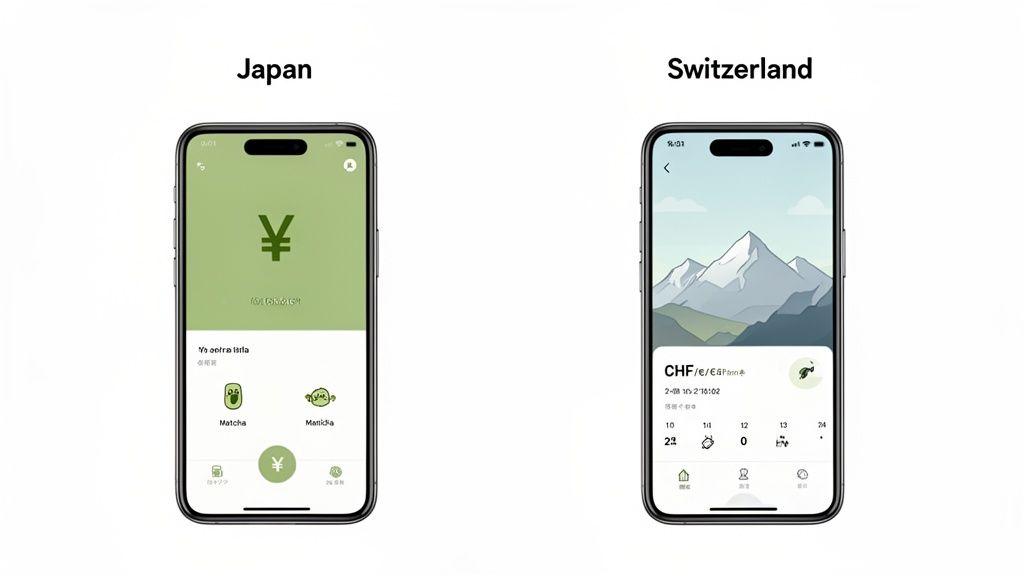
A fitness app launching in Japan might show off screenshots with bustling Tokyo cityscapes in the background. For the Swiss market? Maybe serene mountain trails are a better fit. This visual storytelling makes a powerful first impression before they even download.
Thankfully, you don't have to do this all by hand. Modern tools can make this process incredibly fast. You can even auto-translate your device mockups to see how quickly you can create compelling visuals for dozens of regions.
But it goes even deeper than that. Proper localization also means thinking about the technical side, like ensuring search engines can find your app in different languages by optimizing your localized content discoverability via sitemaps. It's a holistic approach that ensures your app doesn't just speak the language, it resonates culturally and actually gets found.
Deciding between localise or localize is really just the first domino. The bigger question is how that choice actually translates into more downloads and revenue. And the connection is surprisingly direct: adapting your app store presence for different regions gives your key App Store Optimization (ASO) metrics a serious boost.
When you take the time to localize your app’s title, keywords, and description, you almost immediately start ranking for terms that people are actually searching for in their own language. This simple step expands your visibility in regional search results, putting you in front of a much, much wider audience.
Driving Conversions Where It Counts: Your Visuals
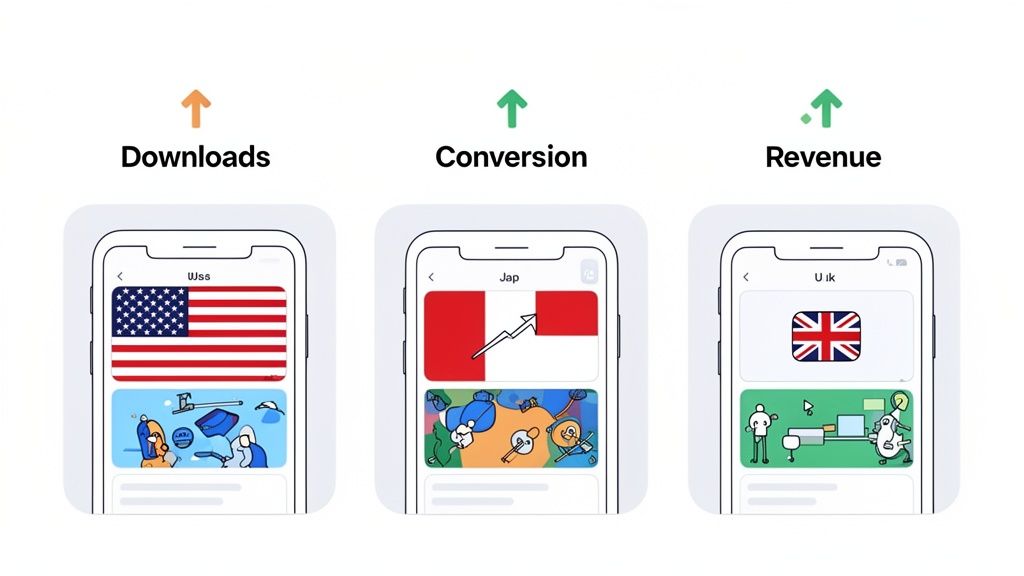
But text is only half the story. The real magic for pushing up conversion rates happens in your visuals. Localized screenshots and preview videos are your secret weapon for building instant trust and forging a genuine cultural connection. That’s a powerful driver for downloads. Think of these visuals as your app's storefront; making them feel familiar is everything.
A fitness app, for example, can show completely different lifestyles to connect with users in different places.
- For Japan: You could use vibrant backdrops of Tokyo streets and feature models that reflect the local demographic.
- For Switzerland: It makes more sense to swap in serene mountain trails and highlight activities popular there, like hiking or skiing.
This kind of visual tailoring is not just cosmetic. It's proof that you get each audience on a deeper level.
The Real Impact on App Store Metrics
This deep adaptation has a direct line to your conversion rate from page view to install. When potential users see screenshots with familiar currency, culturally relevant imagery, and captions in their own language, the friction just melts away. They instantly understand what your app does and why it's for them, no translation or guesswork required.
A potential user is 73% more likely to download an app if the description is in their native language. This preference extends powerfully to visual elements like screenshots, where comprehension is instant.
By creating high-converting, localized app store screenshots for both Android and iOS, you're doing more than just translating words. You're communicating value in the most effective way possible. This meticulous effort signals quality and respect for the user, which is exactly what turns casual browsers into loyal downloaders.
Right, you’ve sorted out whether you’re using localise or localize. That’s step one. Now it's time to apply that same thinking to your visuals. This is where you can see a massive jump in conversions. Creating app store screenshots that truly connect with people goes way beyond just swapping out the text.
You’re adapting every single pixel to feel like it was made just for that market. Think culturally relevant background photos, device mockups that people in that region actually use, and lifestyle shots that mirror the daily lives of your potential customers. It’s about making your app feel like a local favorite before they even tap "Download."
Getting Visual Localization Right
A killer visual strategy for the App Store or Google Play doesn't happen by accident. It's a deliberate process. And before you get started, always give the official Apple's App Store Review Guidelines a once-over to make sure your creative assets tick all the right boxes.
Here’s a practical, actionable way to approach it:
- Translate Captions, Not Just Words: In a screenshot editor, don't just paste in a direct translation. Use context-aware AI tools to get the tone right, then have a native speaker review it. The goal is to capture the spirit of the message, not just the words. For example, a playful English caption like "Crush your goals!" might translate more naturally to "Achieve your objectives" in a more formal language.
- Swap Backgrounds for Local Flavor: Ditch the generic stock photos. A user in Tokyo will connect far more with a backdrop of Shinjuku Crossing than a random cityscape. A user in Berlin will recognize the Brandenburg Gate. In an editor, you can upload these local images and set them as the background for your device mockups in seconds.
- Use Region-Specific Device Mockups: Show your app running on the phone models that are popular in that country. It’s a subtle touch, but it builds immediate familiarity and trust.
- Localize Content Inside the App: Don't forget the details. Make sure the content you show inside the app mockups, like currency symbols, user profiles, or map locations, are all localized. For a finance app, showing prices in Yen (¥) for the Japanese App Store is non-negotiable.
How to Create Efficient, High-Converting Screenshots
Manually creating unique screenshot sets for dozens of different markets is a one-way ticket to burnout. It's incredibly time-consuming, and this is where a proper screenshot editor makes all the difference for your workflow and sanity.
Imagine having a single template that you can use to spin up assets for ten different languages. By using smart AI translation for your captions and a simple UI to swap out background images, you can knock out a full set of localized screenshots in minutes, not days. This efficiency is key to scaling your app's growth globally.
The screenshot above gives you a peek at some pre-designed templates you can use as a starting point. A template-based system like this lets you keep your brand looking sharp and consistent while you quickly tailor the visual story for each market. For a deeper dive, check out our complete guide on building an effective app store image strategy.
When you systematize your visual localization, you’re basically building a powerful and efficient engine for global growth. You're ensuring that every single person who lands on your app store page feels like your app was made just for them.
Building a Consistent Spelling Strategy for Your Team
Picking between localise or localize is not just about spelling. It's about creating a consistent strategy that keeps your entire team on the same page. Without one, you'll end up with engineers using one version in the code and marketers using another in the app store descriptions. It looks sloppy and creates a disjointed brand image.
A simple, effective way to handle this is to split your approach by function.
For your technical teams, developers, QA, and anyone touching the codebase, it's best to standardize on American English (localize). This applies to all code, internal docs, and APIs. It just aligns with how the global software community operates, making collaboration much smoother. North America is the powerhouse here, holding over 35% of the global software localization market share, which pretty much sets the standard. You can discover more insights about this trend and why it’s become the default.
An Audience-First Marketing Approach
When it comes to marketing, however, the rules change. Your strategy has to be all about the audience. You need to speak their language, literally and figuratively.
- US App Store: Stick with "localize" in your screenshots, descriptions, and update notes.
- UK & AU App Stores: Make the switch to "localise" to meet local expectations. It's a small detail, but it shows you've done your homework.
The real key here is to create a dead-simple internal style guide. This document becomes your single source of truth, making sure everyone from the newest engineer to the head of content knows exactly which spelling to use. It’s how you present a unified, professional brand across every single touchpoint.
This whole process is about more than just text; it's about crafting visuals that convert.
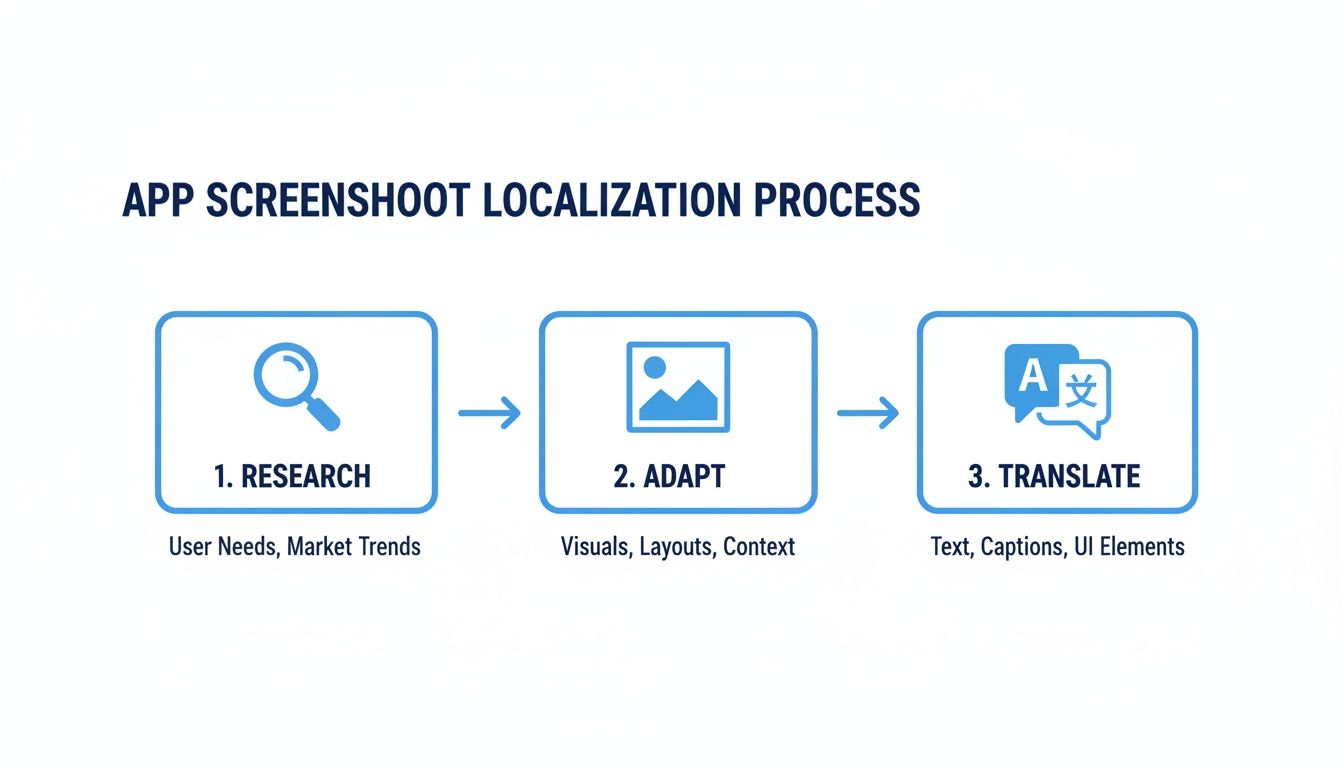
This flow really drives home the point that great localization isn't an accident. It's a deliberate process of research, adaptation, and translation. Following these steps helps you create visuals that don't just feel translated, but truly resonate with each market. That's what directly fuels app store growth.
Alright, let's get into some of the real-world questions that pop up the moment you start thinking about taking your app global. It doesn't matter if your team writes localise or localize, the practical hurdles are the same for everyone. Here are the straight answers to the things we hear most often.
So, How Much is This Going to Cost?
There’s no magic number here, as the cost really hinges on how complex your app is and where you're trying to launch. But a solid rule of thumb is to set aside 10-15% of your initial development budget for localization.
That should give you enough runway to cover professional translation, get some help with cultural adaptation for your key markets, and, of course, create all those localized app store assets.
Which Countries Should We Target First?
Don't just throw a dart at a map. Let data be your guide. Your first stop should be your app's analytics. See where your organic downloads are already trickling in from. That's a clear sign of untapped demand. From there, look for markets that have high smartphone use but maybe a little less competition in your specific niche.
For a lot of app developers right now, all eyes are on the Asia Pacific region. It's not just growing; it's exploding. The region makes up 25.3% of the entire global localization market and is the undisputed leader in mobile apps, with a massive 52.92% share valued at USD 157.94 billion. That kind of demand is hard to ignore. If you want to dig deeper, you can explore the full market analysis on localization strategies to help shape your roadmap.
Machine Translation or a Real Person?
Honestly, the best strategy is a bit of both. Modern AI translation has gotten shockingly good. It’s a fantastic way to get a solid first draft of your app store descriptions and in-app text, and it can save you a ton of time and money upfront.
But you absolutely need a native speaker to review everything before it goes live. They'll catch the subtle cultural nuances, fix awkward phrasing, and make sure your app's tone feels just right.
Never, ever ship raw machine translation to your users. One weird grammatical error or a clunky phrase is all it takes to shatter a user's trust and make your app look unprofessional.
How Often Do We Need to Update Our Localized Stuff?
Simple: treat your localized app store listings exactly like you treat your primary one in English.
Every time you push a big update with new features, you should be updating your screenshots and descriptions in all languages. It shows your international users that they are not an afterthought and creates a consistent experience for everyone. Plus, both users and the app store algorithms see regular updates as a sign that your app is healthy and actively maintained.
Ready to create stunning, localized screenshots for every market without the headache? ScreenshotWhale combines slick templates with powerful AI translation to make your global app store launches faster and way more effective. Start building your high-converting screenshots today.
Put this into practice on your own listing
Import your live app into an ASO workspace — metadata, keywords, competitors, and store screenshots in one place.
Import my app