App Store Optimization ASO: A Guide to Boosting Growth and Conversions
Unlock app store optimization aso strategies to boost downloads, conversions, and ranking with practical keyword, creatives, and localization tips.
If you understand Search Engine Optimization (SEO) for websites, you are already halfway to understanding App Store Optimization (ASO). It is the same core idea, just built specifically for mobile apps in places like the Apple App Store and Google Play.
Think of it as a continuous cycle of tweaks and improvements designed to get your app noticed, and more importantly, downloaded. ASO is what separates the apps that thrive from the ones that get buried.
What Is ASO and Why It Drives App Growth
In a marketplace with millions of apps, just hitting the "publish" button is like whispering in a hurricane. App Store Optimization is the engine that helps your app get discovered. It is not a "set it and forget it" task, but an ongoing loop of research, optimization, and testing. The whole point is to attract high-quality, organic users who are actively looking for what your app offers.
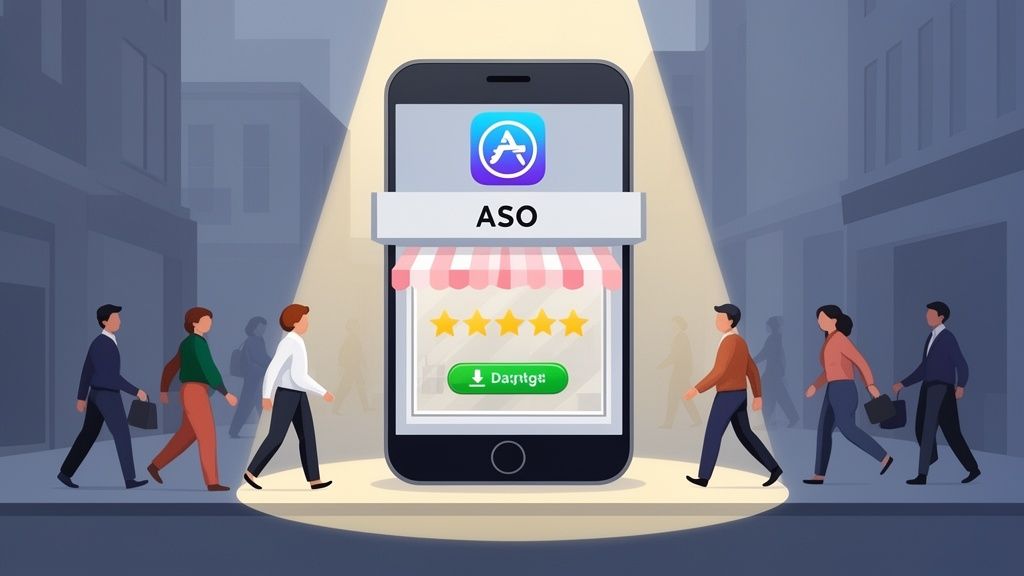
Here's a simple analogy: imagine your app is a new retail store. Without ASO, your store is tucked away on a quiet backstreet with no signs. With a strong ASO strategy, you're on the busiest street in town with a killer window display that pulls people right in, boosting your app store growth.
The Two Sides of ASO Success
Great ASO really comes down to mastering two things: getting found (discoverability) and convincing people to download (conversion). If you nail one but ignore the other, you're leaving growth on the table. You need eyes on your app page, and then you need to give those eyes a reason to tap "Install."
This is why having a solid grasp of what ASO stands for is so important. You are systematically working on both sides of the coin to create a flywheel for organic growth.
Let's break down how these two pillars work together.
The Two Sides of App Store Optimization
| ASO Pillar | Primary Goal | Key Elements |
|---|---|---|
| Discoverability | Getting found in search results and browse features. | App Name, Subtitle, Keywords, Category Selection |
| Conversion | Convincing users to download your app once they land on your page. | Icon, Screenshots, App Preview Video, Description, Ratings & Reviews |
Balancing these two is the secret sauce. High visibility with a poor conversion rate just means a lot of people see your app but don't download it. A beautiful app page that no one can find is just as pointless.
A Smarter, More Cost-Effective Way to Get Users
Relying entirely on paid ads to get users is a fast way to burn through your budget. ASO gives you a much more sustainable path by attracting organic downloads from people who are genuinely looking for an app like yours. These users tend to stick around longer and are more engaged because they found you, not the other way around.
A well-executed ASO strategy is the most powerful lever for sustainable, long-term app growth. It reduces dependency on paid channels and builds a direct connection with users who are actively seeking solutions.
And this isn't just theory, the numbers back it up. One comprehensive study found that solid ASO efforts lead to an average download increase of 12% on Google Play. This shows just how much power you have to move the needle without pouring money into ads. By refining your keywords, polishing your visuals, and listening to user feedback, you are building an asset that keeps attracting new users on its own.
Mastering the App Store Ranking Factors
To climb the charts, you first need to understand what the App Store and Google Play algorithms are actually looking for. Think of them as picky gatekeepers. They only want to show users apps they think people will love, and they use a whole bunch of signals, ranking factors, to figure that out.
These signals really fall into two big buckets. The first is On-Metadata, which is everything you can directly control in your app's store listing. The second is Off-Metadata, which is all about how real users are interacting with your app out in the wild.
On-Metadata Factors You Directly Control
These are the nuts and bolts of your ASO strategy. They are the levers you can pull right inside App Store Connect or the Google Play Console to tell the stores what your app is all about.
App Title and Subtitle: This is your prime real estate for keywords. Seriously. Weaving your most important keyword into your app's name can give you a massive visibility boost. For instance, if you have a meditation app called "Serene," naming it "Serene: Guided Meditation & Sleep" immediately targets people searching for exactly that.
Keywords: The Apple App Store gives you a dedicated 100-character keyword field. This is your spot to drop in relevant search terms that aren't already in your title. Google Play, on the other hand, is a bit different; it scans your short and long descriptions for keywords, so you need to work them in naturally there.
Description: While Apple's algorithm does not really use the long description for keyword ranking, it's absolutely vital for convincing a human to hit that "Get" button. For Google, the description is a keyword goldmine. In both cases, your job is to sell the benefits, not just list features.
Creative Assets: Your icon, screenshots, and preview video do the heavy lifting. They're what grab a user's attention and have to tell a compelling story in seconds. A polished set of screenshots that instantly shows off your app's value can make all the difference between a scroll-past and a download.
The key takeaway is that while both stores care about the same general things, they prioritize them differently. Apple seems to put more stock in the curated elements you control, while Google's algorithm is heavily swayed by user behavior and engagement metrics.
Off-Metadata Factors Your Users Influence
You don't have a switch to flip for these factors, but you can absolutely influence them by building a great app and marketing it smartly. These signals are powerful proof of your app's quality and popularity.
Download Velocity: How many downloads is your app getting, and how fast? A big spike in installs from a successful launch or a marketing push sends a huge signal to the stores that your app is hot right now, which can send you flying up the charts.
Conversion Rate: This one is simple: of all the people who land on your store page, what percentage actually download the app? A high conversion rate tells the algorithm that your page is doing its job and is highly relevant to the people finding it.
Ratings and Reviews: Social proof is algorithmic gold. A flood of positive reviews and a high star rating are clear signals that users genuinely like your app, which directly feeds into your ranking and how often you get featured.
Your app's star rating is non-negotiable for success. It's a direct reflection of user satisfaction that both potential downloaders and the store algorithms watch closely.
Keeping that rating high is crucial. In fact, apps with a 4.0+ star rating completely dominate the stores, a staggering 90% of Apple-featured apps hit this mark. Algorithms now also look at the sentiment and recency of reviews, making it more important than ever to stay on top of user feedback. You can dig deeper into how ratings impact app store growth and other ASO trends.
- App Performance: This is a big one, especially for Google Play. Metrics they call "Android Vitals," things like crash rates, battery drain, and slow load times, are actual ranking factors. An app that is stable and performs well delivers a better experience, and the stores will reward you for it with better visibility.
Creating Efficient and High-Converting App Store Screenshots
Alright, so your keywords did their job. A user has landed on your app page. Now what?
This is where your visual assets, the icon, screenshots, and preview video, take over. They are your digital storefront, and you have just a few seconds to grab someone's attention and convince them to download. The on-page text is important, but it's the creatives that do the heavy lifting to close the deal and drive conversions.
Effective creatives go way beyond just listing features. They tell a story. They communicate your app's value in a heartbeat and start building trust before the user has even opened it. A polished, professional look can make all the difference, often being the deciding factor between a download and a bounce.
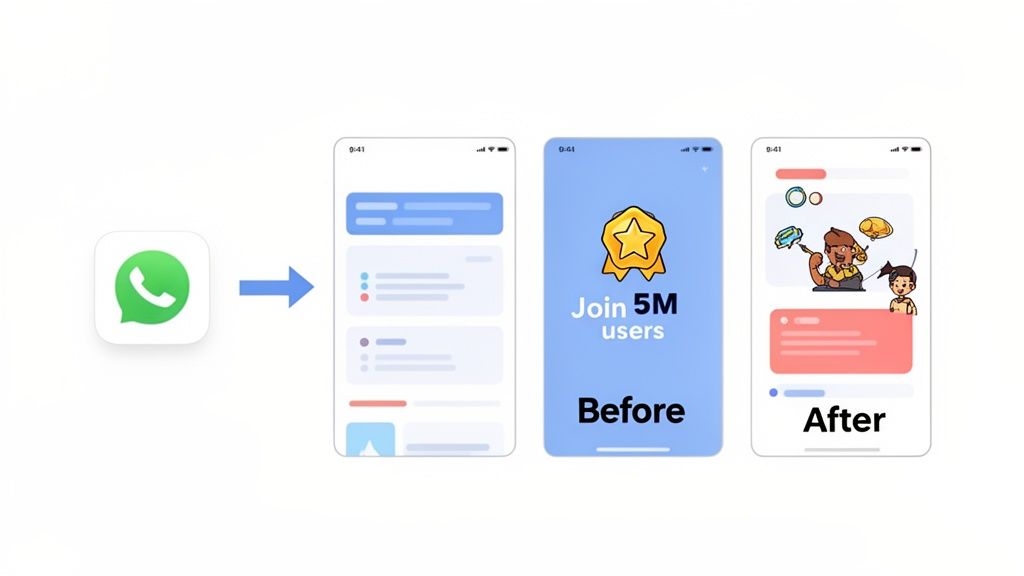
This is a critical part of app store optimization aso for another reason: a beautiful app page that converts well sends a strong signal to the store algorithms. It tells them users are finding what they want, which can give your rankings a nice little boost.
Crafting a Compelling Visual Narrative
Your screenshots should not just be random grabs of your UI. Think of them as a guided tour that walks a potential user from their problem straight to your app's solution. The goal is to make the benefits so obvious and appealing that hitting 'download' feels like the only logical next step.
Start by mapping out the user's journey. What is the single most important thing you want to communicate first? That first screenshot is your prime real estate; it needs to scream your core value proposition instantly. From there, each image should build on the last, revealing more features and benefits in a way that makes sense.
A great way to structure this flow is:
- The Hook: Kick things off with a powerful benefit.
- The Explanation: Show key features in action.
- The Proof: Add social proof or highlight what makes you unique.
This storytelling approach turns static images into a persuasive pitch, guiding the user's eye and building genuine excitement for what your app can do for them.
Designing High-Converting Screenshots for the Android and iOS Stores
While both Apple and Google prioritize visuals, their store layouts and user expectations are different. A one-size-fits-all strategy just does not cut it.
On the iOS App Store, the search results page often shows your first three portrait screenshots directly. This means those initial images have to be incredibly punchy, with bold, easy-to-read captions that get the point across immediately. Apple’s audience tends to appreciate clean, minimalist designs that feel polished.
The Google Play Store, on the other hand, gives you a bit more creative freedom. It is famous for allowing a seamless panoramic screenshot layout where you can connect multiple images into one continuous visual. It is a stunning effect that really encourages users to keep swiping.
A well-designed set of screenshots is your best salesperson. It works 24/7 to demonstrate your app's value, build credibility, and convince users that your solution is the one they've been searching for.
Using a dedicated editor built for app store creatives can make this whole process a lot faster and more efficient. For example, using a site editor like ScreenshotWhale, you can select a "Panoramic" layout for Android, drop in three separate screen captures from your app, and the tool will automatically stitch them into a single, seamless image. This actionable technique instantly creates a high-impact visual that is proven to boost conversions on Google Play.
With a simple drag-and-drop editor, you can pop your UI into these templates, write powerful captions, and tweak the colors to match your brand. It lets you create high-quality, on-brand creatives in minutes, not hours. For more ideas, check out this guide on creating compelling app store images.
Actionable Techniques to Boost Screenshot Conversions
Ready to turn your screenshots into conversion machines? Here are a few practical techniques you can put into action right away.
Focus on Benefits, Not Just Features: Instead of a caption like "Task Manager," go with "Organize Your Life in Minutes." Frame every feature around how it makes the user's life better.
Use Bold, Readable Captions: Remember, people are looking at these on a small screen. Use a large, clear font and high-contrast colors to make your key messages pop.
Incorporate Social Proof: A caption like "Join 5 Million Happy Users!" is a powerful way to build instant trust. If you've been featured or won an award, show off those badges.
Maintain Brand Consistency: Stick to your brand’s colors, fonts, and tone of voice across all your screenshots. It creates a cohesive, professional look that reinforces who you are.
Localize Your Text: If you are targeting global markets, translating your captions is non-negotiable. It shows you respect local users and makes a huge difference in comprehension and conversion rates.
Finally, to make sure your beautiful creatives load quickly and look sharp, it is vital to compress images without losing quality. Big files can slow down your page load time, creating a bad experience that might cost you a download.
By applying these insights, you can build a visually stunning and persuasive app store page that does not just attract eyeballs but actually turns browsers into loyal users.
Scaling Globally with App Localization
Going after new countries is one of the most powerful, and most overlooked, plays in the ASO game. It is easy to assume a single English version of your app is good enough, but that mindset leaves a staggering amount of growth on the table. Real global scaling is not about just being available in new markets; it is about genuinely connecting with them.
And localization is the key that unlocks that connection.
It is so much more than just swapping out words. While translation changes the language, localization adapts the entire app store experience to a new culture. This means rethinking your app's name, description, keywords, and especially your screenshots to click with local users on their own terms.
Translation vs. True Cultural Adaptation
Here's a good way to think about it: simple translation is like giving someone an instruction manual written in their language. True cultural adaptation, on the other hand, is like having a friendly local guide explain how something works, using phrases and examples that feel familiar. Which one builds more trust? Exactly.
Little things can make a huge difference. Colors, symbols, even the way you frame a benefit can have wildly different meanings from one culture to the next. What sounds exciting in one country might come across as confusing or even off-putting in another. This is precisely why just feeding your screenshot captions into an online translator is a recipe for low-converting creative.
Localization is about empathy at scale. It shows users you understand their world and have built something with them in mind, which dramatically boosts their trust and their willingness to hit that download button.
When you adapt your creatives, you are signaling a level of commitment that people notice. It tells them your app is not just another foreign product dropped into their store, it is made for them.
Prioritizing High-Opportunity Markets
Going global does not mean you have to launch everywhere all at once. That would be insane. A much smarter ASO approach is to find and prioritize the markets with the biggest upside.
Start your hunt by looking for markets where:
- There's a high demand for your kind of app but not a ton of competition.
- Users have solid purchasing power or are known for high engagement.
- You're already seeing some unexpected organic downloads, which is a clear signal of existing interest.
Once you have a shortlist, it is time to dig in. Fire up your ASO tools to research local keywords, see what top competitors in that region are doing, and get a feel for the cultural quirks that drive downloads. This data-first framework helps you put your resources where they will actually make a difference.
To show you just how much of a difference this makes, here is a look at how key metrics can improve when you get localization right.
Localization Impact on Key ASO Metrics
| ASO Metric | Impact of Effective Localization | Example Tactic |
|---|---|---|
| App Store Impressions | Significant increase as the app ranks for local, high-volume keywords. | Translating the app title and keyword field to include popular native search terms. |
| Conversion Rate (CVR) | Higher CVR due to culturally relevant screenshots and descriptions that build trust. | Adapting screenshot imagery and captions to reflect local lifestyles and values. |
| Organic Installs | Substantial growth in downloads from users who discover the app via native search. | Localizing the entire app description and what's new section to feel native. |
| User Ratings & Reviews | Improved ratings from users who appreciate the effort and feel understood. | Providing localized customer support and responding to reviews in the local language. |
Getting this right is not just a "nice-to-have," it is a direct path to better performance across the board. By speaking the user's language, both literally and culturally, you build the trust needed to turn a casual browser into a loyal user.
Executing an Efficient Localization Strategy
Not too long ago, localizing your app store creative was a massive headache. You'd have to juggle multiple designers and translators, turning a simple screenshot update into a slow, expensive project. Thankfully, those days are over.
Today, modern tools have made this process shockingly efficient.
Platforms like ScreenshotWhale now build AI-powered translation engines right into the screenshot editor. This lets you generate perfectly localized screenshots for dozens of languages in a matter of minutes. You can set up a master template, and the tool automatically handles translating the captions and adjusting them to fit the design for every new language you add.
This is an absolute game-changer. What used to take weeks of back-and-forth can now be knocked out in an afternoon, putting global expansion within reach for just about any team.
The impact is hard to overstate. With organic downloads making up 65% of all app installs, ASO remains the most cost-effective way to get new users. For example, the Dine4Fit app managed to boost its top keywords by 88% and increase its total indexed keywords by 76% through a smart localization push. You can read more about the impact of ASO on app growth. By speaking your users' language, you open up entirely new streams of organic traffic and kickstart real, sustainable growth.
Your Step-by-Step ASO Workflow
Great App Store Optimization is not about one-off tactics or getting lucky. It is a repeatable, systematic process that turns guesswork into a clear plan for growth. When you have a structured workflow, every move you make is intentional and, more importantly, measurable.
Breaking it all down into four distinct stages makes a complex discipline feel much more manageable. This cycle lets you focus your energy on one thing at a time, from figuring out your market to proving your strategy actually works. Let's walk through the four core stages you can start using right away: Research, Optimization, Testing, and Measurement.
Stage 1: Research and Analysis
Before you touch a single word in your app listing, you have to understand the landscape. This research phase is the bedrock of your entire ASO strategy. It is where you uncover opportunities, spot potential threats, and gather the intel needed to make smart decisions.
Start with deep keyword research. Your goal is to build a solid list of terms your target audience is actually typing into the search bar to find apps like yours. Think beyond the obvious stuff and dig into long-tail keywords, those longer, more specific phrases. They might have lower search volume, but they often carry much higher user intent, which translates to better conversion rates.
Next, shift your focus to competitor analysis.
- Pinpoint your top competitors, both direct and indirect.
- Analyze their app titles, subtitles, and descriptions. What keywords are they targeting?
- Scrutinize their creative assets. Pay close attention to their screenshot designs, captions, and any video content they're using.
This is not about copying what they do. It is about understanding what is already working in your category so you can find a unique angle that makes your app impossible to ignore.
Stage 2: Optimization and Implementation
With your research locked in, it is time to put those insights into action. This is the optimization stage, where you take what you've learned and apply it to your app's metadata and creative assets to boost both discoverability and conversions.
Start by weaving your prioritized keywords into your app's text.
- App Title: Your most powerful keyword should live here, right alongside your brand name.
- Subtitle (iOS) / Short Description (Android): Use this prime real estate for your secondary keywords while clearly stating your app's main purpose.
- Keyword Field (iOS) / Long Description (Android): Fill these spaces with your remaining keywords. On Google Play, make sure they feel natural within a compelling story.
The infographic below shows how you can take these optimizations global through localization, moving methodically from market research to adaptation and, finally, to growth.
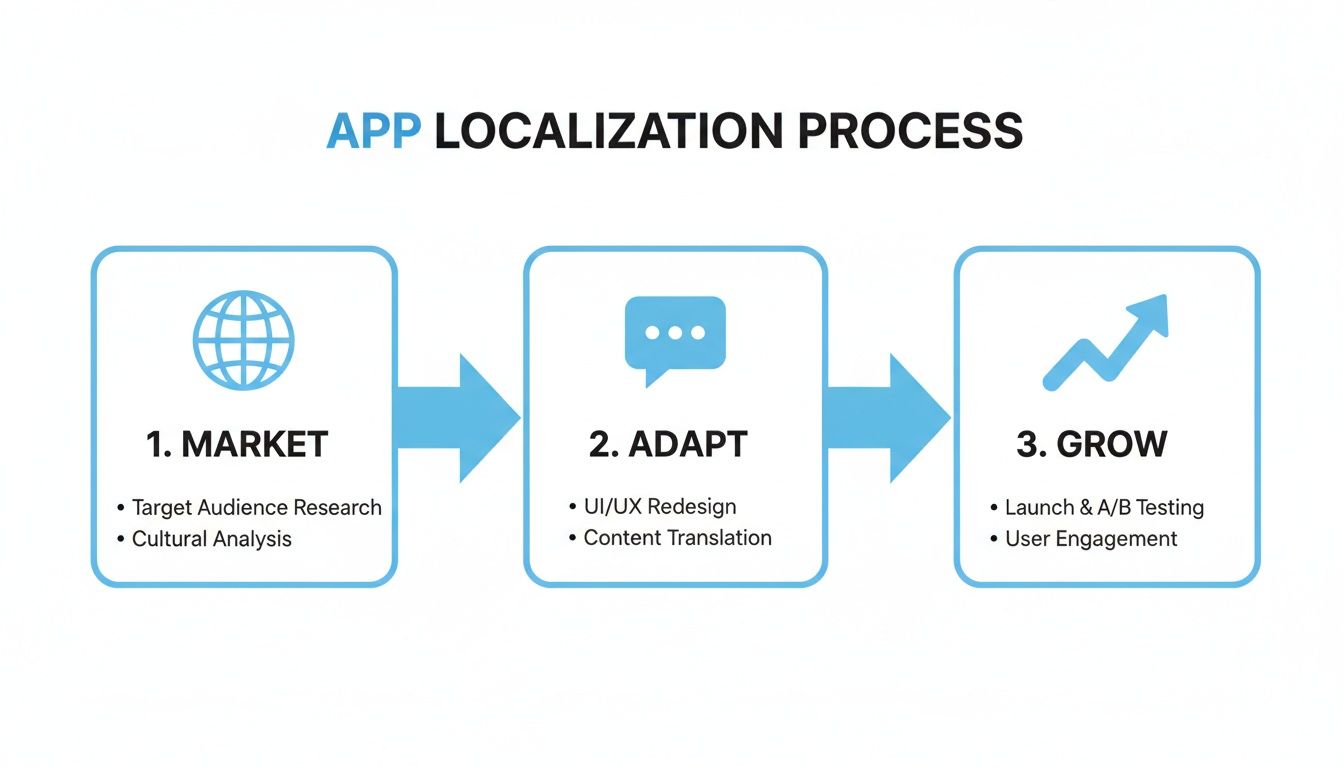
This process makes it clear: adapting your app's content for different markets is a direct path to growing your user base and raking in more organic installs.
Now, turn your attention to your visuals. Using a specialized tool like ScreenshotWhale can be a game-changer here, letting you create high-converting, on-brand screenshots in minutes instead of hours. You can lean on professional templates and its simple editor to design visuals that tell a story and highlight benefits, giving your conversion rate a direct lift.
Stage 3: Testing and Experimentation
You should never base your optimizations on a gut feeling. The testing stage is where you validate your changes with real data, proving that your new metadata and creatives actually outperform the old ones. A/B testing is your best friend here.
Both Apple and Google give you native tools to run these experiments.
- Product Page Optimization (Apple): Lets you test different icons, screenshots, and app preview videos against your current page to see which version gets more downloads.
- Store Listing Experiments (Google Play): Offers powerful A/B testing for your icon, feature graphic, screenshots, video, and descriptions.
A/B testing is how you remove ego and opinions from the optimization process. It forces you to make data-driven decisions that have a real impact on your conversion rates and organic growth.
The key is to start by testing just one element at a time. For instance, you could pit a new set of screenshots with benefit-focused captions against your current feature-focused set. Let the test run long enough to get statistically significant data, then roll out the winning version to everyone. It is this iterative cycle that leads to continuous, meaningful improvement.
Stage 4: Measurement and Monitoring
The final stage in the loop is measurement. This is where you track your performance, analyze the results, and identify new opportunities to tackle in the next cycle. Without consistent monitoring, you are just flying blind.
Keep a close eye on these essential Key Performance Indicators (KPIs).
- Keyword Rankings: Watch your position for target keywords to see how your visibility is changing.
- Organic Installs: Track downloads coming directly from app store search and browse, this is the fruit of your labor.
- Conversion Rate: Measure the percentage of visitors who actually download your app.
- Ratings and Reviews: Keep tabs on user sentiment, as it impacts both your rankings and conversion rate.
To manage this whole workflow effectively, you'll need the right set of tools. While big platforms like AppTweak or App Radar cover the ASO spectrum, specialized tools like ScreenshotWhale are invaluable for the creative optimization piece. You can explore the ecosystem of the best app store optimization tools to build the perfect stack for your needs.
By repeating this four-stage process, Research, Optimize, Test, Measure, you create a powerful flywheel for sustainable app store growth.
Got Questions About ASO? We’ve Got Answers.
As you start digging into App Store Optimization, you're bound to have some questions. It is totally normal. Getting straight answers is the first step to building a strategy that actually works, so let's clear up a few of the most common things developers and marketers ask.
We'll cut through the noise so you can focus on what really matters: getting more people to download your app.
How Often Should I Update My App Metadata?
This is the classic question, and the answer is not a simple "every quarter" or "twice a year." Your update schedule should not be based on the calendar; it should be driven by what your data and the market are telling you.
A good rule of thumb is to take a look at your keywords and creatives at least once a month. Think of it as a quick health check.
But you will want to do a much deeper dive whenever you see a trigger event like these:
- Your keyword rankings or organic traffic take a noticeable dip.
- A major competitor just overhauled their own app store page.
- You have just shipped a big app update with shiny new features to show off.
- A holiday or seasonal trend is coming up, creating new opportunities for timely keywords or visuals.
The real key is to keep an eye on your metrics. They will tell you when it is time for a refresh. Just be careful not to change your app title or keywords too often, it can take a little while for the app store algorithms to catch up and re-index everything.
Do I Need a Big Budget for ASO?
Not at all. This is probably one of the biggest myths about app store optimization aso. Sure, a big budget can help you run A/B tests faster or produce a slick promotional video, but the heart of ASO is about being smart and strategic, not just throwing money at the problem.
The beauty of ASO is that it levels the playing field. A clever indie developer with a deep understanding of their audience can often outrank a big-budget competitor who neglects the fundamentals.
Most of the foundational ASO work costs very little, or nothing at all. You can do solid keyword research with affordable tools, and creating high-converting app store screenshots is much easier with specialized editors. The most important investment you can make is your time and a real commitment to a data-driven process.
How Does ASO Work with Paid Campaigns?
Think of ASO and paid user acquisition (UA) as two sides of the same coin. They aren't separate channels that live in their own little silos; they are partners, and they work a whole lot better when they are working together. A strong ASO foundation makes every dollar you spend on paid campaigns work harder.
It is simple, really. Every single user you bring in from an ad, whether it is on social media or an ad inside the app store itself, ends up on your product page. If that page is a mess with confusing screenshots and a weak description, you are just throwing away ad spend.
When your page is properly optimized, it lowers your Cost Per Install (CPI) because more of those ad clicks will actually turn into downloads. That synergy makes your entire marketing budget more effective and drives real, sustainable growth.
Ready to create screenshots that stop the scroll and drive downloads? With ScreenshotWhale, you can design beautiful, high-converting App Store and Google Play screenshots in minutes using professional templates and a simple drag-and-drop editor. Start creating for free!
Put this into practice on your own listing
Import your live app into an ASO workspace — metadata, keywords, competitors, and store screenshots in one place.
Import my app