The 12 Best iPhone 16 Mockup Generators and Templates for 2025
Discover the top 12 resources for a high-quality iPhone 16 mockup. We review the best PSD, Figma, and online generators for stunning app visuals.
In the competitive world of app stores, first impressions are everything. High quality visuals, particularly your app store screenshots, are critical for capturing user attention and driving downloads. Using a polished, up to date iPhone 16 mockup is no longer optional it is a baseline for professionalism and a key factor in boosting app store growth and conversions. However, creating these assets can be a significant bottleneck, draining valuable time from core development and marketing efforts.
This guide cuts through the noise. We have curated and analyzed the top 12 resources for creating stunning iPhone 16 mockup assets. You will find everything from powerful online generators that automate screenshot creation to pixel perfect PSD and Figma templates for deep customization. Each entry includes direct links, pros, cons, and actionable insights to help you choose the right tool for your specific workflow. Before crafting visuals, it is helpful to grasp the core principles that guide user perception; understanding a practical guide to UX vs UI can inform how your mockups communicate both usability and aesthetic appeal.
Our focus is on creating efficient and high converting app store screenshots for the iOS and Android stores. We will explore how these platforms can help you produce visuals that stand out, drive conversions, and help your app achieve its full growth potential.
1. ScreenshotWhale
ScreenshotWhale is an all in one platform engineered specifically for creating high converting App Store and Google Play screenshots. It moves beyond generic design tools by integrating ASO optimized templates, the latest device mockups including the iPhone 16 mockup, and a streamlined drag and drop editor. This specialized focus makes it an exceptionally powerful choice for app developers and marketers aiming to maximize their app store presence and drive downloads.
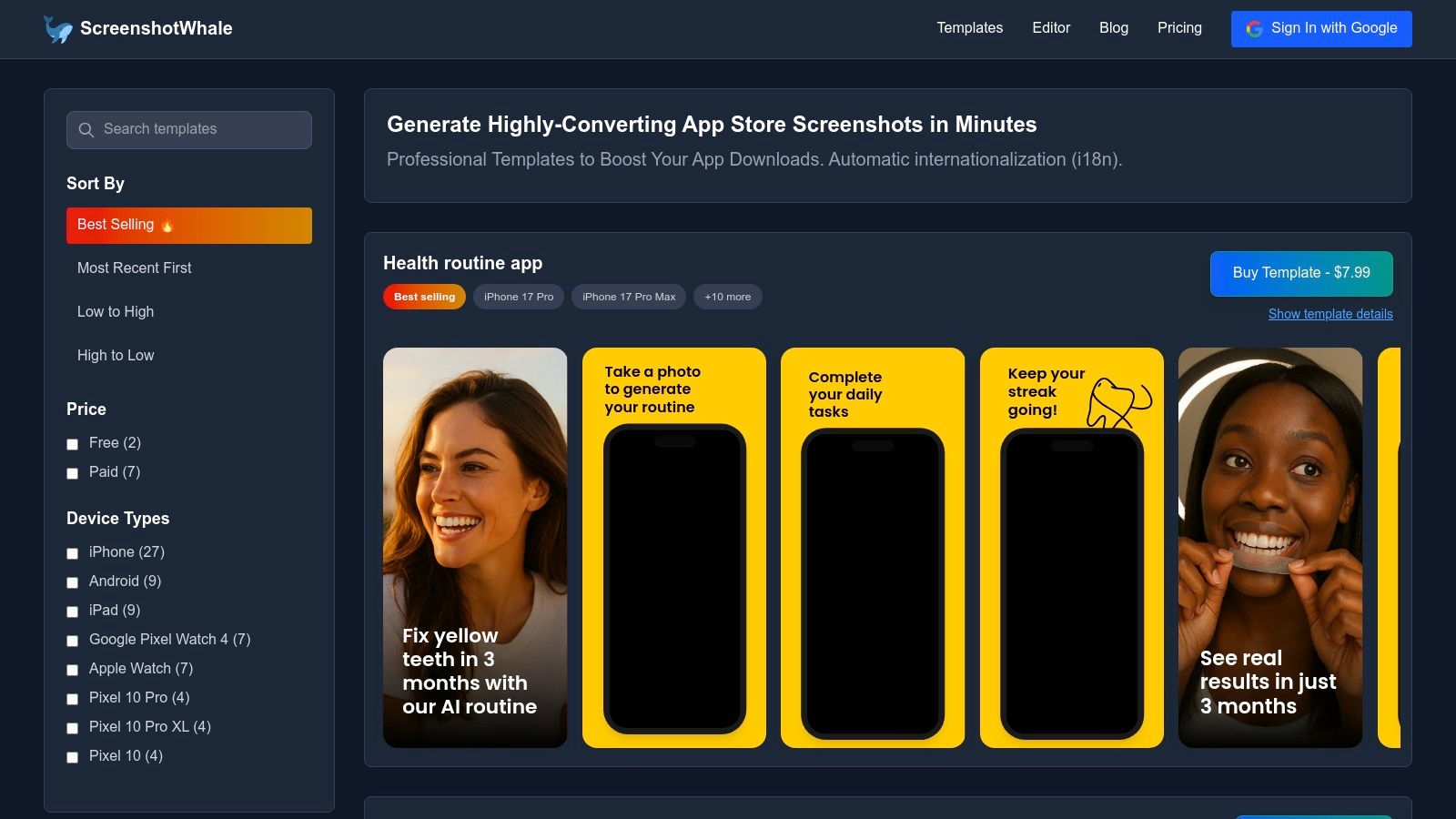
The platform's standout feature is its AI powered translation engine, which localizes screenshot copy into over 100 languages. This allows global app teams to produce culturally relevant marketing assets at scale without the typical design bottlenecks.
Core Strengths and Use Cases
- ASO First Design: Templates are built from the ground up to align with App Store guidelines and conversion best practices. For example, a fintech app can select a template with bold, trustworthy fonts and data visualization elements, then place its UI into an iPhone 16 Pro Max frame for a modern look.
- Rapid Localization: The AI translation feature is a game changer for global launches. A developer can design one set of English screenshots, then instantly generate localized versions for Japan, Germany, and Brazil, adapting the app for each market in minutes instead of days.
- Automated Production: The API is ideal for teams managing large app portfolios or running frequent A/B tests. A gaming company could use it to automatically generate new screenshot sets with updated character art for dozens of titles simultaneously.
Practical Considerations
While the editor is intuitive, achieving a truly unique, pixel perfect design may require a dedicated tool like Figma or Sketch, as ScreenshotWhale is template driven. Pricing details, especially for API access, are not transparent on the main site, so you may need to sign up or contact their sales team for a complete cost breakdown.
Website: https://screenshotwhale.com
2. LS Graphics (LStore)
LS Graphics (also known as LStore) is a premium resource for design teams and marketers seeking consistently high quality, photorealistic mockups. Their catalog features over 100 professionally crafted iPhone 16 mockup scenes, making it an ideal choice for creating cohesive and polished app store screenshots, presentations, or marketing campaigns where brand consistency is key. The platform's strength lies in its multi format support, offering assets in PSD, Sketch, and Figma formats, which simplifies workflows for diverse teams.

The user experience is excellent, supported by an intuitive online editor and a powerful Figma plugin. These tools allow for rapid customization directly in the browser or your design environment, saving significant time. For instance, you can use their online editor to upload your app screen, select a vibrant background color that matches your brand palette, and download a ready to use image in under a minute. While you can purchase mockups individually, the best value is found in their subscription model, which grants full access to their entire library. This is particularly beneficial for agencies or ASO teams who regularly need fresh, high resolution assets (often 6000x4500px) to test and optimize app store visuals for maximum conversion.
Best For: Design agencies and ASO teams needing a large, consistent library of premium mockups.
- Formats: PSD, Figma, Sketch, Online Editor, Figma Plugin
- Pricing: Free samples available; paid mockups available individually or through a subscription.
- Standout Feature: Extremely consistent visual style and quality across a massive library.
Website: ls.graphics/products/iphone-16-mockups
3. Yellow Images
Yellow Images is a vast creative marketplace known for its production ready, premium mockups, and its iPhone 16 mockup selection is no exception. It is particularly well suited for enterprise teams and large agencies that require absolute clarity on licensing for commercial projects. The platform offers hundreds of high resolution PSD assets, ranging from clean, isolated device renders to complex, contextual scenes, all supported by clearly defined licensing tiers that dictate usage rights and impression caps. This detailed approach removes legal ambiguity for high stakes marketing campaigns.
The platform functions on a per item pricing model, which can become costly for teams needing numerous assets. However, the quality and creative variety often justify the cost, especially when a unique visual is needed for a key landing page or advertising creative. For teams needing to create a compelling visual narrative for their app store presence, the diverse collection offers significant creative freedom. You can explore a variety of iPhone mockup template styles to find the perfect fit for your brand's aesthetic and marketing goals.
Best For: Enterprise teams and agencies requiring high resolution assets with clear commercial licensing.
- Formats: Primarily PSD
- Pricing: Free assets available; premium mockups sold individually with tiered licensing.
- Standout Feature: Enterprise friendly licensing clarity and a massive variety of creative styles.
Website: yellowimages.com/mockups/iphone-16-mockup
4. Mockuuups Studio
Mockuuups Studio is a powerful, cross platform generator designed for speed and automation, making it a favorite among developers and marketers who need to produce visuals quickly. Its core strength is a massive library of over 90 iPhone 16 mockup scenes that you can populate instantly by dragging and dropping your screenshots. The platform is accessible via desktop and web apps, eliminating the need for complex design software like Photoshop and streamlining the entire creation process.

The platform truly stands out with its API, which enables programmatic mockup generation. This is a game changer for teams needing to create hundreds of localized app store screenshots or personalized marketing assets at scale. As a practical example, a developer can upload five key app screens to the web editor, select ten different iPhone 16 scenes, and instantly generate fifty unique visuals for an A/B test campaign. While a free plan is available, the most valuable content, including the full library and high resolution exports (up to 6000x4000px), is reserved for subscribers. Its efficiency makes it an indispensable tool for anyone focused on mastering iPhone app mockups for rapid production cycles.
Best For: Developers and marketing teams needing a fast, automated solution for creating mockups in bulk.
- Formats: Desktop App (Mac/Windows), Web App, API
- Pricing: Free plan with limited access; premium subscription required for full library and high res exports.
- Standout Feature: Automation API for programmatic mockup generation at scale.
Website: mockuuups.studio/create/iphone-16/
5. Artboard Studio
Artboard Studio is a powerful, browser based design tool that excels at creating dynamic and realistic mockup scenes directly in your browser. Its dedicated iPhone 16 mockup category provides a rich library of layered scenes, allowing for extensive customization without needing external software like Photoshop. This all in one workflow is perfect for teams looking to rapidly produce high quality ad creatives, product feature showcases, or website hero images. For instance, you can use the editor to choose an iPhone 16 Pro, place it in a dynamic hand pose, change the background to a custom brand color, and add a drop shadow all in a few clicks. The platform's strength is its component based system, letting you mix and match devices, poses, and backgrounds.
The drag and drop interface simplifies the creation process, making it accessible even for non designers. Artboard Studio provides an impressive variety of device colorways for the iPhone 16 and Pro models, along with diverse hand models and angles. This is particularly useful for creating a series of app store screenshots that feel authentic and engaging. While a free plan exists, full access to premium scenes and high resolution exports requires a subscription, making it a better fit for users with ongoing mockup needs.
Best For: Marketing teams and designers who want an all in one browser solution for creating diverse ad creatives.
- Formats: Online Editor, JPG, PNG, PSD (with subscription)
- Pricing: Free plan with limited access; paid subscriptions for full library and features.
- Standout Feature: Extensive in browser scene customization with mix and match components.
Website: artboard.studio/mockup-scene/iphone-16-mockup
6. Envato Elements
Envato Elements is an all in one subscription service that offers a massive library of creative assets, including numerous iPhone 16 mockup packs from various independent authors. Instead of purchasing assets individually, a single subscription provides unlimited downloads, making it exceptionally cost effective for developers, marketers, and agencies with high volume needs. The platform is ideal for those who require a diverse range of styles for different projects, from minimalist clay mockups to photorealistic scenes.

The primary advantage is value; you gain access to thousands of mockups plus fonts, graphics, and stock photos for one monthly fee. Each mockup typically comes as a high resolution PSD file (e.g., 4500x3000px) with well organized layers and smart objects, simplifying customization in Photoshop. However, the quality and style can vary between contributors, so it's wise to vet individual items before downloading. The included commercial license simplifies legalities, which is crucial when designing assets that meet all app store screenshot requirements.
Best For: Solo developers and agencies needing a wide variety of mockup styles on a predictable budget.
- Formats: PSD (primarily), with some vector and other formats available.
- Pricing: Single subscription for unlimited access.
- Standout Feature: Unbeatable value through an unlimited download model covering millions of creative assets.
Website: elements.envato.com
7. Creative Market
Creative Market operates as a vast digital marketplace where independent creators sell their design assets, making it a fantastic source for a diverse range of iPhone 16 mockup packs. Unlike subscription based platforms, its à la carte model is perfect for one off projects or for designers who want to purchase specific aesthetics without a recurring commitment. You can find everything from single, minimalist PSD files to comprehensive bundles containing 8 to 10 unique scenes, each with a distinct artistic direction. This variety is its core strength, offering flexibility that caters to any brand identity.

The user experience is straightforward; product pages clearly list specifications like resolution (e.g., 4500x3000px, 300 dpi) and smart object support, ensuring you know exactly what you are buying. However, quality and style can vary significantly from one creator to another, so it is important to check reviews and creator profiles. A key consideration is that licensing terms can differ between products, so always review them before purchase to ensure they align with your commercial needs for app store visuals or marketing campaigns. The direct creator support is a major plus for troubleshooting.
Best For: Solo developers and marketers needing a specific aesthetic for a single project without a subscription.
- Formats: Primarily PSD, with some creators offering AI or Sketch files.
- Pricing: One off purchases; prices vary by creator and bundle size.
- Standout Feature: Massive variety of unique artistic styles from thousands of independent creators.
Website: creativemarket.com
8. Mockup Cloud
Mockup Cloud specializes in curated, premium device mockups, offering dedicated iPhone 16 mockup bundles with a strong focus on presentation ready quality. Their collections are meticulously crafted for designers who need polished, photorealistic scenes for high stakes presentations, portfolios, or marketing materials. The primary strength of Mockup Cloud is its dedication to layered PSD files, allowing for deep customization and control over lighting, shadows, and device colors through well organized Smart Objects in Photoshop.
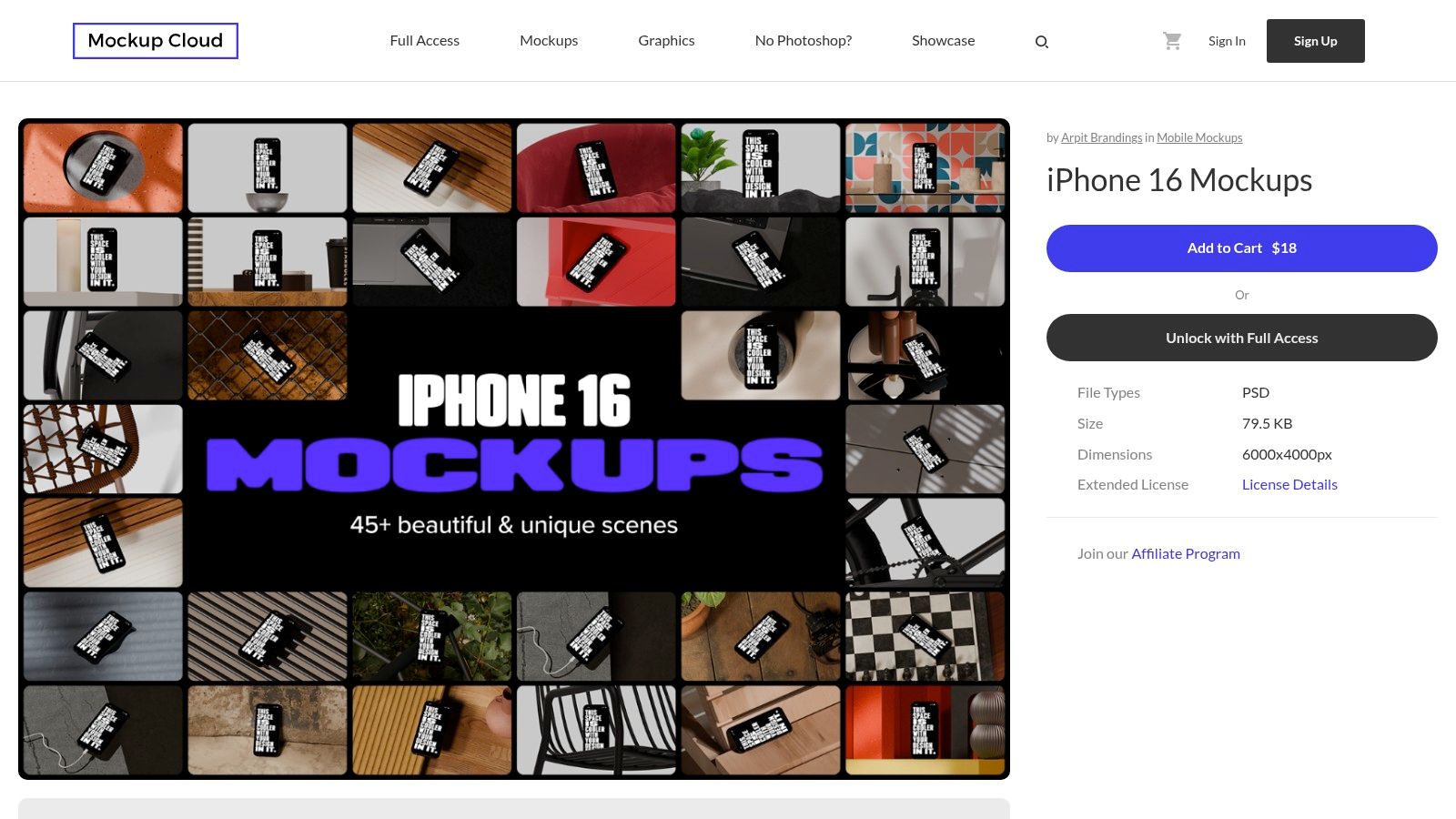
The platform is particularly useful for teams invested in an Adobe centric workflow. With bundles featuring 40 to 47 unique scenes at extremely high resolutions (often 6000x4500px), you can produce crisp visuals for any digital or print medium. A key advantage is their free sample PSD, which lets you test the quality and editing process before committing to a full bundle. This try before you buy approach is ideal for ensuring the assets fit your specific design process for creating high converting app store screenshots.
Best For: Designers and marketing teams who primarily use Photoshop and require exceptionally polished, high resolution scenes.
- Formats: PSD with Smart Objects
- Pricing: Free single sample mockup; paid bundles available for purchase.
- Standout Feature: A free, high quality sample that allows for a complete workflow test before purchasing a larger bundle.
Website: www.mockupcloud.com/product/iphone-16-mockups
9. Freepik
Freepik is a vast stock asset marketplace that serves as a go to resource for designers and marketers on a budget. It hosts an extensive collection of iPhone 16 mockup files, primarily in PSD format, making it ideal for quick, one off projects or when you need a wide variety of styles without committing to a specialized platform. The platform is especially useful for those who need simple, straightforward assets for social media posts, blog headers, or initial concept presentations where quantity and speed are more critical than absolute photorealism.
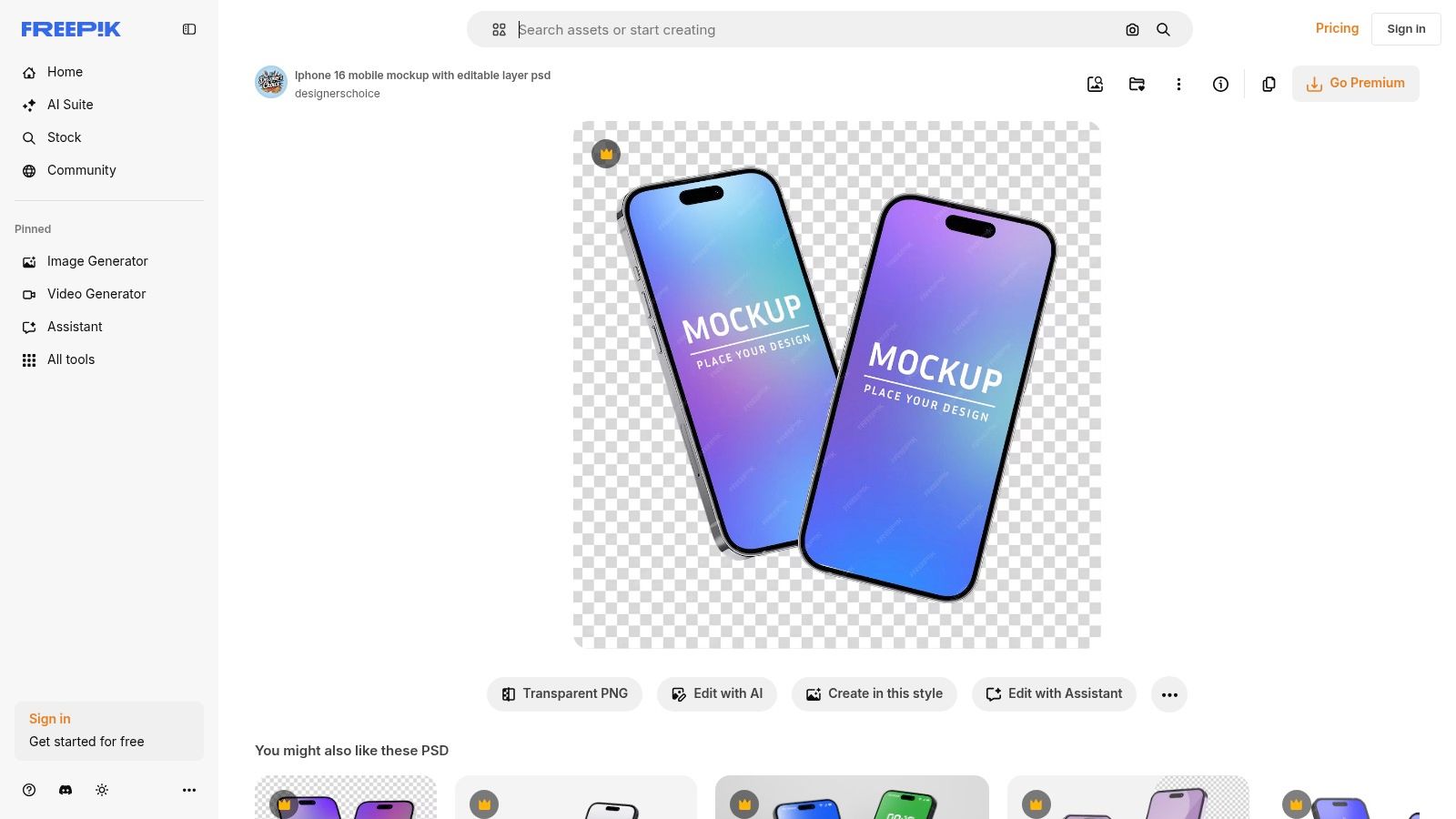
The primary advantage of Freepik is its sheer volume and the availability of numerous free options, which often only require attribution. However, quality can be inconsistent, so it is wise to vet each mockup to ensure it meets your brand's standards. For frequent users, the Freepik Premium subscription offers exceptional value, unlocking millions of assets with a simple, worry free license. This model is perfect for indie developers or small marketing teams who need a large pool of resources for A/B testing different visual styles in their app store screenshots without a significant financial investment.
Best For: Freelancers and small teams needing a large, budget friendly selection of mockups for varied projects.
- Formats: PSD with Smart Objects
- Pricing: Free assets with attribution; Premium subscription unlocks all content.
- Standout Feature: Massive library with both free and premium options, providing unmatched variety.
Website: www.freepik.com
10. Mockup World
Mockup World serves as a comprehensive and well curated directory for free design assets, making it an excellent starting point for anyone needing a quick iPhone 16 mockup without a budget. It aggregates high quality, photorealistic freebies from various talented designers across the web. The platform features diverse scenes, including front and back views, in hand shots, and bundles, which are perfect for rapid prototyping, internal reviews, or initial concept presentations. By linking directly to the original source, it provides a straightforward path to download the assets.

The primary advantage of Mockup World is its simplicity and cost effectiveness. Users can easily browse by device category to find suitable PSD files, which often include smart layers for easy customization and come in high resolutions (like 4500x3000px at 300 dpi). However, since the site links to external hosts, the availability of specific mockups can change without notice. It is also crucial for users to check the original author’s license terms, as attribution may be required for commercial use. This makes it a fantastic resource for testing visual concepts before committing to premium assets.
Best For: Solo founders and developers needing quick, no cost mockups for prototypes and presentations.
- Formats: Primarily PSD with Smart Layers
- Pricing: Completely free; links to external downloads.
- Standout Feature: A large, curated collection of free mockups aggregated from multiple sources.
Website: www.mockupworld.co/free/iphone-16-front-back-mockup/
11. Frames X (Figma resource)
Frames X is a Figma native component pack built for designers who live and breathe within Figma. Instead of providing traditional image files, it offers a library of fully vector iPhone 16 mockup components, including Pro, Pro Plus, and Pro Max variants. This approach is ideal for creating UI presentations, design systems, and marketing materials directly in Figma without needing external tools. The pack’s standout feature is its support for the iOS 18 "border glow" effect, allowing designers to create visuals that are perfectly in sync with the latest operating system aesthetic.
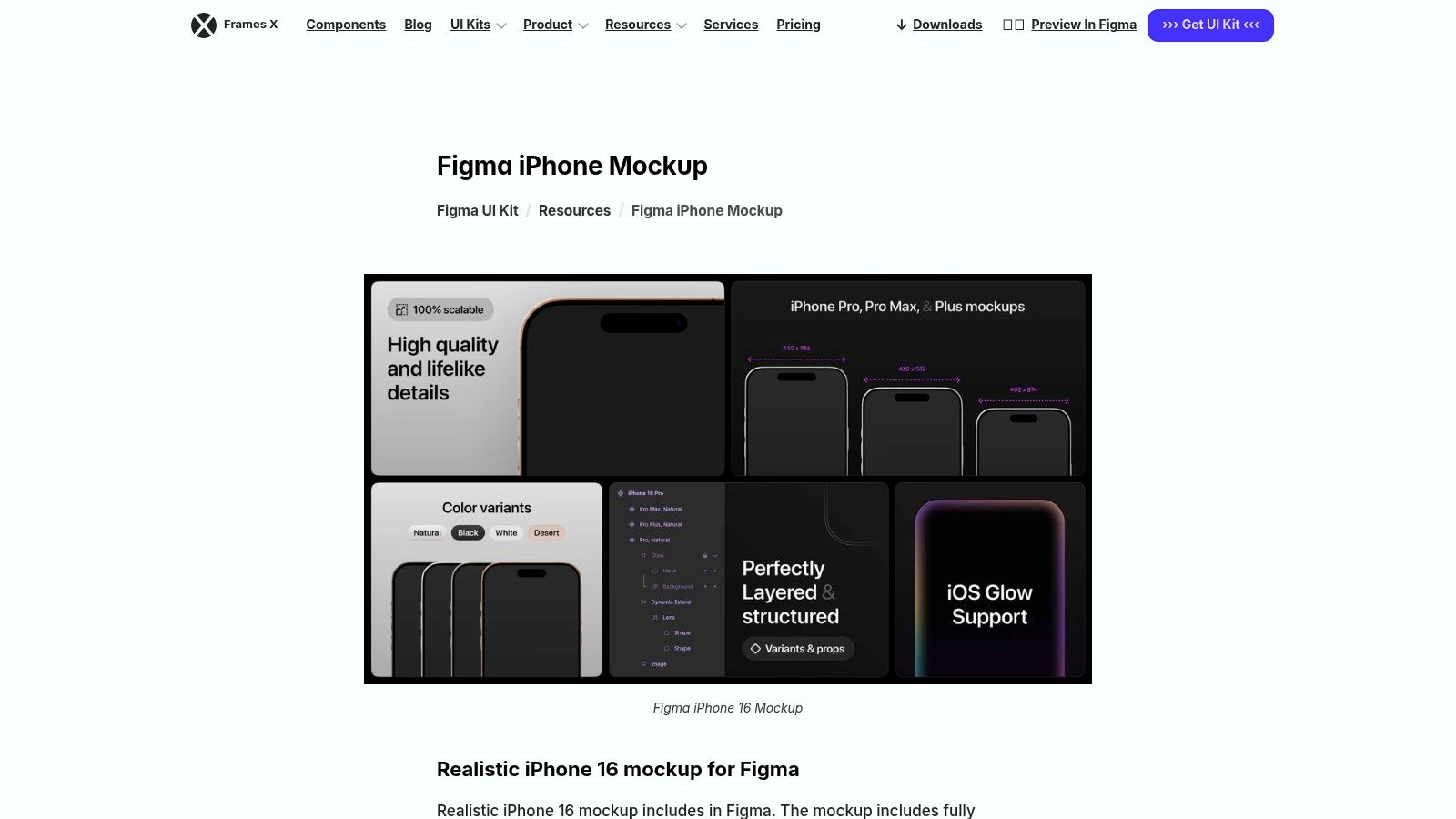
The primary advantage of Frames X is its lightweight and reusable nature. Because the mockups are built as structured Figma components, they are incredibly efficient and can be easily integrated into existing design libraries. This is a significant time saver for product designers who need to quickly drop device frames into their prototypes or user flow diagrams. However, its purely vector based 2D style means it is not suitable for those seeking photorealistic, scene based mockups. It excels at clean, modern UI showcases rather than lifestyle or app store imagery.
Best For: Product designers and UI/UX teams who need lightweight, reusable vector mockups inside Figma.
- Formats: Figma Component Library
- Pricing: Available for purchase on the website (one time payment).
- Standout Feature: Integrated, adjustable iOS 18 "border glow" effect and structured Figma components.
Website: framesxdesign.com/design-resources/iphone-mockup
12. BrandBird (online generator)
BrandBird offers one of the fastest and most accessible browser based tools for creating a simple iPhone 16 mockup. It excels at quickly placing a device frame around an existing screenshot, making it perfect for generating clean marketing visuals for social media posts, blog articles, or landing pages. The generator strips away complex features, focusing instead on core customization like device color selection, background colors or gradients, and adjustable padding.
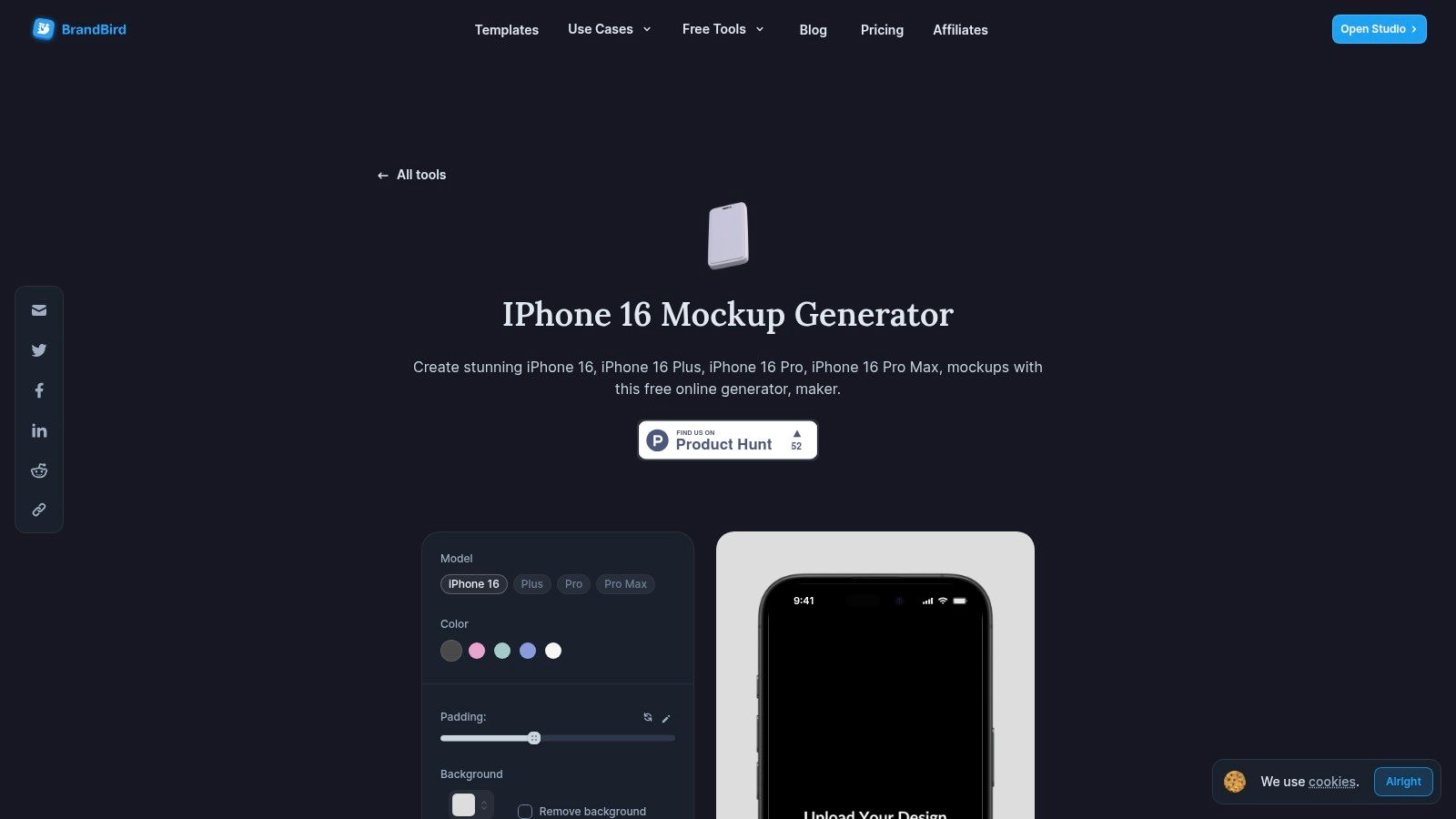
The user experience is incredibly straightforward: upload your image, select the "Natural" iPhone 16 color, choose a vibrant gradient background, and export a high quality PNG with a single click. While it lacks the photorealistic scenes of more robust platforms, its strength lies in its speed and simplicity. It is a fantastic tool for indie developers or marketers who need to produce professional looking device assets in seconds without attribution. For more advanced edits, you can seamlessly open your creation in the full BrandBird Studio.
Best For: Marketers and solo founders needing to create clean, simple device mockups for social media and web content instantly.
- Formats: Online Generator (PNG export)
- Pricing: Free to use; no attribution required.
- Standout Feature: Extremely fast, browser based workflow for creating simple and clean device frame mockups.
Website: www.brandbird.app/tools/iphone-16-mockup-generator
iPhone 16 Mockup: Top 12 Resource Comparison
| Product | Core features | UX / Quality (★) | Price / Value (💰) | Target (👥) | Unique selling points (✨) |
|---|---|---|---|---|---|
| ScreenshotWhale 🏆 | ASO‑first templates, drag‑&‑drop editor, device mockups, AI i18n, API | ★★★★★ | 💰 Free + paid templates; API on paid plans (contact) | 👥 Mobile teams, indie makers, agencies | ✨ Built‑in ASO best practices, instant 100+ language i18n, automation API |
| LS Graphics (LStore) | 100+ photoreal iPhone16 scenes; PSD/Figma/Sketch + web editor & plugin | ★★★★☆ | 💰 Subscription recommended; free samples | 👥 Designers & teams needing high‑res scenes | ✨ Huge scene library + multi‑format support |
| Yellow Images | Marketplace of premium PSD mockups with clear license tiers | ★★★★ | 💰 Per‑item pricing; clear commercial/extended licenses | 👥 Enterprise teams & studios | ✨ Enterprise‑friendly licensing and creative bundles |
| Mockuuups Studio | Desktop/web generator + API; 90+ iPhone16 scenes, high‑res outputs | ★★★★ | 💰 Freemium; full library & high‑res exports require subscription | 👥 Non‑designers, product teams & automation workflows | ✨ Fast drag‑drop generator + API for production |
| Artboard Studio | Browser‑based layered mockup editor with hand models & colorways | ★★★★ | 💰 Subscription for exports and advanced scenes | 👥 Teams creating ads, landing pages & creatives | ✨ All‑in‑one browser workflow with realistic layered scenes |
| Envato Elements | Unlimited‑download subscription with many iPhone16 PSD packs | ★★★★ | 💰 Subscription — cost‑effective for bulk assets | 👥 Teams needing many assets and a commercial license | ✨ Unlimited downloads + bundled commercial license |
| Creative Market | A‑la‑carte PSD packs and mockup bundles from independent creators | ★★★★ | 💰 Pay‑per‑item (no subscription required) | 👥 One‑off buyers and indie creators | ✨ Wide aesthetic variety; buy only what you need |
| Mockup Cloud | Curated premium PSD bundles (high‑res) + free sample PSD | ★★★★ | 💰 Per‑bundle pricing; Photoshop workflow | 👥 Presentation‑ready teams using Photoshop | ✨ Polished, consistent presentation scenes; free sample |
| Freepik | Massive stock marketplace with free & Premium iPhone16 PSDs | ★★★ | 💰 Free + Premium subscription options | 👥 Budget‑conscious teams & quick one‑offs | ✨ Large selection and simple licensing for web use |
| Mockup World | Curated directory linking to free iPhone16 mockups across the web | ★★★ | 💰 Free (aggregated links) | 👥 Prototypers and internal reviewers | ✨ Aggregates quality freebies for quick testing |
| Frames X (Figma resource) | Figma‑native components with Pro/Pro Max variants & iOS18 border glow | ★★★★ | 💰 One‑time resource/purchase | 👥 Figma designers & product teams | ✨ Lightweight reusable Figma components & iOS styling support |
| BrandBird (generator) | Free browser generator: frame, padding, background, PNG export | ★★★ | 💰 Free — fast exports, no attribution | 👥 Marketers & social media creators | ✨ Quick frame generator for promo graphics and landing pages |
Choosing the Right Mockup Tool to Maximize Your App's Impact
Navigating the landscape of iPhone 16 mockup tools can feel overwhelming, but this extensive selection empowers you to find the perfect solution for your specific needs. As we have explored, the ideal tool is not a one size fits all answer. It is a strategic choice that directly influences your design workflow, marketing efficiency, and ultimately, your app store conversion rates.
The journey from a concept to a high impact app store presence requires more than just a visually appealing design. It demands a tool that aligns with your team's skills, budget, and primary objectives. Your choice will shape how efficiently you can produce compelling visuals that not only showcase your app’s features but also resonate with your target audience and drive downloads.
Actionable Insights for Your Selection Process
To make a well informed decision, reflect on the core priorities of your project.
- For Boosting App Store Growth: If your main goal is to increase downloads and maximize installs, a specialized platform like ScreenshotWhale is unparalleled. Its integrated ASO focused templates, automated localization features, and streamlined workflow are engineered to produce high converting assets with minimal effort.
- For Maximum Creative Control: Designers who require granular, pixel perfect control will find their best fit in traditional, high fidelity PSD mockups. Resources from marketplaces like LS Graphics, Yellow Images, and Envato Elements offer immense creative freedom, allowing for unique compositions and brand specific aesthetics.
- For Integrated Design Workflows: If your team operates primarily within Figma, a native resource like Frames X is the most logical choice. It keeps your entire process within a single, vector based environment, ensuring consistency and speeding up collaboration between design and development.
- For Speed and Simplicity: When you need to generate professional mockups quickly without complex software, online generators like Mockuuups Studio or BrandBird provide a fast and accessible solution. These tools are perfect for social media content, presentations, and rapid prototyping.
Making the Final Choice
The best iPhone 16 mockup is the one that seamlessly integrates into your existing processes and accelerates your path to market. Consider your team's technical expertise. Are you proficient in Photoshop, or would a drag and drop online editor be more effective? Evaluate your long term needs. Do you require a one off mockup or a scalable solution for localizing screenshots across dozens of markets?
By carefully weighing these factors against the detailed insights provided for each tool, you can move beyond simply finding a mockup. You can implement a system that empowers your team to create compelling, professional visuals that capture user attention, clearly communicate your app's value, and significantly accelerate your growth journey.
Ready to create stunning, high converting App Store screenshots in minutes? ScreenshotWhale provides a vast library of templates, including the latest iPhone 16 mockup designs, all within a powerful and easy to use editor built for app growth. Stop wrestling with generic templates and start building a powerful app store presence today at ScreenshotWhale.
Skip the blank canvas
Start from a professional App Store screenshot template and swap in your own app.
Browse templates