ASO Google Play Store: The Definitive Guide to Boost Installs
Master aso google play store optimization with proven keyword, visuals, and technical SEO tactics to boost installs and visibility.
App Store Optimization (ASO) for the Google Play Store is the process of making your app more visible to drive more organic downloads. It's a mix of optimizing your text, like the title and description, and creating compelling visuals, all while ensuring your app is technically sound. Get these things right, and you will rank higher in search and get featured more often.
Why ASO on Google Play Is Your Growth Engine
Trying to launch on the Google Play Store without a solid ASO strategy is like setting up a booth in a massive stadium and then turning off the lights. You are just not going to be found.
The scale of the competition is staggering. In 2026, the Google Play Store is a colossal marketplace with over 1.68 million available apps. It pulls in more than 2.5 billion monthly active users from all over the world, and with 1,200 to 1,250 new apps launching every single day, just getting noticed is a monumental challenge. ASO is how you cut through that noise.
But effective ASO is not about keyword stuffing or gaming the algorithm. It is a holistic approach that directly impacts your growth by making a powerful first impression on potential users. The core idea is simple: align every piece of your store listing with what your target audience is searching for and what will convince them to actually hit "Install."
The Three Pillars of Google Play ASO
A winning ASO strategy for the Google Play Store boils down to three core pillars that have to work together. Each one tackles a different part of how both the algorithm and real users see your app, creating a smooth path from discovery to download.
This flow chart breaks down the core components, showing how everything from your text and visuals to your app's technical health fits together.
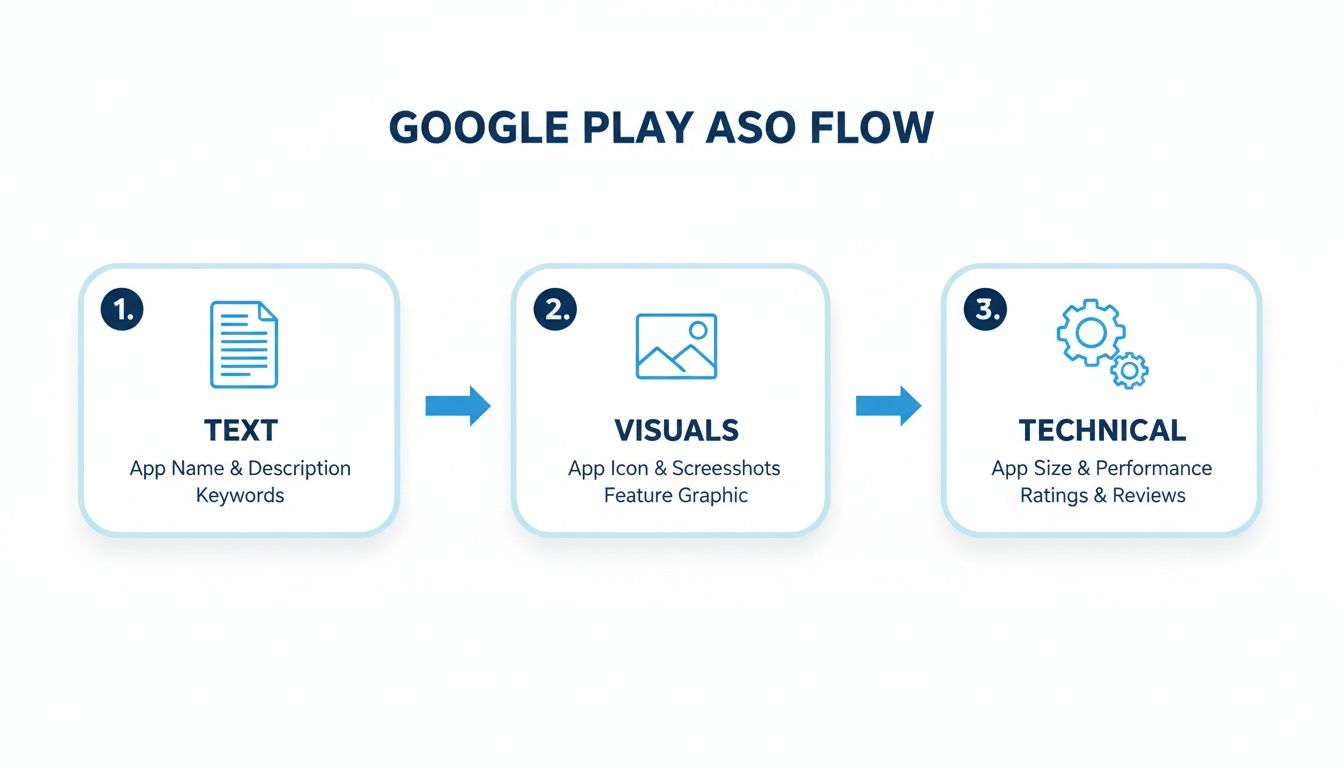
As you can see, great ASO is not a one and done task. It is a connected process where each element builds on the last.
Text Optimization: This is your app title, short description, and long description. These are the primary signals you send to Google’s algorithm about what your app does, helping you rank for the right keywords. Just as importantly, they are your first chance to communicate your app's value to a potential user.
Visual Optimization: Your icon, feature graphic, promo video, and screenshots are your best conversion tools. High quality, engaging visuals can dramatically increase your install rate by showing users exactly what they will get instead of just telling them.
Technical Performance: This is the pillar that is too often forgotten. Your app's stability, speed, and even its size are critical ranking factors. Google rewards apps that provide a smooth, reliable user experience with better visibility. It is that simple.
To really nail the ASO game, it is also worth understanding principles that apply everywhere, like these conversion rate optimization best practices. Mastering these pillars ensures your app not only gets in front of the right audience but also makes a compelling case for why it deserves a spot on their device.
Google Play ASO Ranking Factors at a Glance
To give you a clearer picture, it helps to break down what Google's algorithm is actually looking at. Some factors are directly within your control (on metadata), while others are influenced by user behavior and your app's performance over time (off metadata).
| Factor Category | Key Elements | Impact on Ranking |
|---|---|---|
| On-Metadata | Title, Short Description, Long Description, Icon, Screenshots, Feature Graphic, Promo Video, Developer Name, Package Name (URL) | Direct & High: These are the primary elements you control to signal relevance and quality to both the algorithm and users. |
| Off-Metadata | Ratings & Reviews, Number of Installs & Velocity, User Engagement (retention, DAU/MAU), App Performance (crashes, ANRs) | Indirect & High: These factors are driven by user experience and satisfaction. Google uses them as strong signals of app quality and authority. |
Getting a handle on both on and off metadata factors is key. You can have the most perfectly optimized text, but if your app is buggy and users are leaving negative reviews, your rankings will suffer. Everything is connected.
Getting Your Metadata Right for Maximum Impact
Your app's text is the first conversation you have with both Google's algorithm and potential users. Think of it as the foundation of your entire ASO Google Play Store strategy. When you nail the metadata, it stops being just a description and becomes a powerful, organic acquisition engine that pulls in consistent traffic and high quality installs.
This whole process kicks off with understanding what your audience is actually searching for. Good keyword research is not just about finding popular terms; it is about uncovering the high intent phrases that signal someone is ready to download a solution just like yours.
Building Your Keyword Foundation
Before you write a single word for your store listing, you need a solid list of keywords. The sweet spot is a balance between decent search volume and lower competition.
Start by just brainstorming. Jot down every possible term a user might type to find an app like yours. Think about features, the problems you solve, and who your ideal user is.
Once you have that initial "seed list," it is time to expand it using dedicated ASO tools. These platforms are invaluable for getting hard data on search volume, difficulty, and what keywords your competitors are ranking for. This competitive analysis is a goldmine for spotting opportunities you might have missed.
A simple, effective process I have used for years looks like this:
- Brainstorm Core Terms: List out 10-15 primary keywords for your app’s main function (e.g., "photo editor," "meditation app," "budget tracker").
- Spy on Competitors: Pick your top 3-5 rivals and see what keywords they rank for. Pay close attention to the terms they use in their title and short description, since these carry the most weight.
- Expand with Long-Tail Keywords: Now, get more specific. Instead of just "photo editor," target phrases like "photo editor for portraits" or "vintage filter photo editor." These almost always have higher conversion rates because the user intent is so clear.
- Prioritize Your List: Group your keywords by relevance and intent. Your number one keyword should be the single most important term that nails your app's core value.
A classic mistake I see all the time is people only targeting broad, high volume keywords. They look great on paper, but they are fiercely competitive. A smarter approach is to mix in those broad terms with more specific long tail keywords. This gives you a much better shot at gaining early traction and building ranking authority over time.
Crafting a High-Impact App Title
Your App Title is, without a doubt, the single most important piece of on page metadata for ranking on the Google Play Store. You only get 30 characters, so every single one has to count.
The goal is to blend your most critical keyword with your brand name in a way that feels natural and compelling.
Let's say you have a fitness app named "FitFlow." A great title would be:
- FitFlow: Home Workouts & HIIT
This structure is perfect. It clearly states the brand name while also targeting the high value keywords "home workouts" and "HIIT." It tells both users and the algorithm exactly what the app does at a glance. Ditch the generic titles and use this space strategically to give your search visibility a real boost.
Writing a Compelling Short Description
The Short Description is your 80-character elevator pitch. It shows up right below your screenshots and is often the first bit of descriptive text a user actually reads. While the ASO community debates its direct impact on ranking, its influence on conversions is undeniable.
Your short description needs to do three things, fast:
- Immediately state the app's main benefit.
- Include one or two of your most important secondary keywords.
- Create enough intrigue to make users want to learn more.
Let’s stick with our "FitFlow" app example:
- "Quick home workouts for all fitness levels. Get fit in just 15 mins a day! 💪"
This copy is all about the benefit, it includes the keyword "home workouts," and it uses an emoji to add a pop of visual appeal and convey energy. It is short, persuasive, and perfectly sets the stage for the deep dive in the long description.
Optimizing the Long Description for Users and Algorithms
The Long Description is where you get to tell your app's full story, and you have a generous 4,000 characters to do it. Here’s a key difference from Apple: while the iOS App Store ignores this field for keywords, the Google Play Store absolutely indexes it. This is your chance to naturally weave in all those secondary and long tail keywords while truly selling users on why your app is the right choice.
But please, do not just write a wall of text.
Use formatting to make it scannable and engaging. Google Play supports basic HTML, which is a massive advantage you should definitely be using.
- Use Bold (
<b>) and Italics (<i>): Make key benefits and features pop off the page. - Use Bullet Points: Do not just list features; make them easy to digest. Emojis like ✔️, ⭐, or ▶ work great as bullet points and add visual interest.
- Structure with Headers: In the past, you could use
<h2>and<h3>tags, but now it is best to use ALL CAPS or bold text to create visual headers for sections like "Key Features," "Why You'll Love Us," or "What's New."
A well structured long description serves two masters. First, it gives Google's algorithm rich, contextual information to better understand and rank your app for a wider range of terms. At the same time, it guides a human user through your value proposition, answering their questions before they even ask them and pushing them closer to hitting that install button.
Create Efficient & High-Converting Visuals to Drive Conversions
If your metadata is what gets you found, your visuals are what seal the deal.
People make snap judgments. On Google Play, you have maybe a few seconds before someone decides to scroll past your app forever. Your icon, feature graphic, and screenshots are the sharpest tools you have to grab their attention and convince them to tap "Install."
Think of your store listing's visuals as a silent salesperson. They need to tell a story, show off your app's core value, and build instant trust. Get this right, and you will see your conversion rates climb. It’s a make or break part of any serious aso google play store strategy.
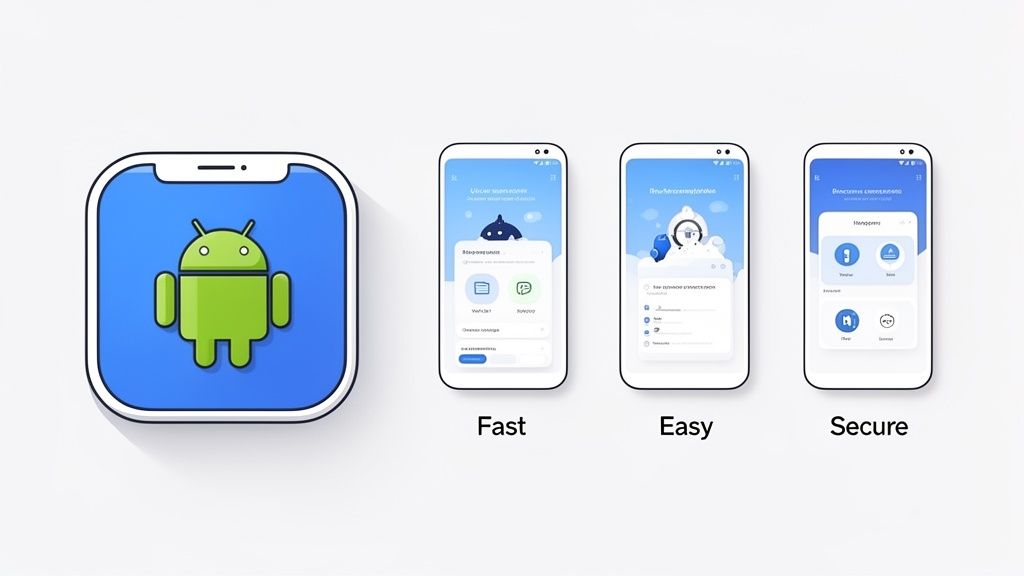
The goal here is to create a cohesive and persuasive visual pitch that stops scrollers in their tracks. Let's dig into how to craft each of these assets for maximum impact.
Crafting a Memorable App Icon
Your app icon is your brand's tiny ambassador. It is everywhere: search results, category lists, and hopefully, on thousands of home screens. It has to be simple, memorable, and give a clear hint about what your app does.
Steer clear of putting text in your icon. It is just unreadable when shrunk down. Instead, zero in on a single, bold graphic that represents your app's main purpose. A meditation app might use a stylized leaf; a finance app could go with a clean, abstract chart. Clarity is king.
A few quick tips for a standout icon:
- Keep it simple: No clutter, no tiny details. Bold and clean wins.
- Use vibrant colors: Pick a palette that pops but still feels true to your brand.
- Test on different backgrounds: Make sure it does not get lost on light or dark wallpapers.
The Power of the Feature Graphic
The feature graphic is your store listing’s billboard. It’s that big banner at the top of your page, often sitting right next to your promo video. This is your chance to make a powerful first impression.
Do not just slap a screenshot here and call it a day. This is prime real estate. Create a custom graphic that features your app's name, a killer tagline, and a visual that captures the in app experience. A gaming app could show off epic action, while a productivity app might use a clean, organized visual that promises calm and control.
Creating High-Converting Screenshots for Android and iOS
Your screenshots are arguably the single most important visual for driving installs on both the Google Play Store and the Apple App Store. This is where you stop telling people what your app does and start showing them the payoff. A massive mistake I see all the time is developers just uploading raw UI screenshots. It is such a wasted opportunity.
You need to build a visual narrative. Each screenshot should flow into the next, walking the user through a story of how your app solves their problem.
Think of your screenshots as a mini storyboard. The first one has to hook them with the biggest benefit. The next few should back it up with key features and use cases. The last one should close the deal with a clear call to action.
To really make them pop, frame your UI inside professional device mockups. Using a familiar Android device like a Samsung Galaxy or Google Pixel makes the whole thing feel more tangible and real.
Then, add short, punchy captions above each screenshot. And make them benefit oriented, not just descriptive. Instead of a caption that says "Task List," try something like "Organize Your Day in Seconds." See the difference? You are focusing on the outcome for the user, which is way more persuasive. For a deeper dive, check out our guide on creating high converting Google Play app screenshots.
Here’s a practical, step-by-step example using a site editor like ScreenshotWhale:
- Pick a Template: Start with a pre-designed layout that matches your app's vibe. This saves a ton of time.
- Upload Your UI: Just drag and drop your raw app screens into the device mockups in the template. The tool fits them perfectly.
- Write Benefit-Driven Captions: Use the editor to add your headlines. For a fitness app, a caption could be "Track Your Progress, Hit Your Goals."
- Customize Your Branding: Tweak the background colors, fonts, and device styles to align perfectly with your brand. A cohesive, professional look builds trust.
Following this process turns a boring set of UI images into a conversion machine. By focusing on a clear story and a polished presentation, your screenshots can become one of your biggest levers for boosting app store growth.
The Technical Side of ASO: App Performance
You have got your keywords sorted and your screenshots looking sharp. But what is happening under the hood? That is where the real ASO magic or nightmare begins. Your app's technical health is not just a "nice to have"; it is a massive, and often overlooked, ranking signal for Google.
A snappy, stable app tells the Play Store algorithm that you are delivering quality. An app that crashes, freezes, or eats up a user's battery? That tells Google the exact opposite, and your rankings will suffer for it. Think about it: Google's reputation is on the line with every app it recommends. They are not going to push something that delivers a frustrating experience.
Your Technical Scorecard: Android Vitals
Google is not leaving you in the dark here. They give you a direct window into your app's performance with a dashboard inside the Google Play Console called Android Vitals. This is your command center, showing you exactly how your app behaves on real world devices.
Ignoring this dashboard is a huge mistake. It is filled with actionable data that helps you squash bugs before they kill your ratings and tank your visibility.
You will want to keep a close eye on these core metrics:
- Crash Rate: How often does your app just die? A high crash rate is the most obvious sign of a bad user experience. It is a deal breaker for users and a huge red flag for the algorithm.
- ANR Rate: ANR stands for "Application Not Responding." It is that dreaded moment when the app freezes, and the user is left tapping furiously at a dead screen. This is pure frustration fuel.
- Slow Render Times: This one tracks frames that take longer than 16ms to draw. When this number creeps up, your UI becomes choppy and laggy, making your app feel cheap and unresponsive.
- Excessive Wakeups: Is your app constantly waking up the phone for no good reason? This is a one way ticket to battery drain and a quick uninstall.
What "Good" Actually Looks Like
Okay, so you are tracking the numbers. But what is a good score? Google is pretty clear about the "bad behavior thresholds" you need to stay under. This is not just about small tweaks anymore; technical excellence is a top tier ranking factor.
Recent data shows that apps with a crash rate over 1.09% risk getting buried in their category. Let your ANR rate climb past 0.47%, and you can watch your search traffic disappear. But it works both ways. Get your launch time under two seconds, and you can actually earn an algorithmic boost. The connection between on device performance and discoverability has never been clearer.
The message from Google is loud and clear: performance is a core part of ASO. The algorithm actively rewards fast, stable apps and punishes the slow, buggy ones. Making time to monitor Android Vitals and fix issues is one of the highest impact things you can do for your app's growth.
Do Not Forget the Rulebook: Policy Compliance
Finally, none of this matters if you get kicked out of the store. No amount of optimization can save an app that violates Google Play's Developer Policies. Staying compliant is the absolute bedrock of your ASO strategy. A single violation can lead to suspension or removal, wiping out all your hard work in an instant.
Get in the habit of regularly reviewing Google's policies, especially the ones covering user data, permissions, and monetization. A clean record sends a trust signal to Google. Even something as simple as proper asset sizing matters. For more on that, check out our guide on Android image resizing.
By pairing a technically sound app with strict policy adherence, you are not just optimizing for today. You are building a foundation that can sustain growth for the long haul.
Scaling Growth Through Testing and Localization
Getting your app launched is one thing. Actually keeping the momentum going is where the real work begins. This is where the pros separate themselves from the amateurs by constantly testing, learning, and expanding into new markets. It is about turning your static store listing into a dynamic growth engine.
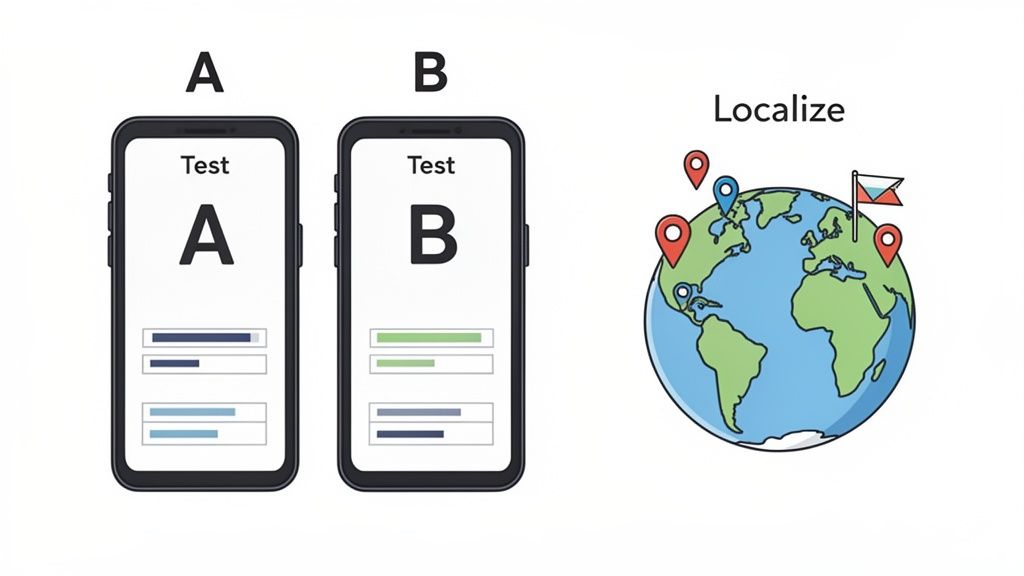
The core idea is simple: stop guessing. Let your users tell you what works by running systematic tests on every piece of your store listing. Then, take those learnings and adapt your message for new audiences around the world.
Let Data Drive with Store Listing Experiments
Google Play gives you a fantastic built in tool called Store Listing Experiments. It’s your secret weapon for A/B testing nearly every part of your app’s public face, from your icon and screenshots to your descriptions.
Instead of debating with your team whether a blue icon feels more "trustworthy," you can just test it. Run an experiment and get a concrete answer. I have seen simple changes, like swapping a blue icon for a vibrant orange one, boost conversions by 15%. These small, data backed wins really compound over time.
Having solid A/B testing strategies is non negotiable if you want to dial in your listing for maximum performance.
Setting up a test in the Google Play Console is pretty straightforward:
- Head to your app and find "Store listing experiments" under the "Grow" menu.
- Kick off a new experiment, give it a clear name, and pick what you want to test (like the App icon).
- Upload your "Variant" (the new version) to run against the "Current version" (your control).
- Let the experiment run for at least a week. You need enough data to get a statistically significant result you can trust.
Pro tip: Always start with your app icon and screenshots. These are the first things a user sees and have the biggest immediate impact on their decision to install or keep scrolling. Nail these visual hooks before you even think about tweaking your promo video or long description.
Once you have a handle on what works, you can find more advanced ideas in this guide to running effective ASO A/B tests.
To give you some inspiration, here are a few ideas to get you started, sorted by how much of a punch they usually pack.
A/B Testing Ideas for Your Store Listing
| Test Element | High-Impact Variables | Low-Impact Variables |
|---|---|---|
| App Icon | Color scheme, style (e.g., flat vs. 3D), core symbol | Minor border changes, subtle gradients |
| Screenshots | First 2-3 images, call-to-action text, overall aesthetic, lifestyle vs. UI-focused | Font size changes, small icon placements in the UI |
| Feature Graphic | Background image, headline text, color contrast | Minor text placement, subtle logo variations |
| Promo Video | Thumbnail, first 5 seconds of content, video length | Background music, transition effects |
| Title | Including a primary keyword, adding a value proposition | Swapping word order (without changing meaning) |
| Short Description | Primary call-to-action, highlighting a key feature | Minor rephrasing, changing punctuation |
Start with the high impact stuff. That’s where you will see the biggest returns on your time and effort.
Go Global with Localization
Once you have squeezed every drop of performance out of your primary market, it’s time to look abroad. And I am not just talking about running your text through a translator.
Real localization means adapting your entire store presence, text, visuals, and all, to connect with the cultural nuances of each new country. A killer feature in the US might be completely irrelevant in Japan. The colors, imagery, and even the people in your screenshots can carry totally different meanings from one culture to another.
Here’s how to do it right:
- Adapt Your Visuals: Your screenshots need to feel local. If you are launching a food delivery app in India, show local dishes, not cheeseburgers and pizza. It sounds obvious, but you would be surprised how many developers miss this.
- Research Local Keywords: Do not just translate your English keywords. You need to do fresh research to find out what people in that country are actually searching for. Their slang, phrasing, and search habits are likely completely different.
- Format Everything Locally: Dates, currencies, and units of measurement should all follow local conventions. It’s a small detail that makes your app feel native and trustworthy.
This whole process is a cycle of continuous improvement. The data backs this up: 75% of top ranking apps on Google Play are updated at least monthly. Google rewards apps that are actively maintained and improved. It’s a clear signal that standing still is not an option.
Common Questions About Google Play ASO
Diving into ASO for the Google Play Store always brings up a ton of questions. I get it. Whether you are just starting out or trying to fine tune a strategy that feels stuck, getting straight answers is the only way to move forward. Let's tackle some of the most common ones I hear from devs and marketers.
How Long Does It Take to See ASO Results?
This is the big one, and the honest to goodness answer is: it depends. You are not going to flip a switch and see a massive jump in rankings overnight. That is just not how this works.
Generally, you can expect to see the first hints of data trickling in within 2 to 4 weeks after you push changes to your metadata, like tweaking your title or short description. But for a real, meaningful impact, the kind that moves the needle on organic downloads and keyword rankings, you are looking at a 2 to 3 month runway of consistent effort.
ASO is a long game, not a quick fix. Your app's niche, how fierce the competition is, and the quality of your updates all play a huge part in how quickly you will see results.
What Are the Most Common ASO Mistakes?
So many developers fall into the same traps when they first start optimizing for the Google Play Store. Just avoiding these common pitfalls can put you way ahead of the curve.
- Keyword Stuffing: This is a classic. Jamming keywords into your descriptions makes for a terrible user experience and can even get you penalized by Google. The goal is to write helpful, natural copy for humans where your keywords just happen to fit.
- Ignoring Your Visuals: I see this all the time: low quality, uninspired screenshots. It is a massive missed opportunity. Your creative assets are your most powerful conversion tool, so please, invest the time to make them look professional and show off the real benefits of your app.
- Forgetting About Technical Health: An app that’s buggy, constantly crashes, or freezes will never rank well. It does not matter how perfect your store listing is. Keep a close eye on your Android Vitals; it is non negotiable.
- The "Set It and Forget It" Mindset: ASO is not a one and done task. It’s an ongoing cycle. You have to constantly be testing, checking your metrics, and tweaking your strategy based on real performance data and what is happening in the market.
How Often Should I Update My Store Listing?
As a baseline, you should probably aim to refresh your store listing at least once a quarter. But a much better approach is to tie your updates to specific events or releases.
A good rule of thumb is to refresh your metadata or visuals whenever you release a major app update. It sends a strong signal to both users and Google that your app is alive, kicking, and actively maintained, a huge plus for your rankings.
Do not forget about seasonal opportunities, either. A fitness app could roll out new screenshots in January to tap into New Year's resolutions. A shopping app could design a whole new feature graphic for Black Friday. Staying relevant is everything.
Should I Respond to All Reviews?
Yes. Full stop. Try to respond to as many as you possibly can, both the good and the bad.
When you reply to a negative review, you are showing everyone that you are listening and are committed to fixing problems. I’ve seen it happen many times where a thoughtful response actually convinces a user to come back and improve their rating.
And responding to the positive ones? That’s how you build a loyal community. It shows you appreciate your users and makes them feel seen. That kind of engagement is a powerful, if indirect, part of a truly healthy ASO strategy.
Ready to create stunning, high-converting screenshots that drive downloads? With ScreenshotWhale, you can design professional App Store and Google Play visuals in minutes using our beautiful templates and simple editor. Stop guessing and start converting. Try ScreenshotWhale for free!
Put this into practice on your own listing
Import your live app into an ASO workspace — metadata, keywords, competitors, and store screenshots in one place.
Import my app