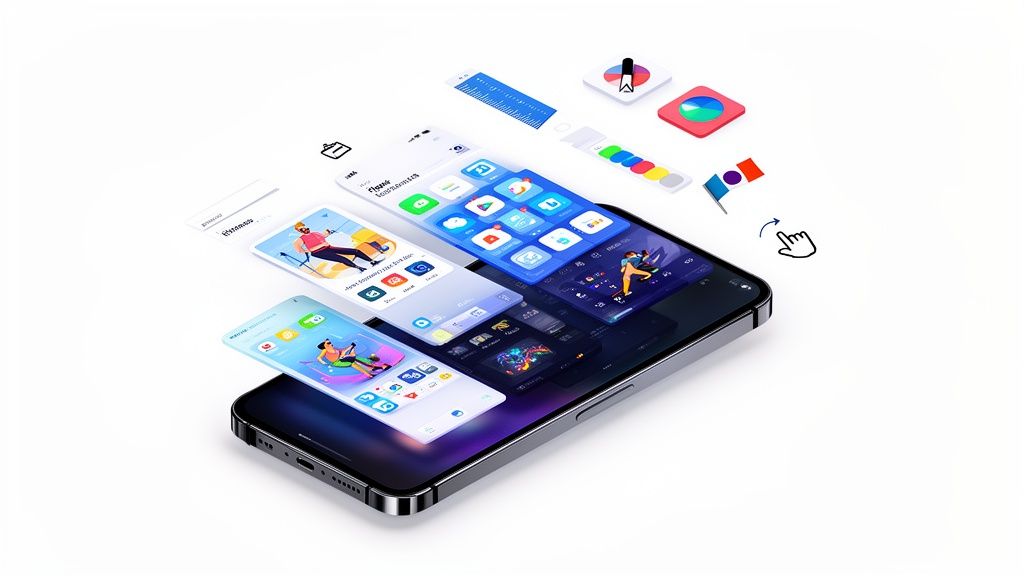
7 Tools to Create the Best App Screenshots for High Conversions in 2025
Discover the 7 best app screenshots tools and templates for iOS and Android. Boost your app store growth with actionable insights and high-converting examples.
Your app store page is your digital storefront, and your screenshots are the window display. They are often the single most influential element determining whether a potential user taps 'Install' or scrolls past. Creating compelling, high converting visuals is no longer just a design task; it is a critical component of your App Store Optimization (ASO) and overall growth strategy for boosting app store growth. Getting this right means telling a powerful, visual story about your app’s value in just a few seconds.
This roundup is your definitive guide to the tools and platforms that help you create the best app screenshots for both the Apple App Store and Google Play. We move beyond generic advice to provide a curated list of solutions designed to streamline your design process, automate localization, and embed powerful conversion principles directly into your workflow. To truly make your app store page unforgettable, consider applying effective marketing visualization strategies to transform complex app features into engaging user stories.
Inside, you will find an in depth look at seven top tier options, from powerful template marketplaces like Envato Elements to specialized automation tools like LaunchMatic and Figma based workflows from ASO.dev. Each entry includes neat appealing imagery with vibrant colors, direct links, and actionable insights you can implement immediately. Whether you are an indie developer, a product manager, or part of a growth marketing team, this list will equip you with the resources needed to create efficient and high converting app store screenshots for the Android and iOS stores that drive downloads and elevate your app's presence. Let's dive in.
1. ScreenshotWhale
ScreenshotWhale establishes itself as a premier solution for teams and solo developers aiming to produce professional, high converting app store screenshots with maximum efficiency. It bypasses the steep learning curve of traditional design software, offering a streamlined, ASO focused platform that directly addresses the core challenge of turning app store visitors into loyal users. The platform’s core strength lies in its hand crafted templates, which are not just visually appealing but are strategically designed to align with Apple and Google's guidelines and consumer psychology principles that drive installs and boost conversions.

This focus on conversion is what elevates ScreenshotWhale from a simple mockup tool to a strategic asset for growth marketers and product managers. By emphasizing benefits, features, and social proof, the templates guide you in creating a compelling visual narrative that communicates your app's value proposition in seconds. The platform is an essential tool for anyone looking to create the best app screenshots without investing heavily in custom design resources.
Why ScreenshotWhale Stands Out
ScreenshotWhale excels by integrating powerful, time saving features directly into an intuitive workflow. Its AI powered internationalization engine is a game changer for global app launches. Instead of manually creating dozens of design files for each language, you can instantly translate your screenshot copy into over 100 languages. This allows a small team or even a single developer to execute a sophisticated localization strategy that would typically require a dedicated design and translation team, dramatically reducing both time and cost.
Another significant advantage is the platform’s comprehensive and up to date device mockup library. It includes the very latest models, such as the iPhone 16 Pro Max, Google Pixel, and Apple Watch, ensuring your app is always presented in a modern, relevant context. This attention to detail prevents your app from appearing outdated and builds trust with potential users who expect to see their own device reflected in your marketing.
Key Insight: The true value of ScreenshotWhale is its blend of ASO best practices with user friendly technology. It doesn't just help you create beautiful screenshots; it guides you toward creating effective screenshots that are engineered to boost app store growth and conversions.
Actionable Tips for Using ScreenshotWhale
To maximize your results with ScreenshotWhale, approach the creation process with a clear strategy.
Select a Category Specific Template: Start by exploring the free and paid templates tailored to your app’s category (e.g., fitness, AI chat, social). These layouts are pre optimized with structures known to resonate with your target audience. A fitness app template, for instance, might prioritize bold metrics and dynamic imagery, while a productivity app template will focus on clean layouts and feature clarity.
Focus on a "First Screenshot" Hook: Use the drag and drop editor to make your first screenshot the most impactful. This is your digital billboard. For example, in the editor, you can click the headline text box and type a strong, benefit oriented headline like "Plan Your Week in 60 Seconds" instead of a generic "Calendar View". Then, drag your app's most compelling UI element into the device frame.
Automate Your Workflow with the API: For teams managing multiple apps or frequent updates, the ScreenshotWhale API is an indispensable tool. You can integrate it into your CI/CD pipeline to automatically generate new screenshots whenever a new feature is released, ensuring your app store presence is always synchronized with your product.
Core Features and Analysis
Here’s a breakdown of what makes ScreenshotWhale a robust choice for creating the best app screenshots.
| Feature | Practical Benefit & Use Case |
|---|---|
| ASO Focused Templates | Provides a solid foundation built on conversion principles. A user can select a "Social Proof" template to immediately add customer testimonials or ratings, boosting credibility without any design guesswork. |
| AI Powered Localization | Enables rapid global scaling. A game developer can translate their screenshot captions into 15 languages in minutes, preparing for a multi region launch in a single afternoon. |
| Extensive Device Mockups | Ensures your app looks current and professional. Showcase your app on the latest iPhone 16 Pro Max and Samsung Galaxy to appeal to users with new devices, signaling that your app is actively maintained. |
| API for Automation | Saves significant time for recurring tasks. A marketing team can use the API to automatically generate promotional screenshots for a holiday campaign across their entire app portfolio, all with a single script. |
While ScreenshotWhale is laser focused on screenshot production, teams may need separate tools for A/B testing or keyword optimization. However, for the specific task of creating high quality, conversion optimized visual assets for the App Store and Google Play, it is an exceptionally powerful and well rounded platform.
Learn more at ScreenshotWhale.com
2. Envato Elements
Envato Elements is a powerhouse subscription service for creative assets, making it an indispensable resource for teams seeking high quality, professional app screenshot templates. Instead of purchasing individual files, a single subscription grants unlimited access to millions of assets, including a vast library of templates for both the App Store and Google Play. This model is perfect for agencies, startups, or solo developers who consistently need fresh design elements beyond just screenshots, such as icons, mockups, and video templates.
The platform’s key advantage is its sheer volume and variety. You can find templates tailored to virtually any app category, from sleek, minimalist designs for productivity apps to vibrant, dynamic layouts for mobile games. These templates are typically delivered as layered PSD files, allowing for deep customization in Adobe Photoshop. This makes it simple to swap out device mockups, change background colors, edit text, and insert your app’s UI to create some of the best app screenshots that align perfectly with your brand identity.
Why Envato Elements Stands Out
What sets Envato Elements apart is its straightforward, all inclusive commercial license. This single, simple license covers all assets downloaded under your subscription, removing the legal complexities often associated with using stock creative assets across multiple projects. For an ASO team managing several apps, this is a significant time saver and provides peace of mind.
The quality of templates is generally high, as they are created by a global community of professional designers. You can often find entire asset packs that include not only screenshot templates but also matching social media graphics and promotional video templates, ensuring brand consistency across all your marketing channels. This cohesive approach is crucial for building a recognizable brand and boosting conversions.
Actionable Tips for Using Envato Elements
- Filter Smartly: Use the powerful search filters to narrow down templates by file type (e.g., "PSD"), orientation (portrait/landscape), and keywords specific to your app's niche (e.g., "fitness app screenshots").
- Check the Layers: Before downloading, preview the template's details to ensure it has well organized, labeled layers. This will dramatically speed up your editing process in a site editor like Photoshop. For example, look for layers named "Headline Text" or "Replace Screen Here".
- Combine Assets: Don’t just use the screenshot template. Leverage your subscription to download high quality fonts, icons, and background textures to make your designs truly unique. A custom font can make your value propositions pop.
- Use Mockups for Context: Many templates include the latest device mockups. To learn more about how these can enhance your presentation, explore a comprehensive guide on how to use an iPhone mockup template effectively.
| Feature | Details |
|---|---|
| Pricing Model | Subscription based (monthly or annual) |
| Primary Benefit | Unlimited downloads of 26M+ assets, including templates and mockups |
| License | Simple, broad commercial license included with subscription |
| Best For | Teams, agencies, and developers with ongoing creative needs |
| File Formats | PSD, AI, FIG, Sketch, and more |
| Website | elements.envato.com |
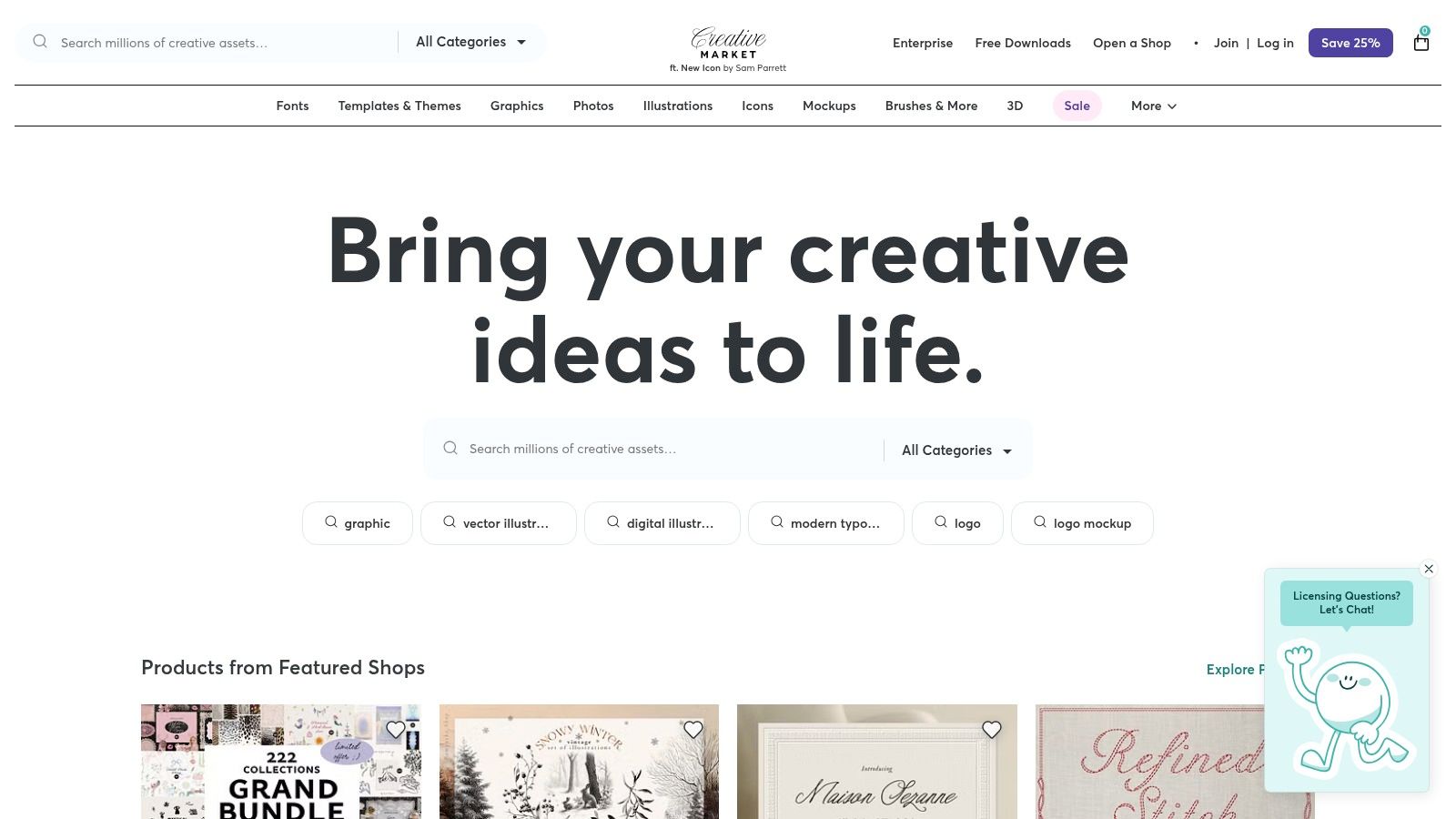
3. Creative Market
Creative Market operates as a bustling digital marketplace where creators can purchase design assets on an individual basis. For app developers and marketers who prefer to avoid recurring subscriptions, this platform is an ideal destination for finding high quality app screenshot templates. You can browse a massive collection of designs from independent creators worldwide and pay only for the specific template that meets your needs, making it a flexible and cost effective option for one off projects or teams with sporadic design requirements.
The marketplace model fosters a huge diversity of styles, from clean and corporate to playful and artistic. Whether you need templates for Figma, Sketch, or Adobe Photoshop, you will find countless options tailored for both the App Store and Google Play. This direct purchase approach empowers you to find, buy, and download a template within minutes, so you can immediately start crafting the best app screenshots for your next app launch or update.
Why Creative Market Stands Out
Creative Market's primary advantage is its pay per asset model. This freedom from subscriptions is perfect for indie developers, startups on a tight budget, or agencies that need a specific style for a single client. You are not locked into an ecosystem; you simply buy what you need when you need it. The quality and specificity of templates can be outstanding, as many sellers are specialists who focus exclusively on creating top tier ASO assets.
Another key benefit is the direct connection to the creator. Product pages often include detailed descriptions, lists of supported device sizes, and previews of all included assets. Many sellers also provide dedicated support for their products, so if you have a question or need help with a file, you can communicate with the designer directly. This personalized support can be invaluable when trying to customize a complex template.
Actionable Tips for Using Creative Market
- Read Reviews and Check Updates: Before purchasing, carefully read user reviews and check the "Last Updated" date on the product page. This helps ensure the template supports the latest device sizes and operating system guidelines.
- Examine the Product Previews: Look for templates that show detailed previews of the file structure. Well organized and clearly labeled layers in a PSD or Figma file will make your editing process significantly faster and more efficient in a site editor.
- Filter for Your Design Tool: Use the site’s category filters to narrow your search to your preferred software, like "Figma," "Sketch," or "Photoshop," to quickly find compatible templates.
- Contact the Seller: If you are unsure whether a template meets your specific requirements, do not hesitate to use the "Message" feature on the product page to ask the creator directly.
| Feature | Details |
|---|---|
| Pricing Model | Pay per asset (one time purchase) |
| Primary Benefit | No subscription commitment; buy high quality templates as needed |
| License | Varies by product; Personal, Commercial, and Extended licenses available |
| Best For | Indie developers, freelancers, and teams with specific, project based needs |
| File Formats | PSD, FIG, Sketch, AI, and others |
| Website | creativemarket.com |
4. AppLaunchpad
AppLaunchpad is a specialized, web based tool designed to streamline the creation of professional app screenshots. It specifically targets developers and marketers who need to produce store ready assets quickly without diving into complex design software like Photoshop or Figma. The platform’s core value lies in its simplicity and efficiency, offering a curated selection of pre designed templates that can be customized with a simple drag and drop interface.
The entire workflow is browser based, making it incredibly accessible. Users can choose a layout, upload their app's UI captures, add compelling marketing copy, and select device frames. AppLaunchpad then automates the resizing process, exporting a full set of screenshots for every required device size on both the App Store and Google Play. This feature alone saves hours of tedious manual work and helps produce some of the best app screenshots with minimal effort, boosting app store growth.
Why AppLaunchpad Stands Out
AppLaunchpad’s main differentiator is its laser focus on solving the screenshot generation problem with maximum efficiency. While other tools offer broader creative assets, AppLaunchpad excels at doing one thing exceptionally well. Its built in localization feature is a standout, allowing users to quickly translate their screenshot text into multiple languages and export separate sets for each market. This is a powerful tool for global app launches, simplifying a process that would otherwise require significant coordination and design time.
Furthermore, its proven track record, with millions of screenshots generated for thousands of apps, lends it credibility. The templates are designed based on conversion best practices, incorporating elements like clear headlines, feature callouts, and clean device mockups. This makes it an ideal choice for indie developers or small teams who lack dedicated design resources but still want to compete with a polished, professional store presence.
Actionable Tips for Using AppLaunchpad
- Prepare Your Copy First: Before you start designing, write concise, benefit driven headlines for each screenshot. This will help you choose the best template to fit your text.
- Use the Localization Feature: Even if you are launching in one language, set up your project with localization in mind. It will make future global expansion much simpler.
- Customize Beyond the Basics: Don’t just stick to the default fonts and colors. Within the editor, click on the background element and use the color picker to select a vibrant gradient that matches your app's branding. This simple action can make your screenshots stand out.
- Verify Sizing Requirements: While AppLaunchpad automates exports, it's always wise to stay updated on the latest storefront specifications. You can review a detailed guide on the current App Store screenshot requirements to ensure compliance.
| Feature | Details |
|---|---|
| Pricing Model | Freemium with paid tiers (Pro & Premium) for advanced features |
| Primary Benefit | Fast, template based generation with automated multi device exports |
| License | Commercial use permitted for all generated screenshots |
| Best For | Indie developers, marketers, and teams needing a fast, no design skill solution |
| File Formats | PNG, JPG |
| Website | theapplaunchpad.com |
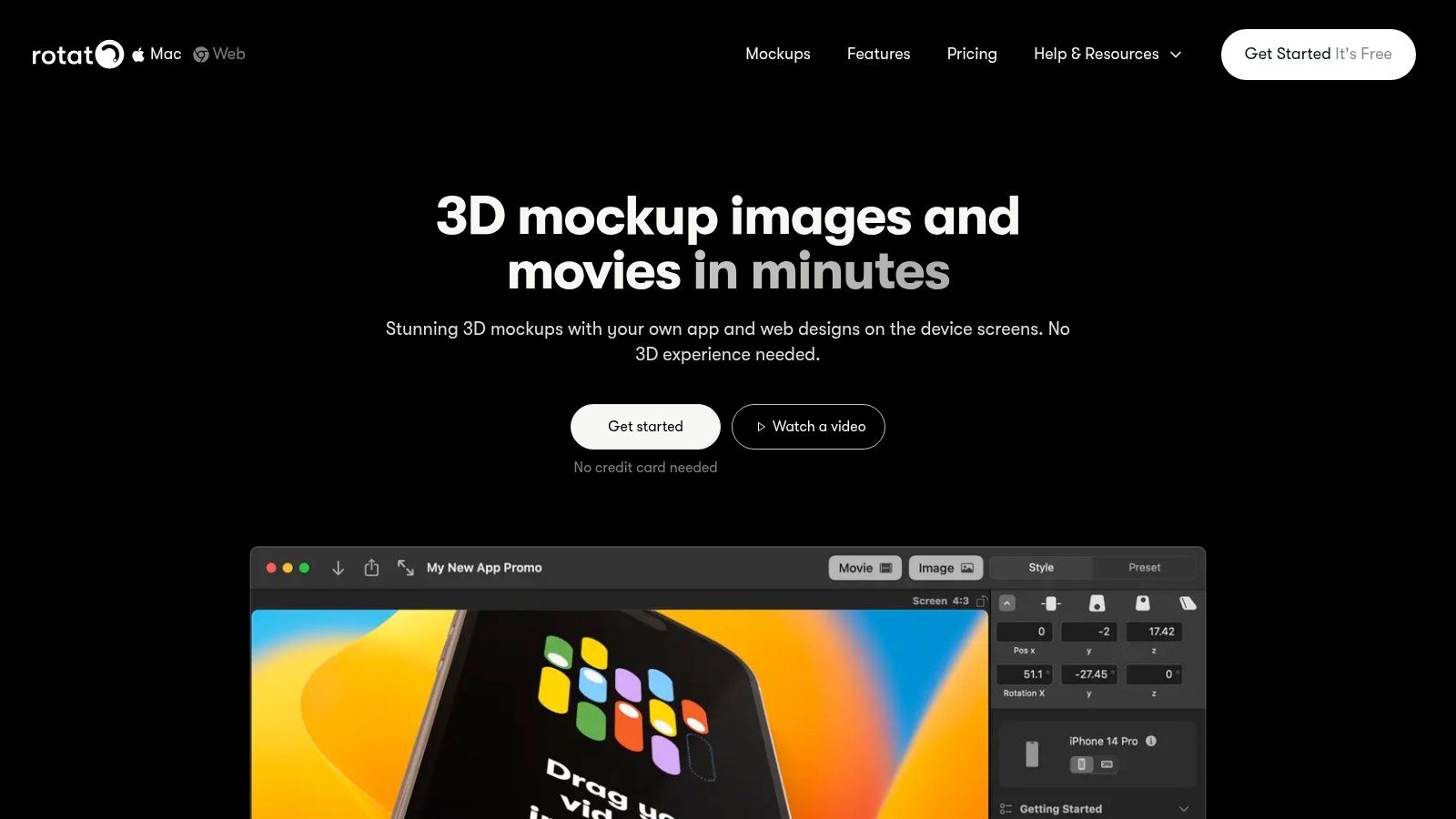
5. Rotato
Rotato is a professional 3D mockup and animation tool that elevates app marketing assets from standard flat images to studio grade visuals. Available as a powerful Mac app and a streamlined web version, it specializes in creating cinematic 3D mockups, high resolution videos, and polished App Store images. It is perfectly suited for teams and developers who want to create a premium, high impact first impression on their App Store or Google Play product pages to boost conversions.
The platform excels at generating dynamic and engaging visuals with minimal effort. With over 30 device mockups and 80 pre built templates, users can quickly drag and drop their app screens to produce stunning, animated presentations. A standout feature is its ability to batch generate entire screenshot sets for all required iPhone and iPad sizes, which significantly streamlines the ASO workflow and ensures pixel perfect consistency across the App Store. This is how you create some of the best app screenshots without spending days in complex 3D software.
Why Rotato Stands Out
What truly sets Rotato apart is its focus on motion and cinematic quality. Unlike static template generators, Rotato empowers you to create animated videos of your app in action, complete with camera pans, device rotations, and custom backgrounds. These high resolution video exports (up to 8K) are perfect for App Previews, social media ads, and hero sections on landing pages, providing a powerful tool to boost user engagement and conversions.
The Mac app, in particular, offers a robust experience with a one time licensing model, which is a major advantage for those who dislike recurring subscriptions. The platform also provides clear tutorials that walk you through both single image creation and batch App Store exports, making its advanced features accessible even to non designers. This combination of power and usability makes it a unique solution for producing premium marketing materials quickly.
Actionable Tips for Using Rotato
- Animate Your First Screenshot: Use Rotato's video capabilities to create a captivating App Preview video. A short, dynamic video showcasing your app's core feature is often more effective than a static image gallery.
- Leverage Batch Export: Once your design is finalized in a template, use the "App Store Screenshot Sets" feature in the site editor. This will automatically render your design for every required device size, saving hours of manual resizing and guaranteeing App Store compliance.
- Customize the Environment: Don't stick to the default backgrounds. Import your own brand colors, gradients, or even video backgrounds to make your mockups look completely custom and on brand.
- Highlight Key Features with Annotations: After exporting your high resolution mockups from Rotato, import them into a design tool like Figma or Canva to add compelling text captions and annotations that highlight your app's value propositions.
| Feature | Details |
|---|---|
| Pricing Model | Mac app (one time fee), Web version (subscription) |
| Primary Benefit | Studio grade 3D mockups and animated videos with batch export |
| License | Perpetual license for Mac app; subscription based for web |
| Best For | Teams and developers needing premium, cinematic visuals |
| File Formats | PNG, JPEG, MP4, ProRes, and more |
| Website | rotato.app |
6. LaunchMatic
LaunchMatic is a specialized app screenshot generator designed for speed, efficiency, and scalability. It is purpose built to solve a common pain point for developers and marketers: quickly creating consistent, professional looking screenshots for every required device size across both the App Store and Google Play. Its streamlined workflow allows users to go from raw UI captures to polished, store ready assets in minutes, making it a powerful tool for teams focused on rapid iteration and localization.
The platform's core philosophy is a "design once, export everywhere" approach. You start by choosing a template or creating a layout, then upload your app's screen captures. From a single design, LaunchMatic automatically generates the full set of correctly sized images for all target devices, from the latest iPhones to various Android phones and tablets. This automation eliminates the tedious and error prone process of manually resizing and rearranging assets for each specific store requirement, helping you produce some of the best app screenshots with minimal effort.

Why LaunchMatic Stands Out
What sets LaunchMatic apart is its laser focus on the app store asset creation workflow. While general design tools offer more creative freedom, LaunchMatic provides constraints and features that directly address the needs of ASO. Its integrated translation feature is a standout, allowing you to use Google Translate to instantly generate captions for multiple languages. This massively simplifies the localization process, enabling teams to prepare assets for a global launch without leaving the platform.
The user interface is clean and intuitive, built around a simple editor that lets you customize layouts, device frames, backgrounds, and text with ease. You can try the editor for free to get a feel for its capabilities before committing to a paid plan. This accessibility makes it ideal for indie developers and small teams who need a professional solution without the steep learning curve or high cost of comprehensive design suites. The speed and reusability of its templates are key to maintaining brand consistency across updates and new app launches.
Actionable Tips for Using LaunchMatic
- Create a Master Template: In the site editor, design a primary layout that perfectly reflects your brand’s colors, fonts, and style. Save it and reuse it for future updates to ensure all your store listings remain consistent.
- Leverage Batch Translations: When localizing, use the translation feature to create all language sets at once. Proofread the automated translations with a native speaker for accuracy, but use the feature to handle the bulk of the work.
- Focus on Strong Captions: Use the text editor to craft short, punchy headlines that highlight a key benefit or feature on each screenshot. Keep your most important value proposition on the first screenshot.
- Use the Device Free Layouts: While device mockups are great, consider using the "device free" or "clean" templates. These layouts focus entirely on your app's UI, which can be highly effective for showcasing feature rich or visually complex applications.
| Feature | Details |
|---|---|
| Pricing Model | Freemium with paid tiers (Pro & Business) for more features and exports |
| Primary Benefit | "Design once" approach to rapidly generate all required screenshot sizes |
| License | Assets created are owned by the user for commercial use |
| Best For | Developers and marketers needing a fast, repeatable screenshot process |
| File Formats | PNG, JPG |
| Website | www.launchmatic.app |
7. ASO.dev (Figma templates and localization workflow)
ASO.dev offers a unique, workflow centric approach for teams that live inside Figma. Instead of a standalone screenshot generator, it provides a free, robust Figma template and an accompanying plugin designed to streamline the creation and localization of app store assets. This solution is tailor made for design savvy teams who want full creative control within their preferred tool while benefiting from powerful automation for multi language rollouts.
The core of the offering is a meticulously structured Figma template. It is built with components that allow you to edit a design once and have the changes propagate across all required device sizes for the App Store. This eliminates tedious manual adjustments and ensures consistency. The system is particularly powerful for developers managing apps in multiple markets, as its localization workflow automates the translation process, saving countless hours and reducing the potential for human error.

Why ASO.dev Stands Out
What sets ASO.dev apart is its deep integration into a professional design workflow. It bridges the gap between creative design in Figma and the technical requirements of App Store Connect. The platform’s localization plugin is a game changer, allowing teams to manage translations and generate localized screenshot sets without ever leaving their design file. This is ideal for agile teams that frequently update their apps and need to push new, localized marketing assets quickly.
Furthermore, ASO.dev provides guidance and tooling for the entire pipeline, from initial design to bulk uploading. This end to end approach addresses a common pain point for global app publishers. For a deeper dive into the technicalities of gaining visibility and optimizing your app store presence, beyond just screenshots, consider reading this Ultimate Guide to Shopify App Store Optimization.
Actionable Tips for Using ASO.dev
- Master the Main Component: Spend time understanding how the main Figma component is structured. All your design edits should happen here to ensure they correctly cascade to all device sizes.
- Prepare Your Strings: Before using the localization plugin, organize your marketing copy (titles, captions) in a simple spreadsheet. This makes the translation and import process seamless.
- Leverage the Plugin for Bulk Exports: Use the plugin to generate all necessary localized assets in one go, perfectly named and structured for upload to App Store Connect.
- Explore Automated Translation: For rapid localization, you can learn more about how to auto-translate device mockups to quickly adapt your visuals for new markets.
| Feature | Details |
|---|---|
| Pricing Model | Free Figma template and workflow guidance; plugin has free/paid tiers |
| Primary Benefit | Integrates screenshot creation and localization directly into Figma |
| License | Free to use the core template and basic plugin features |
| Best For | Design centric teams, global apps, and developers proficient in Figma |
| File Formats | FIG (Figma) |
| Website | aso.dev/figma/ |
Top 7 App Screenshot Tools Comparison
| Tool | Implementation complexity 🔄 | Resource requirements ⚡ | Expected outcomes ⭐📊 | Ideal use cases 💡 | Key advantages ⭐ |
|---|---|---|---|---|---|
| ScreenshotWhale | Low — drag & drop; API adds moderate integration 🔄 | Minimal design skills; paid plans/API need budget & dev time ⚡ | ⭐ High — ASO-focused, localized screenshots at scale 📊 | Mobile teams & indie makers needing fast, localized store assets 💡 | ASO templates, AI i18n (100+ langs), device mockups, API automation ⭐ |
| Envato Elements | Low–Moderate — download + edit layered files 🔄 | Subscription required; Photoshop/Figma or similar ⚡ | ⭐ Variable — large variety; quality depends on author 📊 | Agencies/teams needing many assets with unified licensing 💡 | Unlimited downloads, commercial license, vast library ⭐ |
| Creative Market | Low — one-off purchase then manual edit 🔄 | Pay-per-item; design tools and vetting time ⚡ | ⭐ Variable — diverse styles; quality varies by seller 📊 | One-off projects or indie devs avoiding subscriptions 💡 | Pay-once templates, many style/options without subscription ⭐ |
| AppLaunchpad | Low — web-based generator, template-driven 🔄 | Browser-based; likely subscription for full features ⚡ | ⭐ Good — quick store-ready screenshots and multi-size export 📊 | Non-designers needing fast, store-compliant screenshots 💡 | Web workflow, auto-resize/export, built-in localization ⭐ |
| Rotato | Moderate — 3D tool learning curve; Mac best 🔄 | Mac app (one-time or license) or web subscription; decent hardware ⚡ | ⭐ Very high — studio-grade mockups and high-res video exports 📊 | Marketing teams and apps needing premium visuals/videos 💡 | 3D device mockups, cinematic templates, 2K–8K exports ⭐ |
| LaunchMatic | Low — design-once templates, easy reuse 🔄 | Freemium/editor + paid tiers for more exports ⚡ | ⭐ High — consistent, fast multi-device asset generation 📊 | Teams prioritizing speed and reusable screenshot systems 💡 | Design-once scaling, translation support, rapid production ⭐ |
| ASO.dev (Figma) | Moderate–High — Figma proficiency and plugin setup 🔄 | Figma account + ASO.dev plugin; design workflow alignment ⚡ | ⭐ High — structured localization and bulk export workflows 📊 | Design-led teams managing many locales and frequent updates 💡 | Figma-native templates, localization plugin, App Store Connect workflow ⭐ |
Choosing the Right Tool to Maximize Your App Store Impact
We have journeyed through a comprehensive suite of tools, from dedicated screenshot builders to versatile design marketplaces, each offering a unique pathway to creating the best app screenshots. The central theme is clear: your app store presence is no longer just a gallery of user interface images. It is your most powerful marketing billboard, a visual narrative designed to stop scrollers in their tracks and persuade them to tap "Get".
The examples we have explored, from the minimalist elegance of productivity apps to the dynamic energy of gaming visuals, all share core principles. They use compelling headlines, highlight unique value propositions, and create a cohesive brand story across every frame. Achieving this level of quality and consistency manually is a monumental task, especially when factoring in different device sizes, A/B testing variations, and global localization. This is precisely where the right tool transitions from a convenience to a necessity for growth.
Synthesizing Your Strategy: From Insight to Implementation
Choosing the right tool depends entirely on your team's specific context, resources, and long term goals. To help you make a decision, let's distill our findings into actionable considerations.
Ask yourself and your team these critical questions:
- What is our primary bottleneck? Is it design skill, development time, or the complexity of managing localization? If speed is paramount, a template based solution like AppLaunchpad or LaunchMatic might be ideal. If localization is your biggest challenge, ScreenshotWhale or ASO.dev are purpose built for that struggle.
- How important is brand uniqueness? Marketplaces like Envato Elements and Creative Market offer a vast ocean of templates, giving you a unique starting point that can be heavily customized. However, this requires more design input compared to a streamlined, all in one editor.
- What is our existing workflow? If your team lives and breathes Figma, integrating the ASO.dev plugin is a logical extension of your current process. If you prefer a standalone, dedicated application for creating immersive 3D mockups, Rotato offers unparalleled power.
- Do we need to scale efficiently? This is the ultimate question for ambitious apps. Scaling involves more than just creating one set of beautiful screenshots. It means testing, iterating, and localizing for dozens of markets. This is where a platform designed for conversion optimization and global reach provides the greatest return on investment.
Final Thoughts: Your Screenshots Are Your Story
Ultimately, creating the best app screenshots is about effective storytelling. Each image is a chapter, and together they must tell a convincing story of why your app deserves a place on a user's home screen. The tools we have covered are the instruments that help you tell that story more beautifully, more efficiently, and more persuasively.
By investing in a dedicated process and the right technology, you are not just making prettier pictures. You are building a more effective conversion funnel, reducing your reliance on paid acquisition, and setting your app up for sustainable, long term success. The initial time and resource investment pays dividends in the form of higher tap through rates, increased downloads, and a stronger brand presence on the world’s most competitive marketplaces. Choose your tool wisely, and start telling your app's story the way it deserves to be told.
Ready to transform your app store presence with a tool built for conversion and scale? ScreenshotWhale provides a seamless editor, AI powered localization, and high impact templates designed to help you create the best app screenshots in minutes, not days. Start optimizing your screenshots today and see the difference a professional storefront can make.
Put this into practice on your own listing
Import your live app into an ASO workspace — metadata, keywords, competitors, and store screenshots in one place.
Import my app